jayross1967
Participant
February 10, 2021
Answered

Losing metallic look post render

  • February 10, 2021
  • 2 replies
  • 521 views

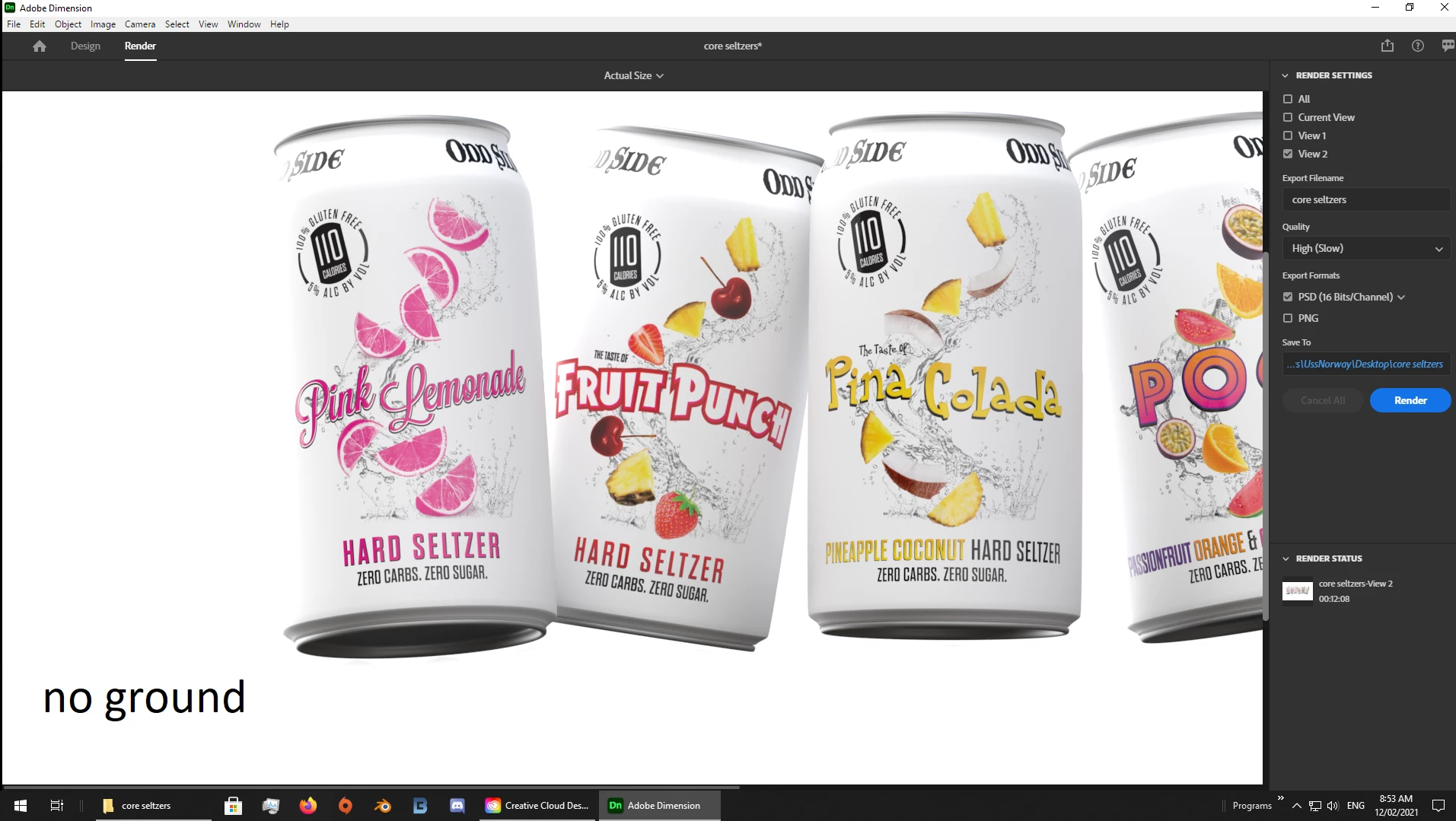
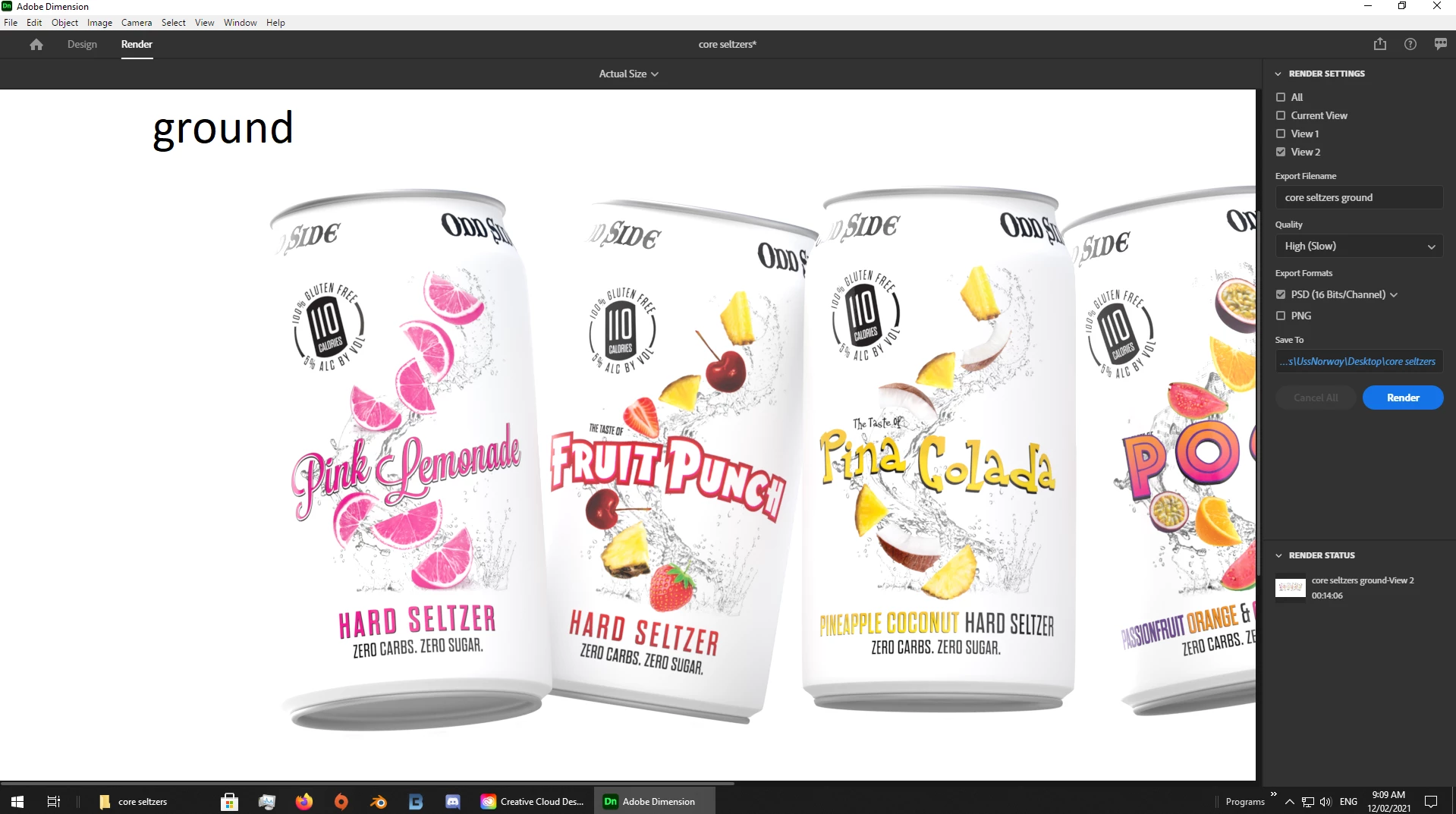
Very simple question I hope. See the two attached images. One is preview and the other is the rendered image. Notice how the metallic quality of the can bottoms is completely gone? 


I am rendering at full quality to a 16 bit PSD file. Any idea what is happening here or what I am doing wrong?


Thanks in advance!

This topic has been closed for replies.
Correct answer Ussnorway7605025

The issue is ground refection so high that it washes out the colour... Try just turning it off


2 replies

Ussnorway7605025
Ussnorway7605025Correct answer
Legend
February 11, 2021

The issue is ground refection so high that it washes out the colour... Try just turning it off


jayross1967
Participant
February 12, 2021

Thank you so much! You are a lifesaver! 

Ussnorway7605025
Legend
February 10, 2021

the light is different and whats the black square in top right?

as always, share the Dn file for testing please

jayross1967
Participant
February 11, 2021

Why would the light change during the render? As you will see in the dn file, I make no changes to the light at any time. 

The after picture is a screen grab from photoshop. That is what the black square is.

Link to dn file:  https://www.dropbox.com/s/0xbmemw2oogext3/core%20seltzers.dn?dl=0