


sonofmrsnak
Inspiring
October 19, 2020
Answered

No shadow showing on rendered image v. 3.4

  • October 19, 2020
  • 2 replies
  • 683 views

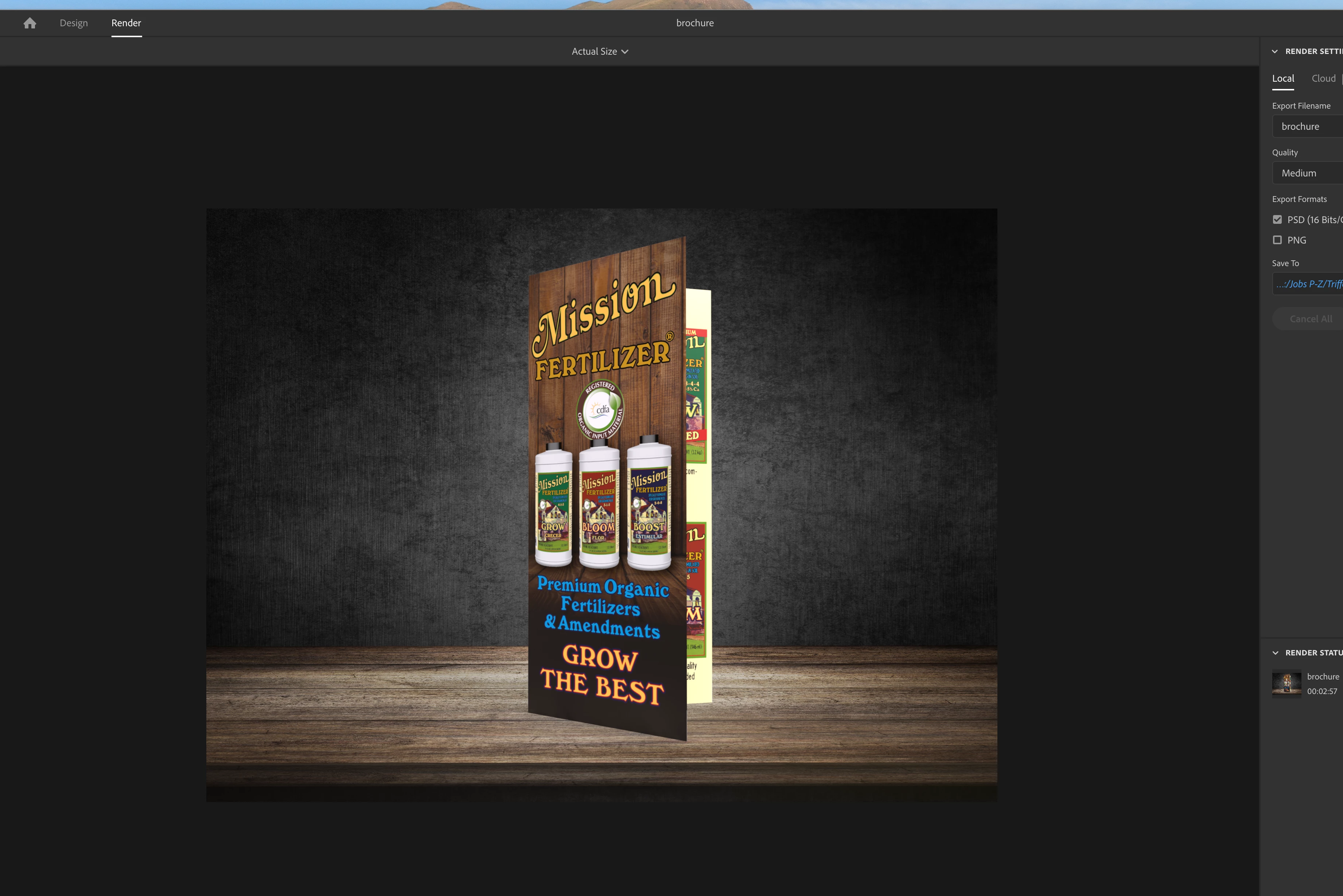
repeating an earlier question. Shadow shows in design, but not in render or render preview.

This topic has been closed for replies.
Correct answer sonofmrsnak

Problem kind of solved. Rendered shadows will appear, but appear very faintly, almost non-existent on a darker background. The difference between canvas and render views of shadows are quite confusing. My solution was to generate the PSD rendered file, and then go into the layer with the shadow and beef it up to where it will be visible. Wish the canvas and render previews could be closer, but ast least I know now.

2 replies

sonofmrsnak
sonofmrsnakAuthorCorrect answer
Inspiring
October 23, 2020

Problem kind of solved. Rendered shadows will appear, but appear very faintly, almost non-existent on a darker background. The difference between canvas and render views of shadows are quite confusing. My solution was to generate the PSD rendered file, and then go into the layer with the shadow and beef it up to where it will be visible. Wish the canvas and render previews could be closer, but ast least I know now.

Ussnorway7605025
Legend
October 22, 2020

If you want to share the Dn file I'll be happy to test it

sonofmrsnak
Inspiring
October 22, 2020

No way to send to you. Forum does not allow fileshares

sonofmrsnak
Inspiring
October 22, 2020

Tried every option I could think of, but cannot get any type of shadows to show in render preview or final render.
Path of least resistance will be to simply create these in Photoshop. Added benefit will be faster render times.
