


Participant
March 15, 2024
Question

No Starter Assets

  • March 15, 2024
  • 1 reply
  • 591 views

Hello! I just recently installed Adobe Dimensions, and I seem to have no starter assets in my library. I've tried reinstalling the app and using a previous version, but it still doesn't seem to solve my issue. Is there any way to fix this? I have no idea if this is an issue with my laptop or an issue with the app itself. Thank you.


Here's how it looks for reference:
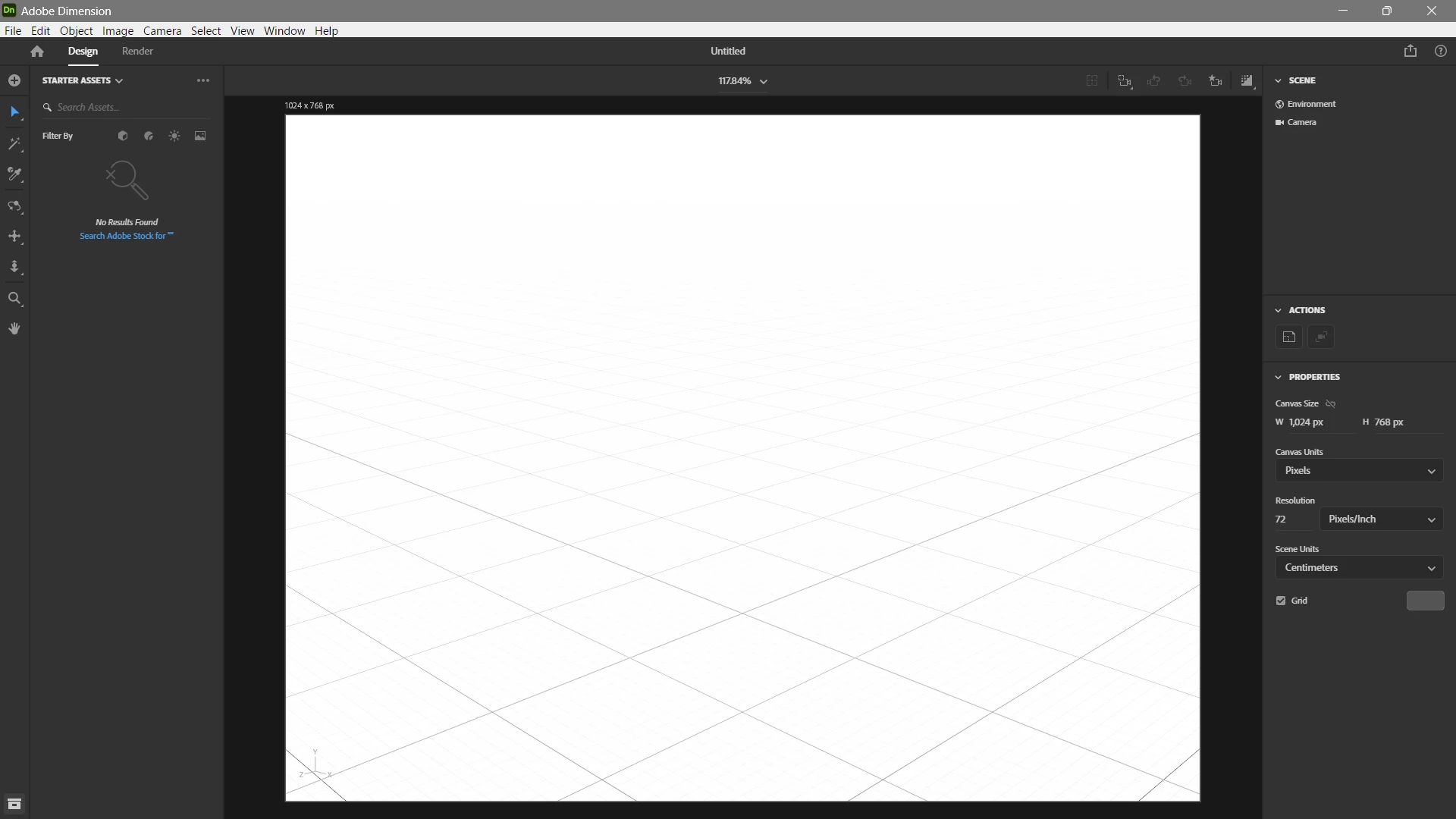
 

Here's my device specs if it matters:

Processor: AMD Ryzen 5 4600H with Radeon Graphics 3.00 GHz

RAM: 8.00 GB (7.37 GB usable)


This topic has been closed for replies.

1 reply

Ares Hovhannesyan
Community Expert
Community Expert
March 15, 2024

It's not system or OS , hardware problem. Try Use the Creative Cloud Cleaner Tool to solve installation issues
https://helpx.adobe.com/creative-cloud/kb/cc-cleaner-tool-installation-problems.html

PEMB02Author
Participant
March 16, 2024

Hi! I used the Creative Cloud Tool and reinstalled Dimension, but I still don't have any starter assets. 

Ares Hovhannesyan
Community Expert
Community Expert
March 16, 2024

Here are some methods that may be can help.

Check Compatibility Settings:


Clear Cache and Preferences:

  • Sometimes corrupted cache or preferences can cause issues. Try clearing them:
    • Close Adobe Dimension.
    • Navigate to the following folder:
      • Windows: C:\Users\<username>\AppData\Local\Adobe\Dimension CC
      • macOS: /Users/<username>/Library/Application Support/Adobe/Dimension CC
    • Delete the “Cache” and “Preferences” folders.
    • Restart Adobe Dimension and check if the assets load.