


Participant
February 13, 2021
Answered

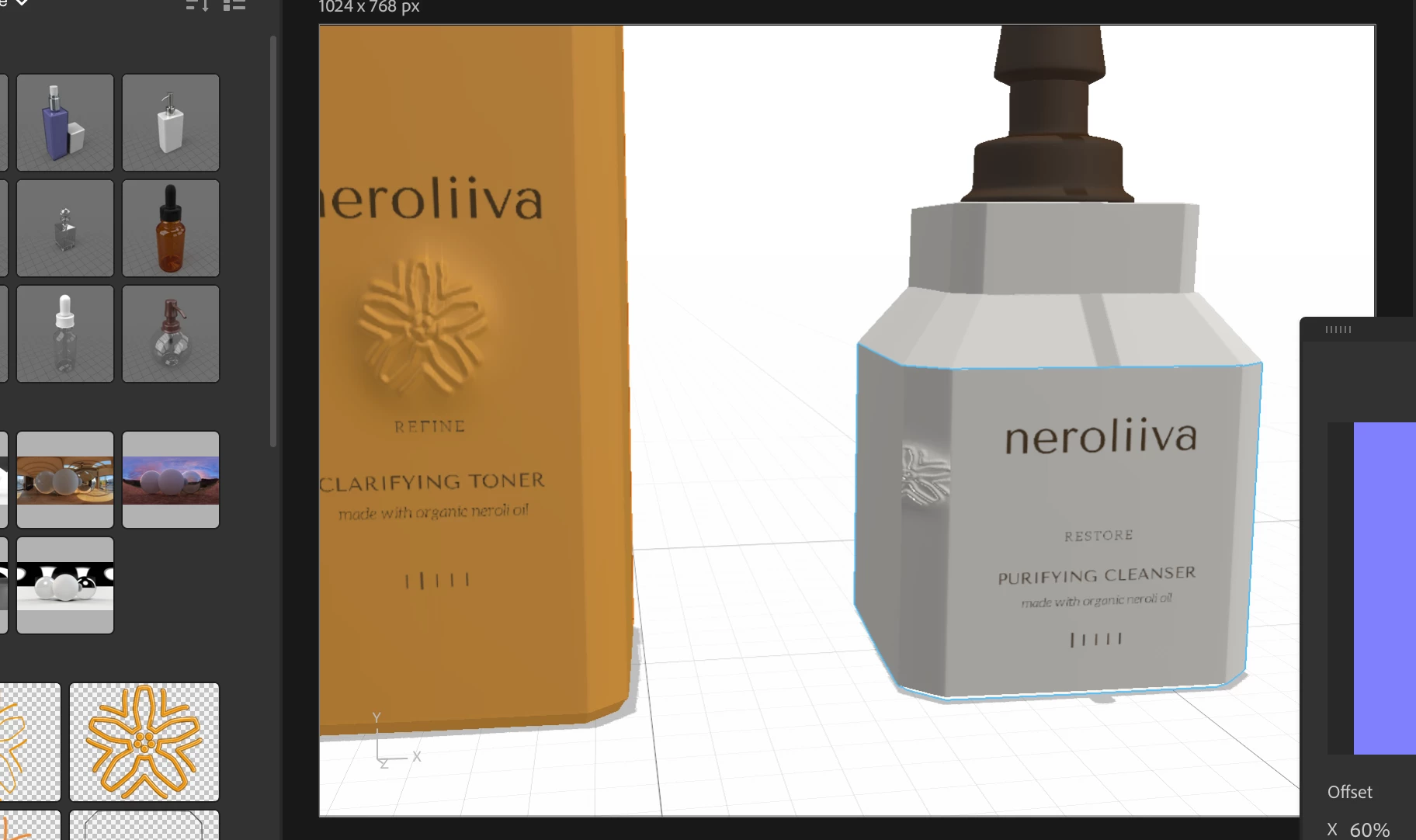
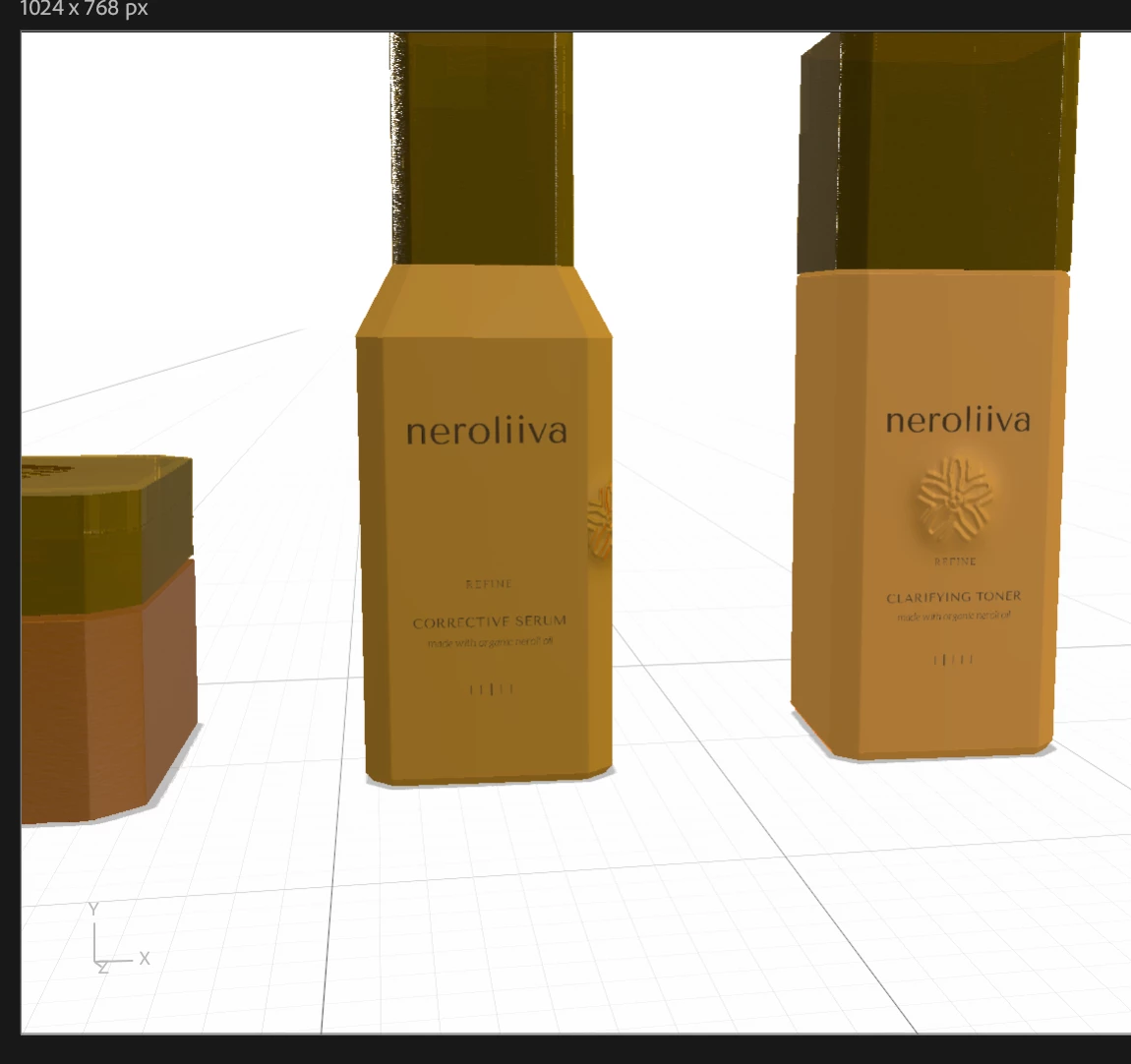
Normal map only works on one side of object

  • February 13, 2021
  • 2 replies
  • 288 views

I am working on a packaging project and I want to have this embossed flower on the front side of my bottles. I am trying to do this with a normal map in Dimension, instead of adding it in Photoshop after rendering. This worked fine on one object, but with the rest of them it only wants to apply it on the corners for some reason. When I adjust X offset it just dissapears under the front side. I tried removing my graphic and generating UVs again, and it's still doing it. Also tried detaching material styles on that segment of the object.
This topic has been closed for replies.
Correct answer mar.lu

Hi,

I managed it in the end. Just had to completely reformat the material. I wanted to delete my post but couldn't find a delete button 😂

Thanks for answering 

2 replies

Ussnorway7605025
Legend
February 14, 2021

cool thanks for letting us know you got it sorted mate

Ussnorway7605025
Legend
February 13, 2021

if you share the file we can try to help you

mar.luAuthorCorrect answer
Participant
February 13, 2021

Hi,

I managed it in the end. Just had to completely reformat the material. I wanted to delete my post but couldn't find a delete button 😂

Thanks for answering