




Answered
Now you can change Gizmo size.
New update includes feature to change the Gizmo size:
Shortcuts ."-" decreases "+" increases size
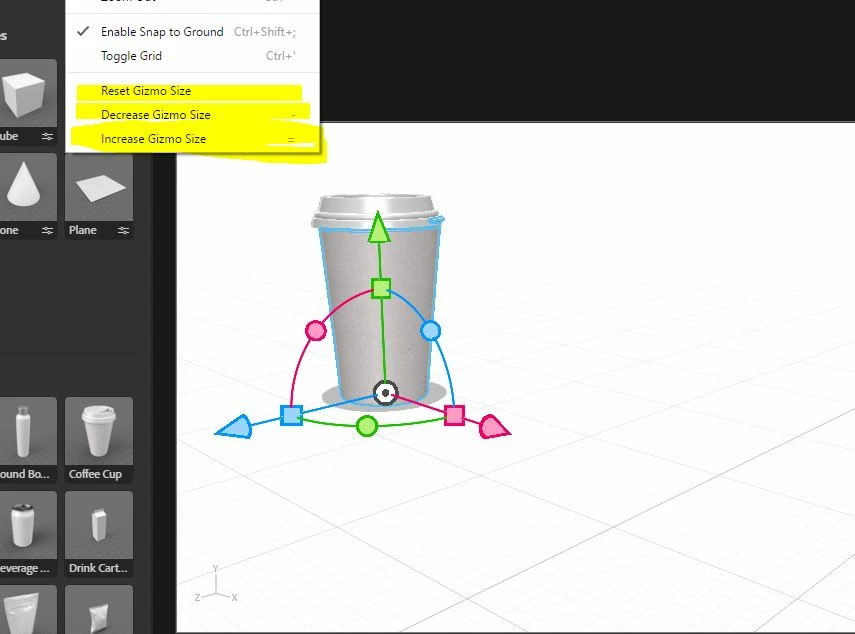

New update includes feature to change the Gizmo size:
Shortcuts ."-" decreases "+" increases size
Already have an account? Login
Enter your E-mail address. We'll send you an e-mail with instructions to reset your password.
 AdChoices