


rons75178507
Participating Frequently
June 22, 2022
Answered

Place multiple images in one object

  • June 22, 2022
  • 2 replies
  • 362 views

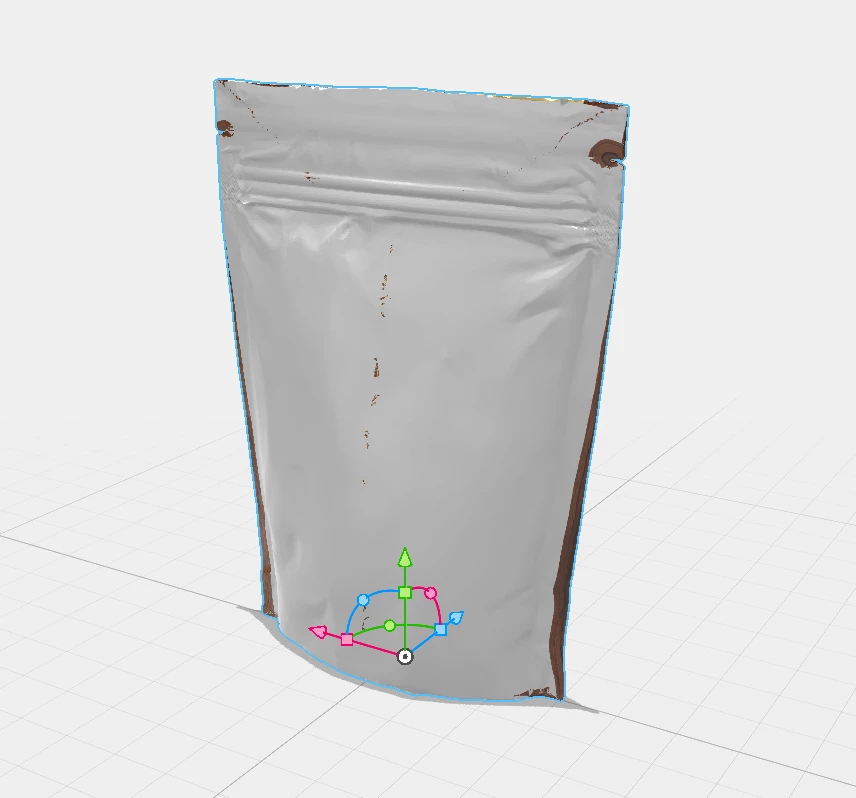
I have to place an image on the pouch bag... Front side is no problem... But how can I avoid that the image of the front "comes through" the surface of the reverse side? How can I handle this. Target is a pouch bag with a propper front and reverse side...  
This topic has been closed for replies.
Correct answer Ussnorway7605025

use the magic wand to select one side of the package... give it a different material then place your decal

2 replies

Ussnorway7605025
Ussnorway7605025Correct answer
Legend
June 22, 2022

use the magic wand to select one side of the package... give it a different material then place your decal

rons75178507
Participating Frequently
June 23, 2022

Thanks for your help! The magic wand tool... I forgot them:-)

Ares Hovhannesyan
Community Expert
Community Expert
June 22, 2022

Here you can see both sides of object with decal. The object has been duplicated after placing decal. As yo can see there isn't any artifacts. Can you describe steps of your workflow?