


Participant
March 2, 2021
Answered

Placed graphics do not honor scale

  • March 2, 2021
  • 1 reply
  • 991 views

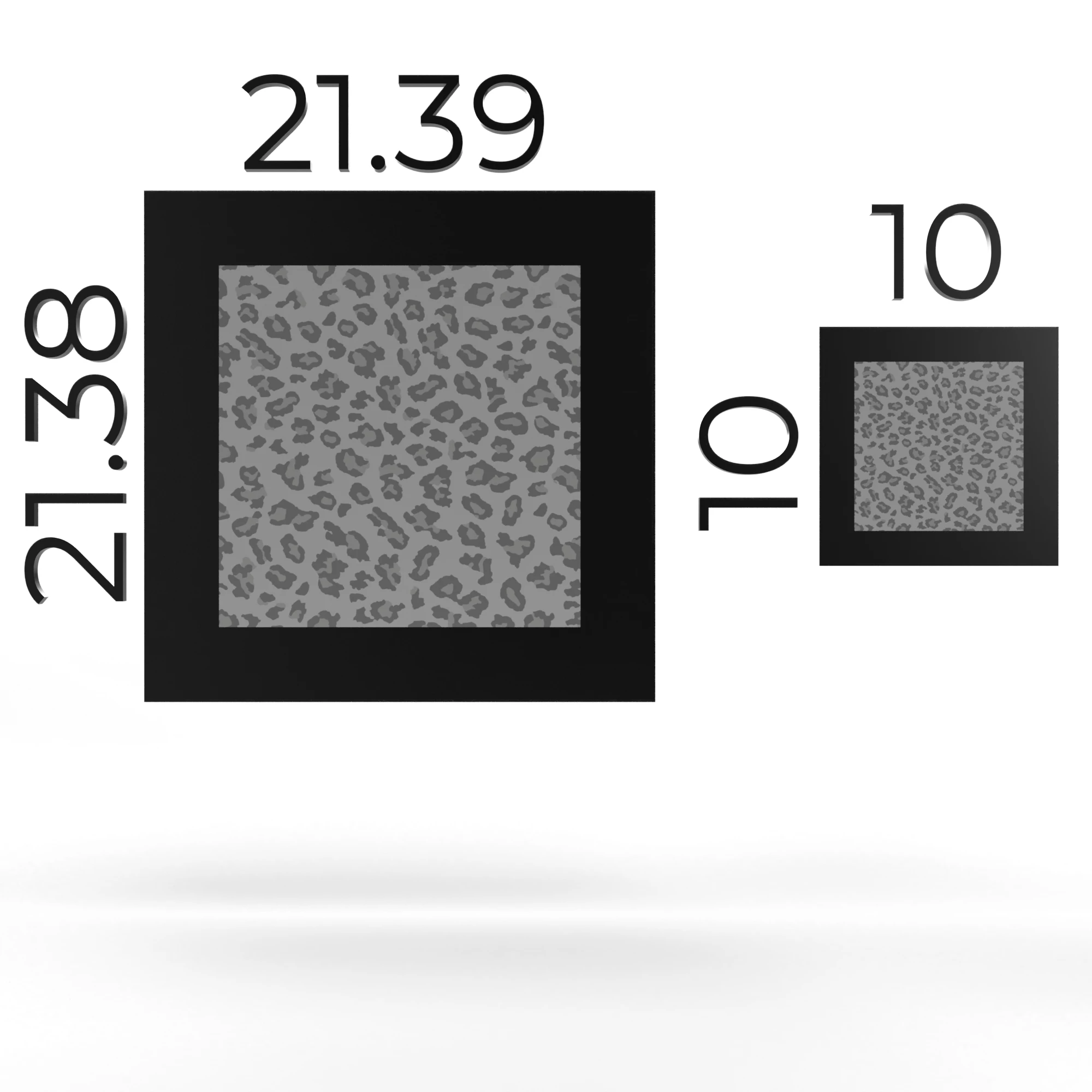
Looking for some help! I have a piece of artwork that is a TIFF at 21.39cm x 21.38cm at a resolution of 300. I have a Dimension document created that has a work space with the same resolution. I created a plane that matches the dimensions of the graphic. I placed the graphic on the face of the plane and I would have expected it to perfectly fill the space. However, there is a margin of space around the graphic and in the graphic properties it looks like the scale is about 14%. 

Does Dimension not honor the true scale of imported artwork? This is quite confusing!


Thanks for your time,
Rich
 

This topic has been closed for replies.
Correct answer Ares Hovhannesyan

Try to use UV Export for correct placing decay. 


https://youtu.be/jFFqWHD3Q_4

1 reply

Ares Hovhannesyan
Community Expert
Ares HovhannesyanCommunity ExpertCorrect answer
Community Expert
March 2, 2021

Try to use UV Export for correct placing decay. 


https://youtu.be/jFFqWHD3Q_4

Participant
March 2, 2021

This is quite helpful, thank you! So I believe then the correct answer is: If you don't use UV maps to tell your graphic how to properly place on the 3D object, simply dropping in a graphic will not honor the original proportions of said graphic?

Ussnorway7605025
Legend
March 2, 2021

correct and thats by design
