


Participating Frequently
January 25, 2021
Answered

Placing model from cc library comes out wrong

  • January 25, 2021
  • 1 reply
  • 314 views

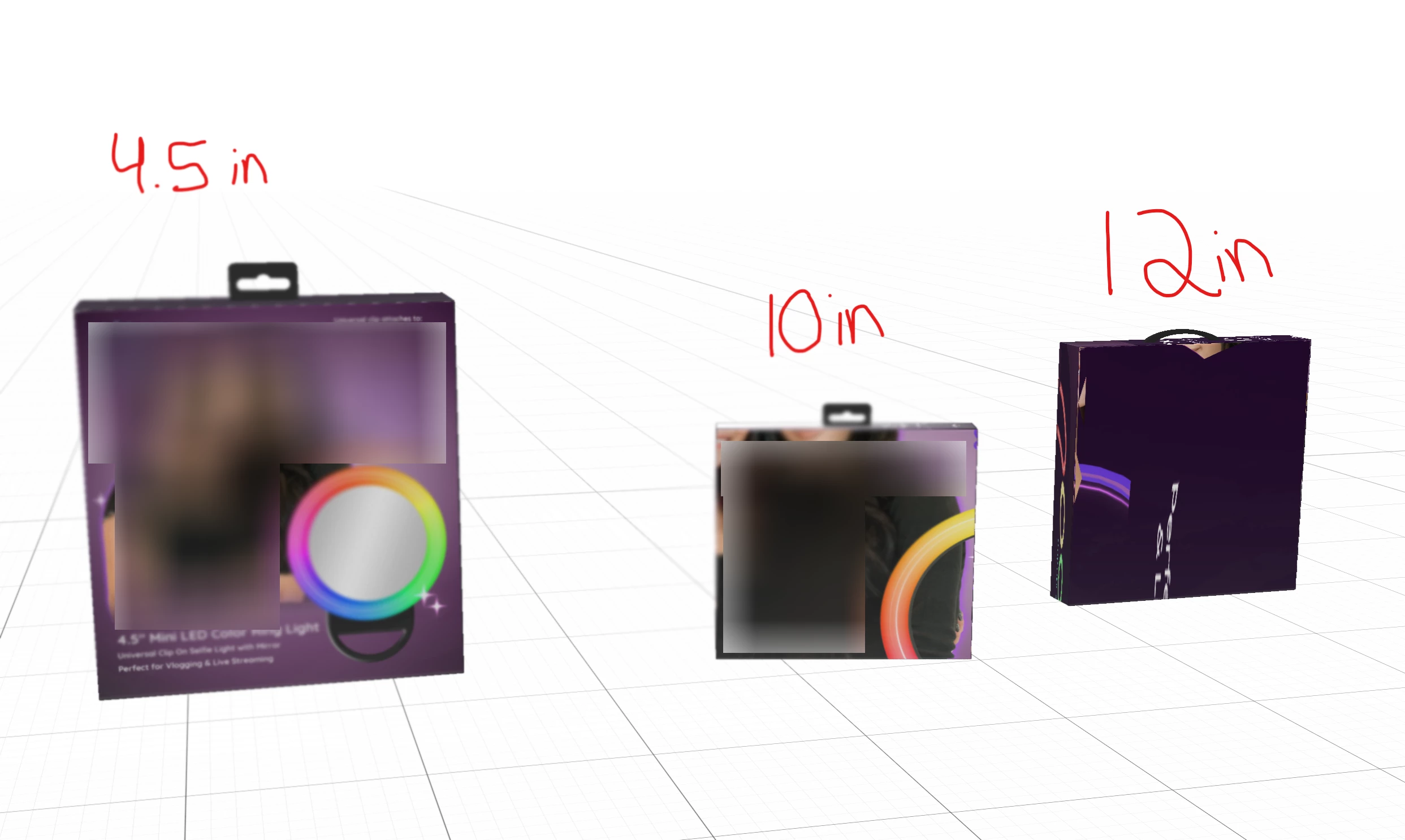
I've noticed this really annoying (bug)? in Dimensions. When I make a model to scale and use labels, and save to CC Library, it seems fine. I then eventually place all my models in a document together for a render and they all:
1) place very far from actual size

2) the labels are severely stretched and skewed.

Forgive my bad example but blurred for some client privacy.

the 4.5 in box example to the left is the file it's built in  - not dragged from the library. The 10in & 12in boxes are both placed from my library. You can clearly see that they are obviously way smaller than actual size and the 'label' (I use that method for placing my artwork) is skewed, zoomed, and just all wonky.


Adobe, please fix this! It would make my life so much easier.
This topic has been closed for replies.
Correct answer Ussnorway7605025
  1. this is not a bug, the library is made by a different team for a different workflow and Dimension is doing what they told it to do by guessing where the decal should be placed
  2. this is a user forum and the wrong place, https://feedback.adobedimension.com/ is where this post belongs so the dev team will at least see it


1 reply

Ussnorway7605025
Ussnorway7605025Correct answer
Legend
January 25, 2021
  1. this is not a bug, the library is made by a different team for a different workflow and Dimension is doing what they told it to do by guessing where the decal should be placed
  2. this is a user forum and the wrong place, https://feedback.adobedimension.com/ is where this post belongs so the dev team will at least see it