

Inspiring
November 29, 2021
Answered

Problem importing SketchUp file

  • November 29, 2021
  • 2 replies
  • 2473 views

Hello, when importing this SketchUp (.skp) model into Dimension, I get the following error message:
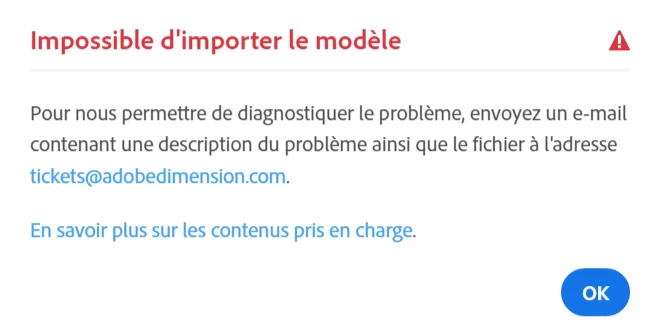
 

Anyone know what to do? Thanks.

This topic has been closed for replies.
Correct answer Colin Holgate

It looks like Dimension hasn't been updated to support SketchUp 2021 files. Open the model in SketchUp, and choose File/Save As, and in the format menu choose SkertchUp 2020 or earlier. Then it will import ok.

2 replies

ArenguAuthor
Inspiring
November 30, 2021

When I import the file, I now get a blank screen :

Does anyone know what I am doing wrong?

There isn't any error message or anything abnormal...

ArenguAuthor
Inspiring
November 30, 2021

Sorry for the french interface... 😉

Colin Holgate
Colin HolgateCorrect answer
Inspiring
November 29, 2021

It looks like Dimension hasn't been updated to support SketchUp 2021 files. Open the model in SketchUp, and choose File/Save As, and in the format menu choose SkertchUp 2020 or earlier. Then it will import ok.

ArenguAuthor
Inspiring
November 29, 2021

Thanks, it hasn't given me the error message so it must be ok (as it's a heavy model I think it's lagging). Do you know if my model will keep its textures?

Colin Holgate
Inspiring
November 29, 2021

Yes, materials should come in ok. They are not advanced materials like you can create in Dimension, but should look like they did in SketchUp.
