


Participant
January 6, 2021
Answered

Problem with placing image on 3D puzzle model

  • January 6, 2021
  • 1 reply
  • 645 views

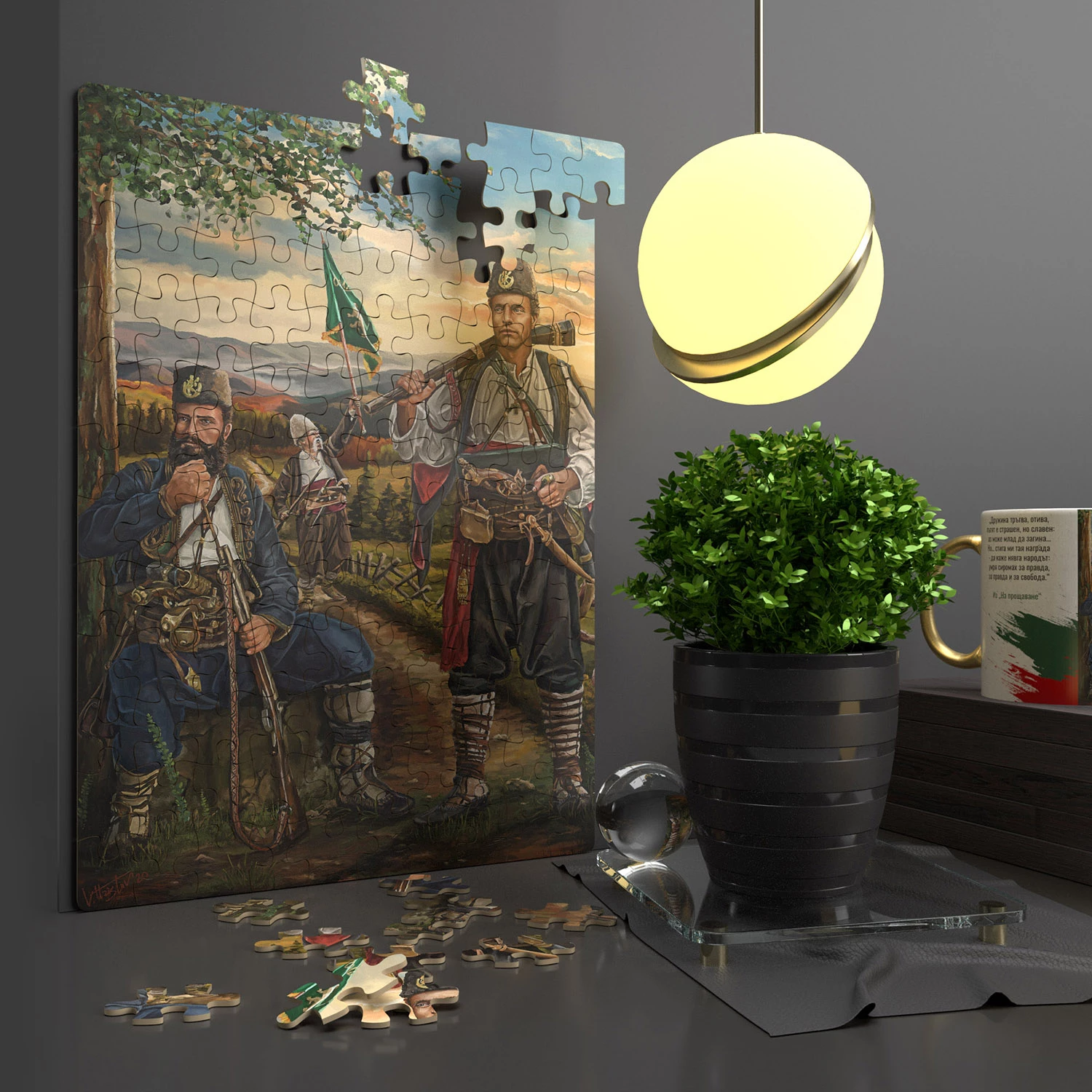
I would like to put a picture of a 3D puzzle in Adobe Dimension, but the picture is placed only on one of the pieces. When I move a photo, it is positioned in only one of the pieces, not to all pieces. It would be good if the program has an option "fit to object" or "powerclip - place inside frame"...

I'm sending screnshots, and if you want to try and help me, i'm sending the work file of puzzle - DOWNLOAD


Thanks in advice!
 

This topic has been closed for replies.
Correct answer Венцислав Христов

Hello again.
Here is the final result.
Thanks for your cooperation. I was able to find where the problem was.

Best Regards!

1 reply

Ussnorway7605025
Legend
January 6, 2021

you have 3 basic options;

  1. build the models correct - this will be very hard
  2. repair the UV map - this will take a lot of messing about but gives the best results for the time spent
  3. hack the UV map - this is a quick work around that gives ok results but is not totally correct

this is the fast fix (Photoshop) and your files back

Participant
January 7, 2021

Thanks for the advice, but unfortunately the result is not perfect. I found another solution to the problem, with which everything happens perfectly! 🙂