

Participating Frequently
September 28, 2018
Answered

Render Final Material Looks Bad Quality

  • September 28, 2018
  • 1 reply
  • 503 views

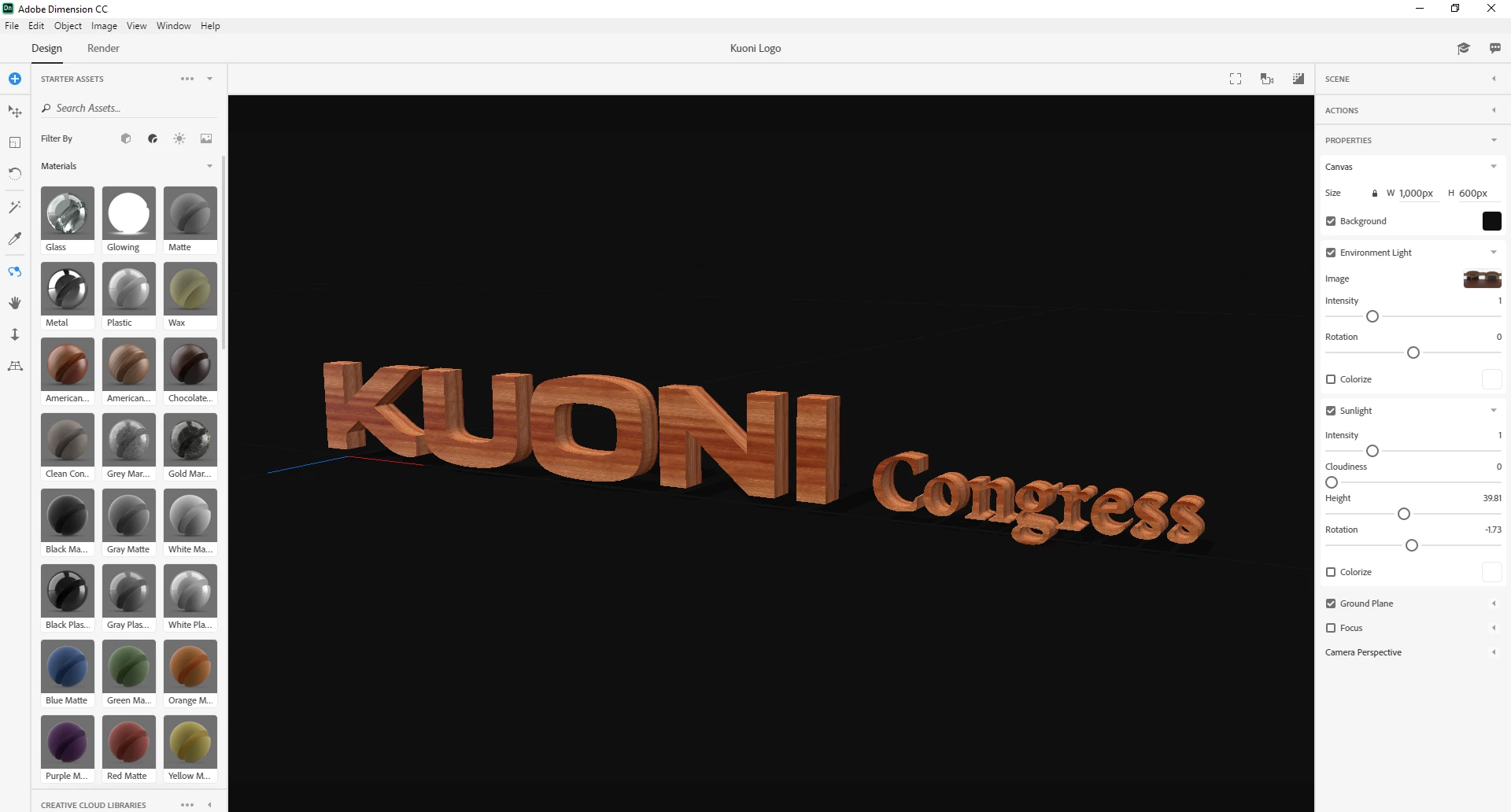
Hello I have an issue when I want to render.

This is how I look in the preview.
and this is the final result.
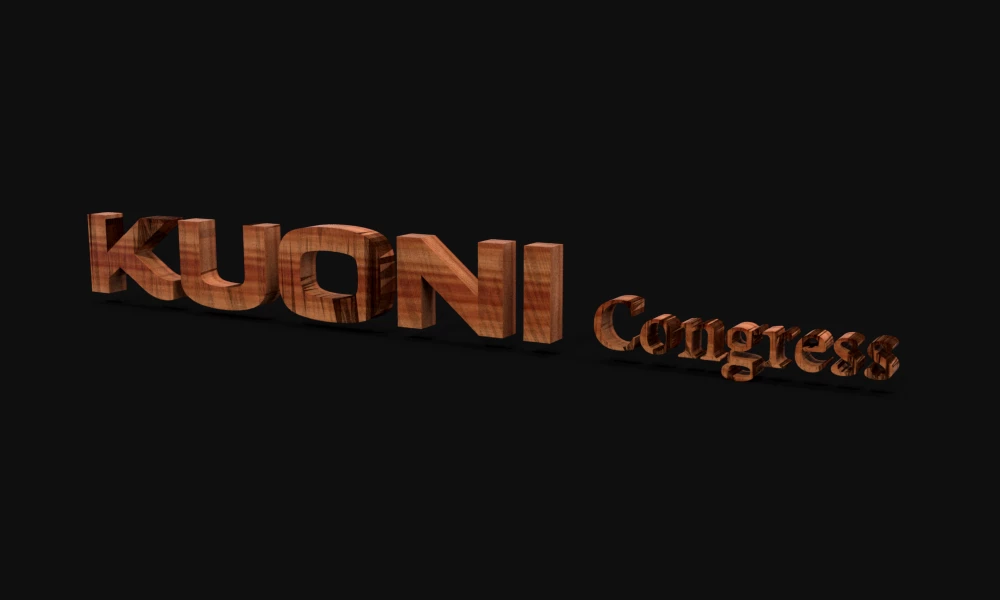
Anyone have an idea of what this is happening?

Thank you.

This topic has been closed for replies.
Correct answer JeanetteMathews

This type of artifacts (looks like a bunch of triangles) is usually caused by an issue with the mesh itself.  You'd have to fix it in the original program you created it in.  If you can send the .obj that you imported and the screenshot of the issue to tickets@adobedimension.com I'll have the engineers take a look!

1 reply

JeanetteMathews
Adobe Employee
JeanetteMathewsCorrect answer
Adobe Employee
September 28, 2018

This type of artifacts (looks like a bunch of triangles) is usually caused by an issue with the mesh itself.  You'd have to fix it in the original program you created it in.  If you can send the .obj that you imported and the screenshot of the issue to tickets@adobedimension.com I'll have the engineers take a look!

Participating Frequently
September 29, 2018

Done. I sent the email.
