



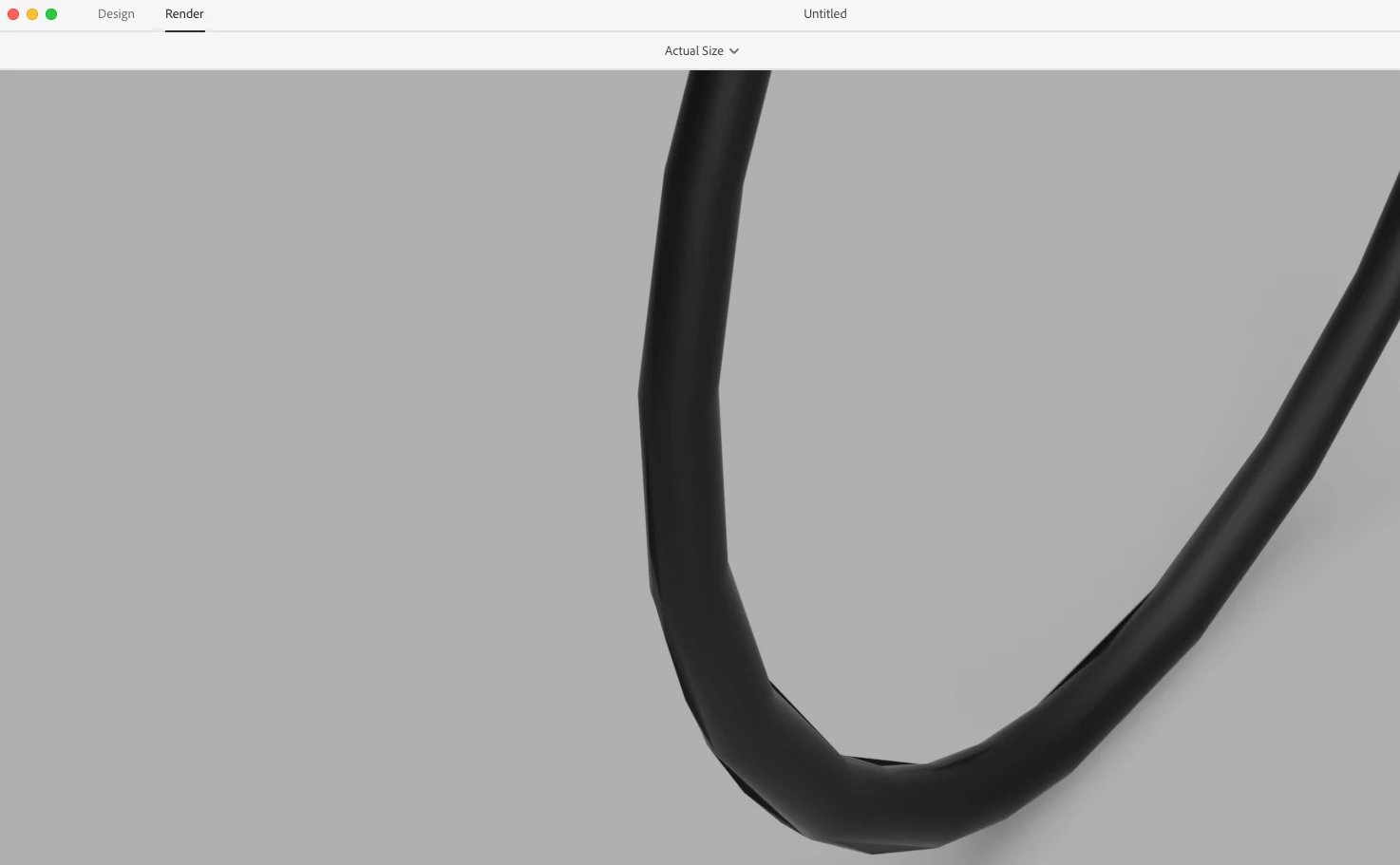
Render shows rough (lines) curves instead of smooth shape
Hi! It's my first time posting to the forum. I am running into some issues when it comes to modifying .obj files (converted from .stp) and rendering them out. I have had this issue with several different files I have so I am afraid it may be my file in specific. I don't own any AutoDesk programs so I personally wouldn't be able to fix the issue but I would like to know as much as I can to fix the issue even if it does involve AutoDesk or other programs.
I also have access to the .dwg files but I'm not sure how to convert a .dwg file to a .obj file (or any other file Dimensions will support). All of the research I've done for that seem very detailed and involves a lot of programs to be installed, etc.
The issue is as follows... when the rendering is complete, the curves on my model appear to be made of straight lines instead of a gradual curve. I believe it shows up like this in the Design tab as well, however, which is leading me to believe it is my file and not something that could be fixed on Dimensions. I don't believe Dimensions has that full capability to modify a shape like that but I could be wrong as I have limited experience using this app. I've attached a photo below of how my curves keep appearing when rendering is complete:
Thank you so much for your time.
 AdChoices