Participant
January 19, 2023
Answered

Rendering problems

  • January 19, 2023
  • 2 replies
  • 690 views

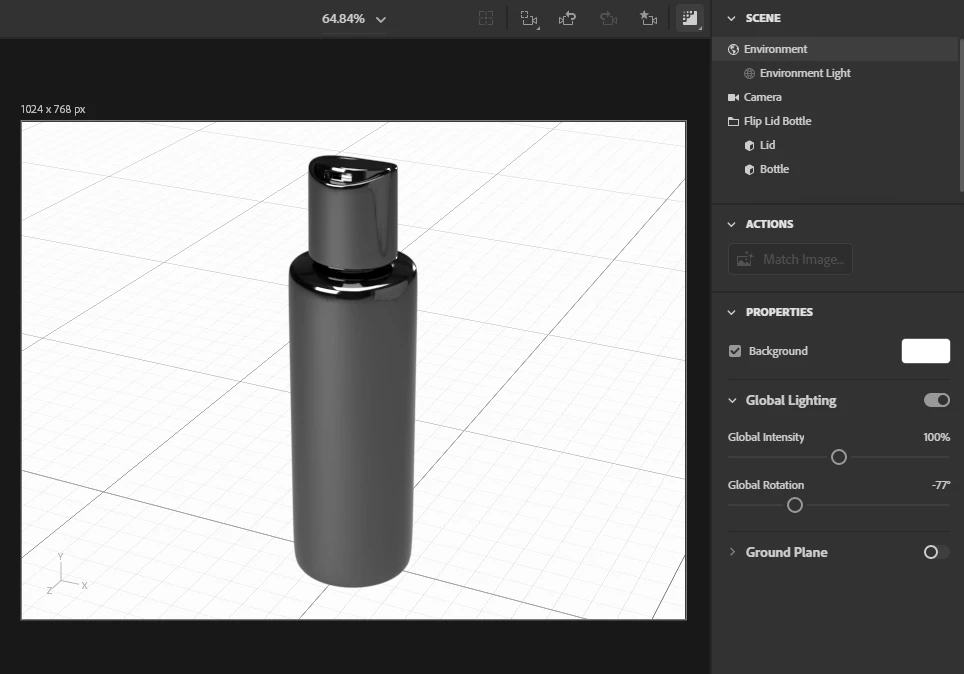
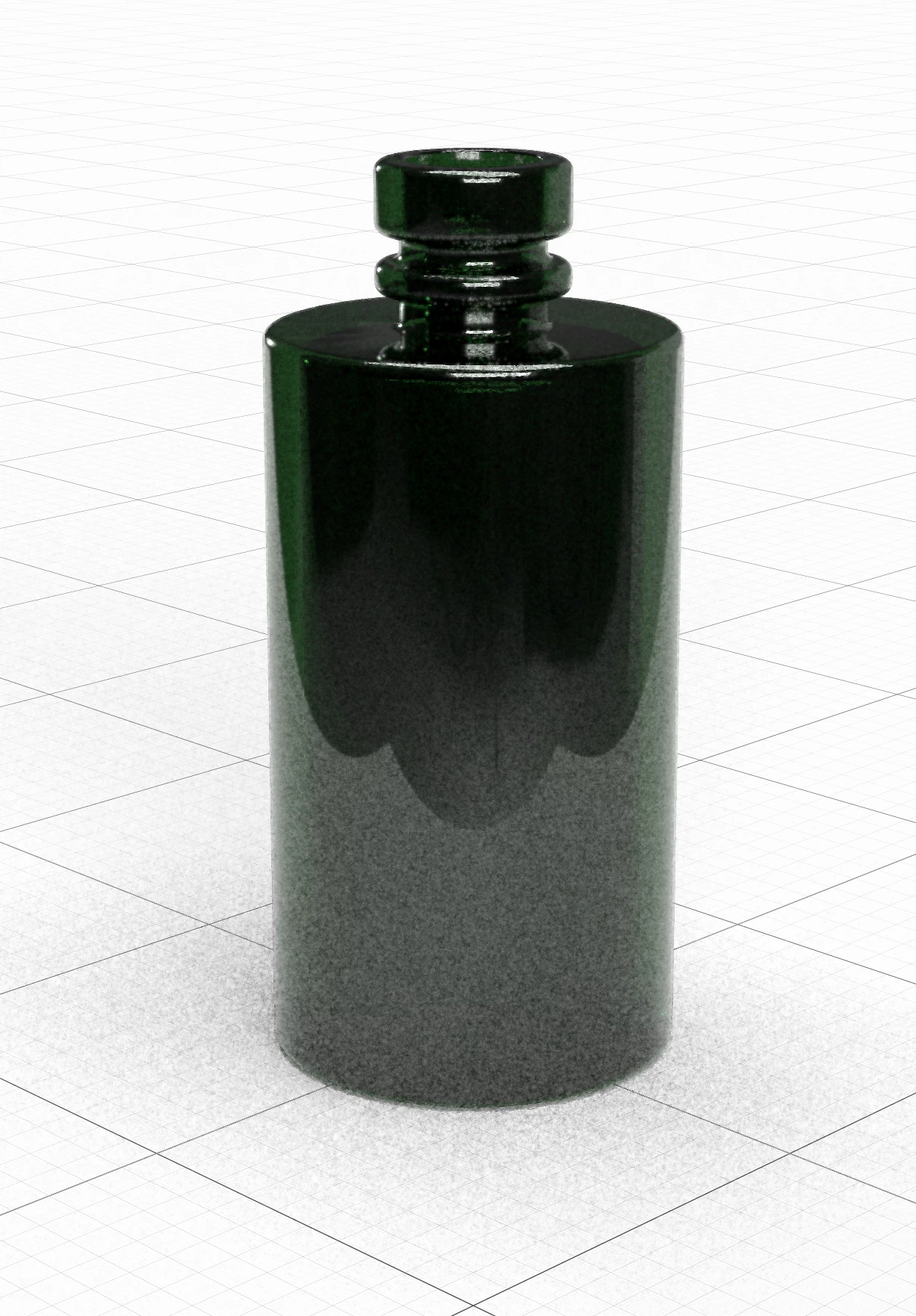
Hi, everyone, I have problems with rendering. My bottles always have errors in the lower part. is there a solution that renders it correctly? Everything looks fine in the preview. Image is attached.

This topic has been closed for replies.
Correct answer JMathews

This is a reflecction of the ground which is a lage plane area.  The preview real time render is not 100% match to raytracing as it does not include reflections.  It is important to always use the raytracing render preview since that is what the final render will be.


The only way to completely remove this is to disable the ground plane.

  • Select the environment in the scene panel
  • In the properties panel go to the ground plane and disable it


This will also cause there to be no shadows on the ground unfortunately.  You can do two renders, one with ground plane enabled, and one without, then composite them in Photoshop to get both the shadows and the bottle without the ground reflection.


2 replies

JMathews
Community Manager
JMathewsCommunity ManagerCorrect answer
Community Manager
January 20, 2023

This is a reflecction of the ground which is a lage plane area.  The preview real time render is not 100% match to raytracing as it does not include reflections.  It is important to always use the raytracing render preview since that is what the final render will be.


The only way to completely remove this is to disable the ground plane.

  • Select the environment in the scene panel
  • In the properties panel go to the ground plane and disable it


This will also cause there to be no shadows on the ground unfortunately.  You can do two renders, one with ground plane enabled, and one without, then composite them in Photoshop to get both the shadows and the bottle without the ground reflection.


Adobe Principal Product Manager, 3D & Immersive
Ares Hovhannesyan
Community Expert
Community Expert
January 21, 2023

May be we can remove shadow in ps file also...

Ares Hovhannesyan
Community Expert
Community Expert
January 19, 2023

What type of render mode you use for rendering? Are you talking about noise in lower part? 

Participant
January 20, 2023

Hi Ares,

Quality high _ slow. Teh finnished rendering of Bottles looks like in the attached picture. There is some noise but I talked about the "Waves" in the lower part....

Ares Hovhannesyan
Community Expert
Community Expert
January 20, 2023

May be this is lighting effect? Did you try customize lights?