


Participant
July 31, 2019
Question

Seamless printing (360°) in Dimension

  • July 31, 2019
  • 2 replies
  • 217 views

Hi all,

I would like to put a seamless artwork (360° printed) on an object (tube) but for some reason no matter what object I use, there is stil a small "unprinted" part on the surface. Is there any way you can do a mockup where the uploaded artwork covers the whole surface of the object?
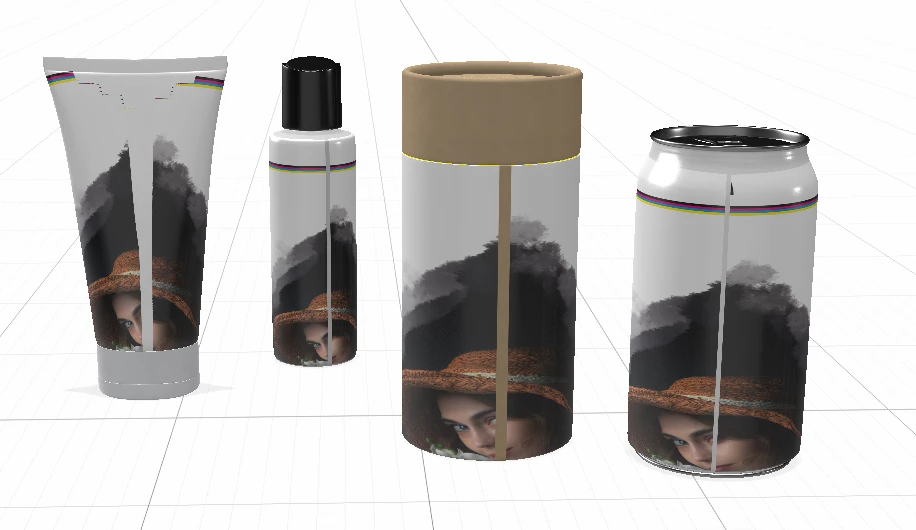
Message was edited by: Sahil Chawla

This topic has been closed for replies.

2 replies

Ussnorway7605025
Legend
July 31, 2019

milán_npaw  wrote

for some reason no matter what object I use,

because you are adding them as decals ... if you want a seamless rap then change them from decal to fill

Sahil.Chawla
Adobe Employee
Adobe Employee
July 31, 2019

Hi Milán,

As you're seeing seam when you apply artwork to the 3D object, could you please check this conversation and see if it helps?

Pattern material is not seamless – Adobe Dimension Feedback Portal

Regards,
Sahil