Participant
August 20, 2024
Answered

Size canvas settings and more, not appearing in properties ADOBE DIMENSION

  • August 20, 2024
  • 2 replies
  • 2497 views

What could be wrong with my Adobe Dimension?


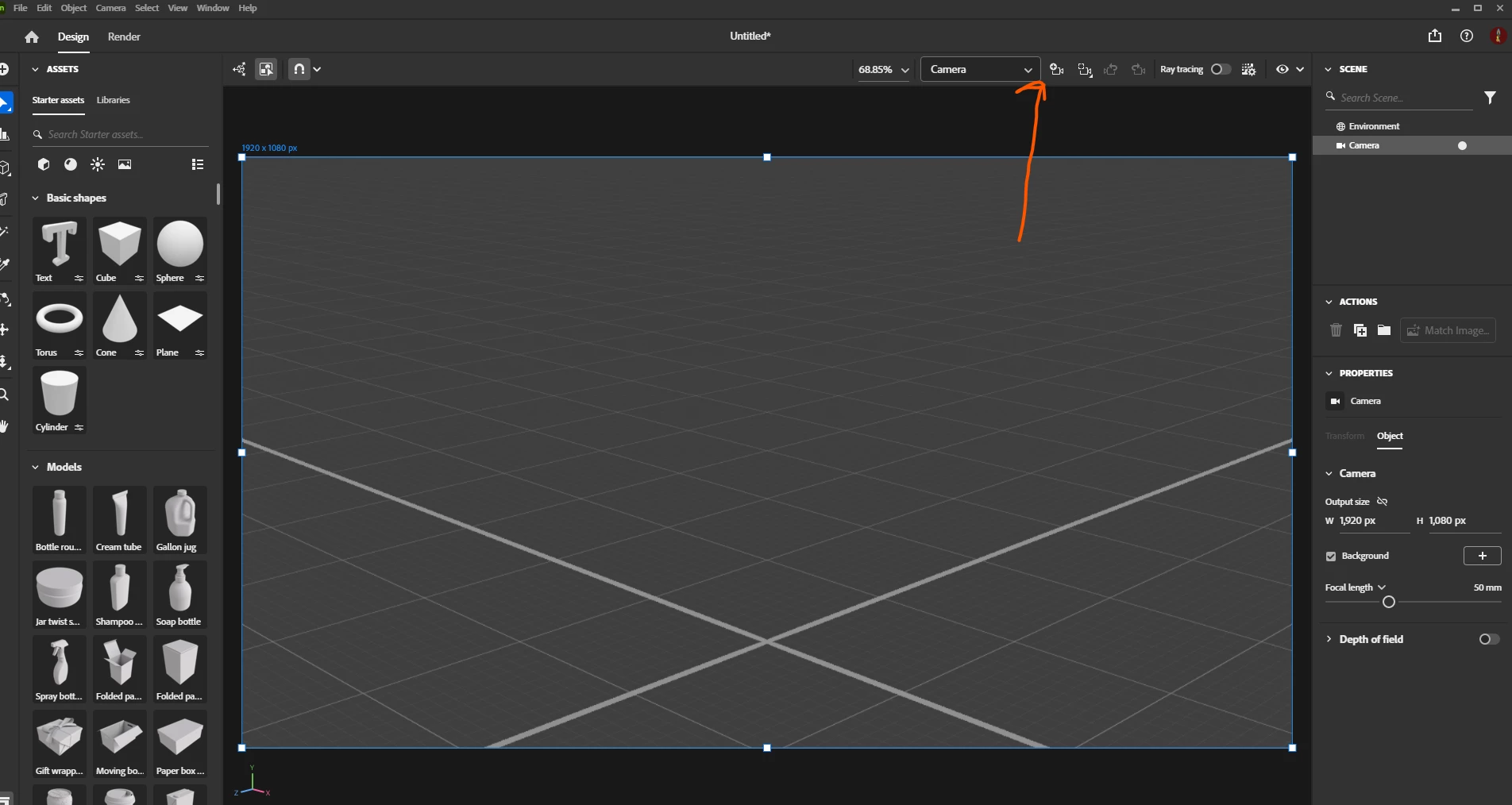
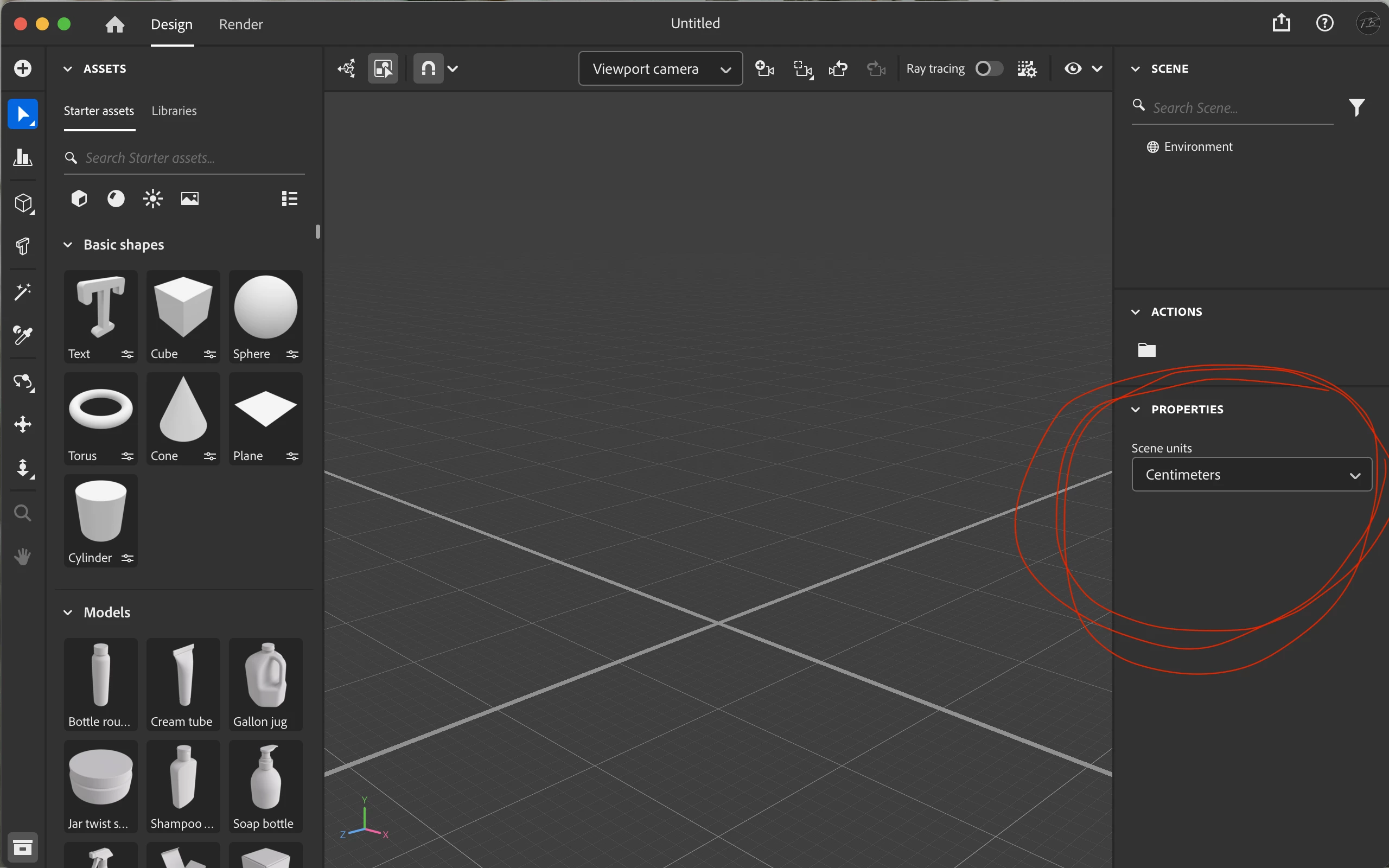
I'm taking a Package Design class, and I need to use Adobe Dimension to render some labels onto some 3D objects, the problem is I'm unable to change my Canva settings that usually appear in the properties panel. 

When I create a new file, in my properties section, the scene unit only appears, not the Canva size or anything. 


I have already tried many things:

  • Updating the software
  • Deleting it and installing it again
  • Updating my computer
  • Installed an older version of Dimension
  • Google what could be wrong


I just can’t find the solution, and I don’t know how to move forward. 

Hope someone can help me, please and thank you.


Correct answer Ares Hovhannesyan

You need to create a new camera,

.

2 replies

Ares Hovhannesyan
Community Expert
Ares HovhannesyanCommunity ExpertCorrect answer
Community Expert
August 21, 2024

You need to create a new camera,

.

Participant
August 22, 2024

Many thanks Ares!

But, sorry again, after creating a new camera, how to set an output of 300 DPI for rendering?
I can't find any control panel to do that. 

Thanks!!!!!!

Ares Hovhannesyan
Community Expert
Community Expert
August 22, 2024

Here is notes about rendering settings  from user guide. Rendering system | Dimension (adobe.com)

The resolution value has been removed in new Dn. Usually I use Override Camera Size and Resolution Menu: and finally i use Ps to increase a resolution. 


Participant
August 21, 2024

Hi, I have the same problem...the final resolution after rendering is 72 DPI... ho to increase? thanks!!!!!

Participating Frequently
August 22, 2024

hi, have you found the solution?

I would need 300 DPI image for larger print and Dimension give me only 72 DPI no matter if I set the render resolution to FULL (in render mode)

thanks!