Known Participant
April 22, 2020
Answered

Splitting an object into two / Adding extra points and expanding out

  • April 22, 2020
  • 3 replies
  • 5669 views

Ive used other 3D programs before but there are a couple basic functions that I assume this can also do, but cant figure out how.  Any suggestion would be great!


How would I split a box into two separate boxes?  With other programs, I would place another object or a plane through it, then click something that would instantly split into two.  Is this or something similar possible?


Also, is it possible to add extra points to a polygon, then expand and create other shapes?

This topic has been closed for replies.
Correct answer Ussnorway7605025

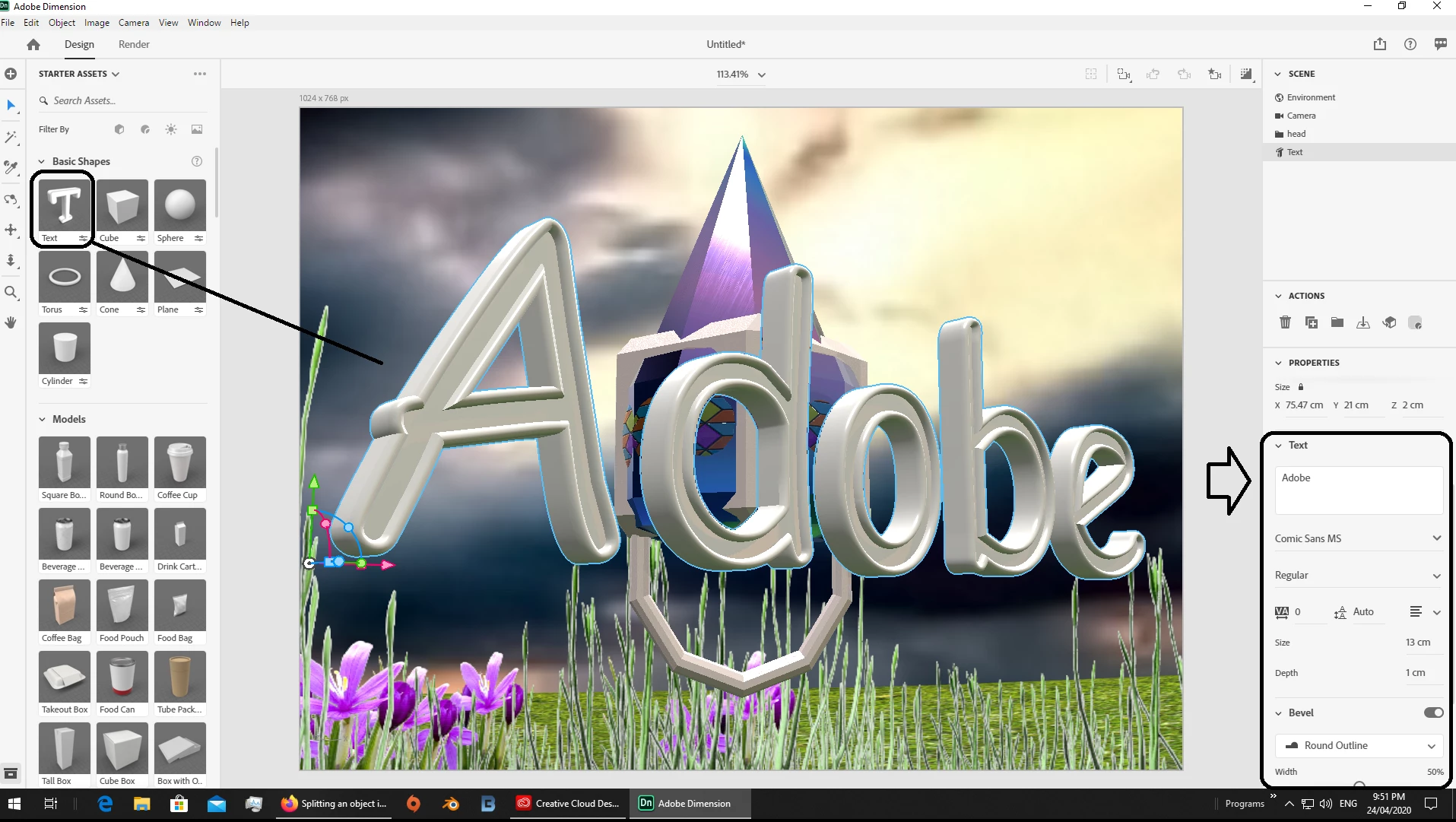
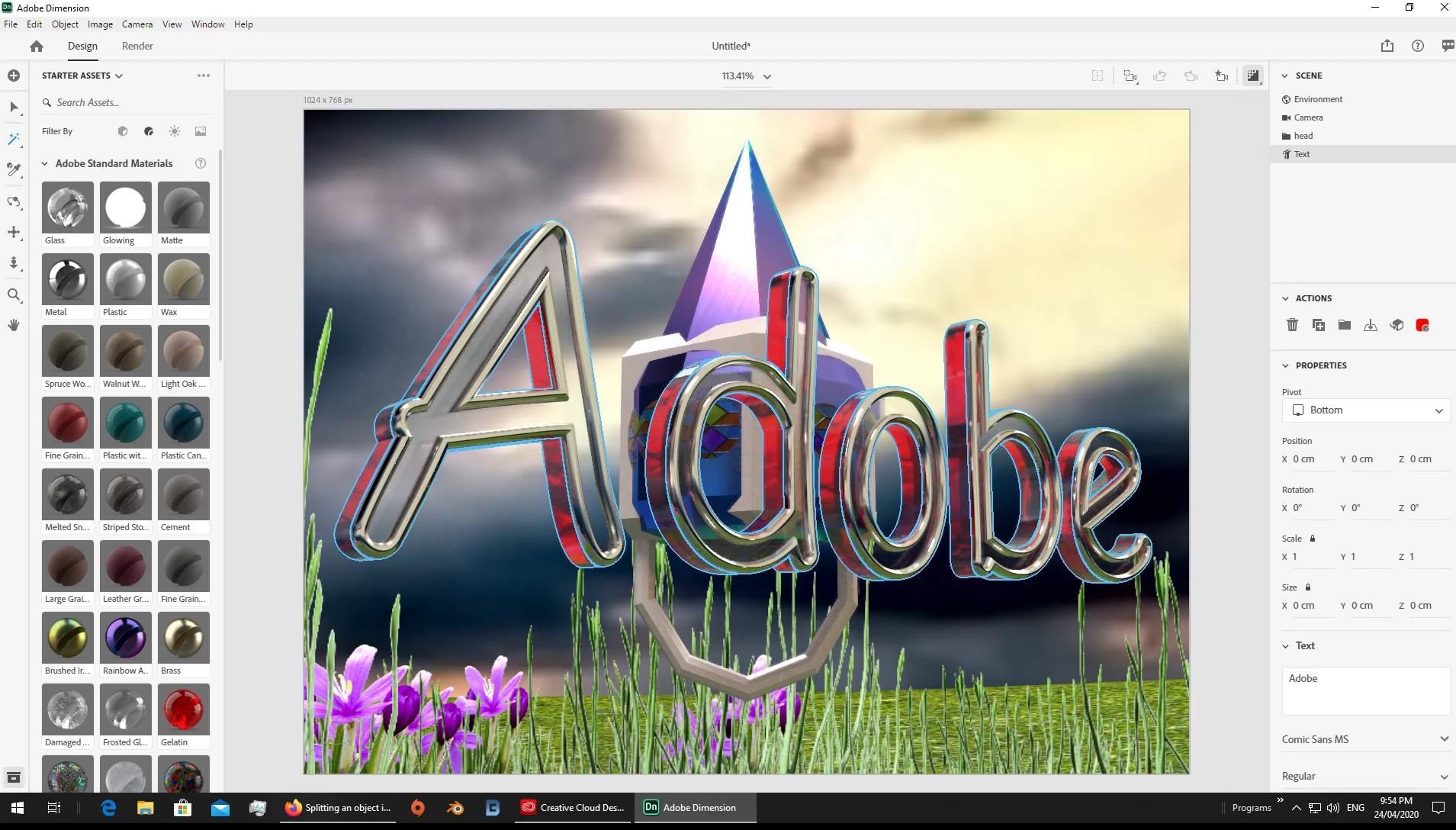
for letters I would just use the built in system, you get type, font, size and bevel [if you want that] then you can add different materials for the front, sides and back... again bevel is optional


parametric = custom shapes i.e, 4 sides, 8 sides or 16 sides is just adjust the number... I would not convert to standards unless you really need to take them back into Blender or some such to keep working on them

3 replies

Ussnorway7605025
Legend
April 25, 2020

yes the text tool is only in the last build of Dimension


yes you can split up your two models (your senario) after bringing them into Dimension [use the magic wand tool to just select one of them at a time] however you are much better off to seperate them in the 3D making software [Photoshop is the example Ares is talking about] so that they export as two different models instead of one model with two different parts... both are fine but one is faster so less work

Ussnorway7605025
Ussnorway7605025Correct answer
Legend
April 24, 2020

for letters I would just use the built in system, you get type, font, size and bevel [if you want that] then you can add different materials for the front, sides and back... again bevel is optional


parametric = custom shapes i.e, 4 sides, 8 sides or 16 sides is just adjust the number... I would not convert to standards unless you really need to take them back into Blender or some such to keep working on them

VicoDriveAuthor
Known Participant
April 24, 2020

I dont see a type tool anywhere, is that something that was recently added?  For some reason, the current version will not open any documents or create new blank ones on my computer, so I have to use the previous version 3.1.1.


Also text would be great to have access to but I was not looking to retype something because I am working with logos.  Say if I was to import a Burger King logo that I converted to a 3D object in Photoshop, am I able to separate each part in Dimension so I can make the letters red, the bun brown, and the circle line around it in blue?  I feel like it would be crazy tedious to have each part of the logo as a separate object and import them in separate while trying to manually piece everything together exactly as the logo requires.

Ares Hovhannesyan
Community Expert
Community Expert
April 24, 2020

If you logo contains warp word it better to create text in Ps and import into Dn for editing. Dn not able to warp text in this version. All other customizable parameters are available in Dn for editing text

Ussnorway7605025
Legend
April 23, 2020

no that is not what Dimension is for and Blender or Photoshop are better options


Dimension can make custom objects but you don't cut them up

VicoDriveAuthor
Known Participant
April 23, 2020

Darn, thats disappointing.  I was all hyped up too when I saw Adobe finally had a 3D design program now.  So how would you go about creating custom shapes in Dimension?  I guess by just piecing together different premade shapes and grouping together?


Also I did try importing a logo from Photoshop after extruding in 3D, this might work a bit for now.  This logo has different parts to it (individual letters and such) which is saved as a single file, then I import into Dimensions, everything is there as it shoul be.  Am I able to separate each letter once in Dimension so I can apply different colors and other effects to each part?  I have tried ungrouping but that doesnt do anything.  Or is there another way to apply different colors to each part?

Ares Hovhannesyan
Community Expert
Community Expert
April 23, 2020

You need to Converting parametric models to standard models

Please review https://helpx.adobe.com/dimension/using/working-with-3d-text.html 

3D text objects are parametric in nature which means their underlying shape is generated by Dimension and is controlled by their properties. Due to the changing nature, some features don’t work with a model while it is parametric:

  • The general transform size and scale properties will act as a multiplier on top of the base size settings of the parametric model.
  • You can apply materials to parametric models but cannot apply graphic layers which rely on the geometry to be positioned.

  • The magic wand will select predefined areas on parametric models.

  • You cannot use the Align and Distribute tool on a parametric model with multiple parts such as the glyphs of 3D text as the spacing is controlled by the tracking and line spacing properties.

  • You cannot delete or remove parts of the model.

You can choose to convert a parametric model into a standard model, which will freeze the parameters and unlock standard behavior for the object. To convert a model:

  • Select the parametric object.

  • In the Actions panel, choose the Convert to Standard Model action.