Participant
April 24, 2020
Answered

Stuck on Start Screen

  • April 24, 2020
  • 4 replies
  • 1168 views

I downloaded Adobe Dimension 3.2, the app starts and I get the introduction
panel. When one of the options is selected: "Create a new project" and
"Start a guided tour" do not open. The pointer turns but nothing happens.

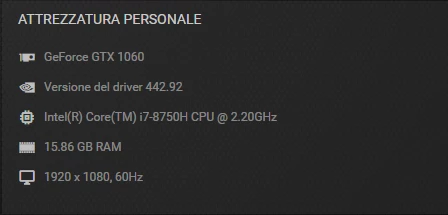
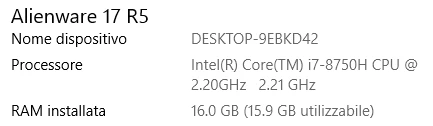
Attach my PC configuration:
 

This topic has been closed for replies.
Correct answer defeale

Fixed with the help of the Dimension Prerelease program and by downloading a Bugfix version.

(Thanks Jeanette)

4 replies

Participating Frequently
October 2, 2021

i think i am having this isuue

what can i do?


defealeAuthorCorrect answer
Participant
May 1, 2020

Fixed with the help of the Dimension Prerelease program and by downloading a Bugfix version.

(Thanks Jeanette)

Known Participant
April 24, 2020

Hi,

same problem here after the update. reinstalled the previous version and it worked. upgraded ugain and again unable to create new document. stuck on the home screen.

Participating Frequently
April 24, 2020

I have the very same problem with Adobe Dimension 3.2. I cannot create a project it just freezes.


I have mac mojave 10.14.6

MacBook Pro (Retina, 15-inch, Mid 2014)

2.8 GHz Intel Core i7

16 GB 1600 MHz DDR3

Intel Iris Pro 1536 MB

However Adobe Dimension version 3.1.1 works perfectly fine so I cannot upgrade 😞