Participating Frequently
March 17, 2023
Answered

Text not working

  • March 17, 2023
  • 2 replies
  • 1227 views

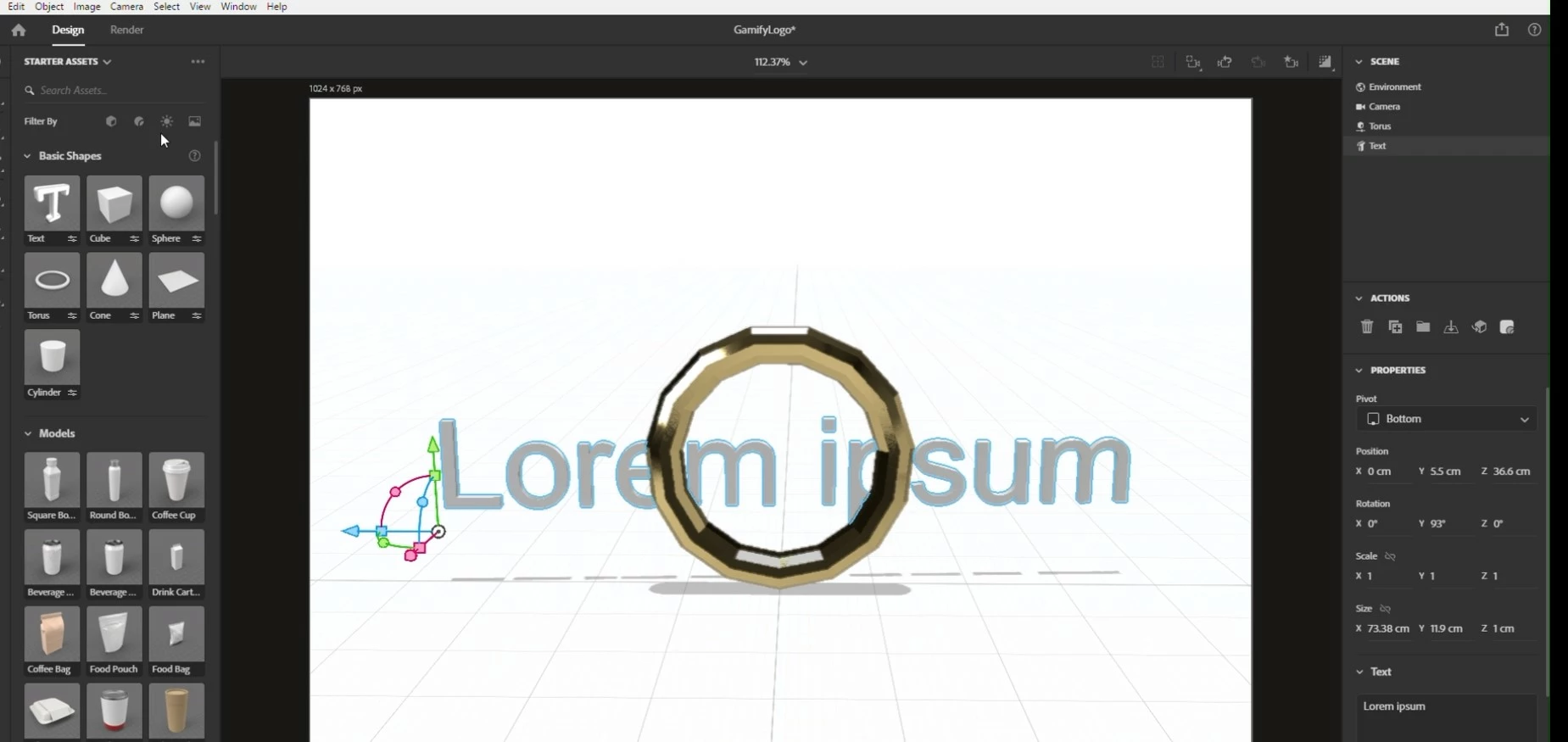
When I select the text as a basic shape it does not immediately appear on the screen, like it used to.  There is the icon to rotate, scale and move as always but nothing else.  I can see the text object in the enviroment window and when selected get very limited options in the properties window.  The change font and bevel options have dissappeared.  I can effect the scale and change the text in the text box but does not appear on the screen.  If after selecting the text box I drop in another object the text box stays and becomes part of that objects properties.  This never used to happen, just started after I did an update, I have also tried to uninstall and reinstall but get the same thing.  Can someone please help?

This topic has been closed for replies.
Correct answer Ares Hovhannesyan

Got it, thanks. File work as expected. For revealing text I click on text layer and change font size from auto to any value. See full video. Torus also work as expected. See video capture. If you can't repeat the same process it means that something is wrong in Dn (as you expected). This is my final capture of your file.


Try: Use the Creative Cloud Cleaner Tool to solve installation issues
https://helpx.adobe.com/creative-cloud/kb/cc-cleaner-tool-installation-problems.html

2 replies

Ussnorway7605025
Legend
March 28, 2023

the text in all your screengrabs is set to zero... try typing a 10 [enter] in each size box on the text

if that works then your system is using copy \ paste instead of place to insert the text which would be something set by a user

Participating Frequently
March 29, 2023

That doesn't work what ever size you put in there still doesn't display.  I have used the cloud cleaner and that seems to have fixed the problem.  If happens again will let you know.  Thanks.

Ares Hovhannesyan
Community Expert
Community Expert
March 17, 2023

Can't reproduce your bug. All works fine with text on my Win11. What is your OS and GPU?

Participating Frequently
March 17, 2023

I'm on Win 11 I can send screen shots?

Participating Frequently
March 17, 2023