Participant
September 10, 2020
Answered

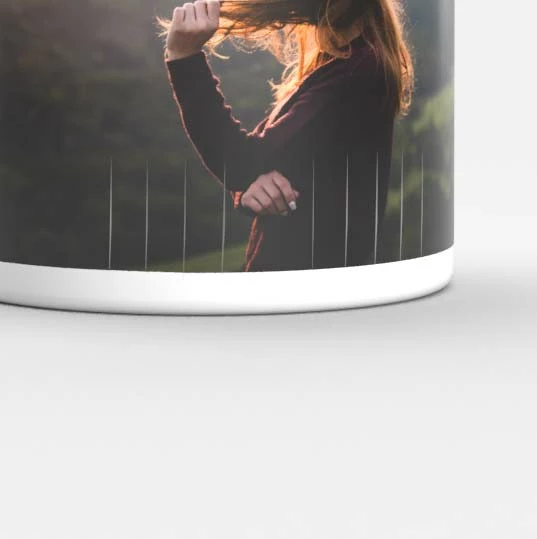
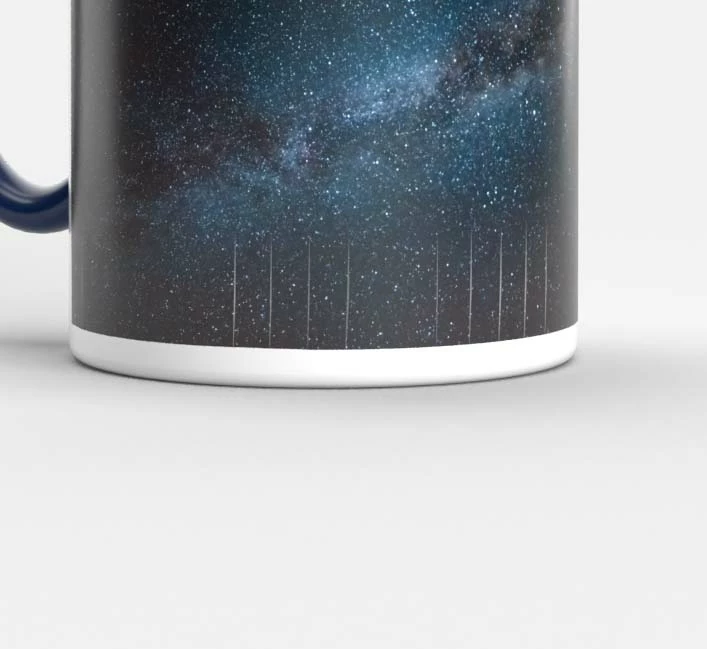
There are cracks on rendered image

  • September 10, 2020
  • 2 replies
  • 562 views

Thre are some cracks when I render the object with an image map on.

It works fine if I apply a single material / color.

I tried to change the camera angle, lighting still couldn't fix it.

Are there anyone that can give me some suggestions?


Thank you very much!
 

This topic has been closed for replies.
Correct answer Ussnorway7605025

They are overlapping vertices and basically means that the model is made wrong for decals but if you want to share the Dn (with decal) I may be able to fix it

2 replies

Ussnorway7605025
Legend
September 11, 2020
crslamhkAuthor
Participant
September 11, 2020

Thank you very much!

Greatly appreciated it!

Can you give me some suggestion what should I do to prevent something like this happens?

Ussnorway7605025
Legend
September 11, 2020

as i said, the error is in the model and the fix is to build the model better


I don't know what software was used to make your cup but I used Photoshop to fix it... the label is part of a wine template you get for free in Photoshop with a well designed UV map


imo most new starters are better off learning Blender... best of luck mate

Ussnorway7605025
Ussnorway7605025Correct answer
Legend
September 11, 2020

They are overlapping vertices and basically means that the model is made wrong for decals but if you want to share the Dn (with decal) I may be able to fix it

crslamhkAuthor
Participant
September 11, 2020

Thanks for your answer, can you please help me to take a look at the file?

I am not good at 3d so I don't know how to fix it.


https://shared-assets.adobe.com/link/3749ca87-5ed1-43d2-6bcb-aea559e9f2a5