


Question
Troubles with OpenGL version
Ok...
I've installed Dimension in my laptop. (Processor: Intel Core i7 2.10 GHz-----Processor graphics: Intel(R) HD Graphics 4000).
But Dimension dind't run beause of my insufficient OpenGL version, showing the attached window. (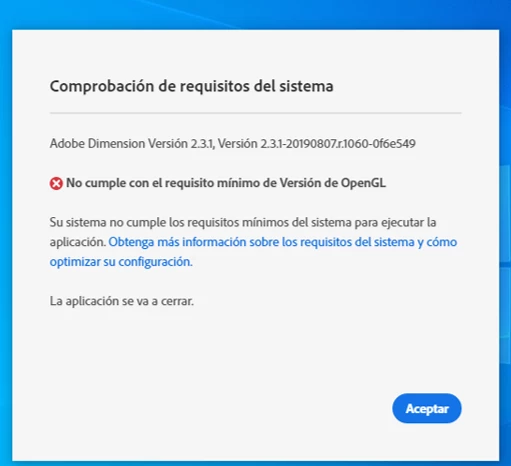
(ypu don't meet the minimun requirements. Version 3.2 needed).
At first, I dind't know anythimg about OpenGL. Then, I install the Intel(R) Graphics Control Panel, in order to update my OpenGL version. I found ut, before anything, that my version of OpenGL is 4.0 (and my version of OpenCL is 1.0, but I don't know what does it mean).
So...I unstalled Dimension and reinstalled it. BUT THE ERROR STILL APPEARS.
What is happening??
Thanks in advance
Nacho
 AdChoices