


Participant
March 4, 2022
Answered

UI Size in Dimension

  • March 4, 2022
  • 1 reply
  • 316 views

I started up Adobe Dimension this morning and realized I have to lean forward to read the text of almost anything because its so small.
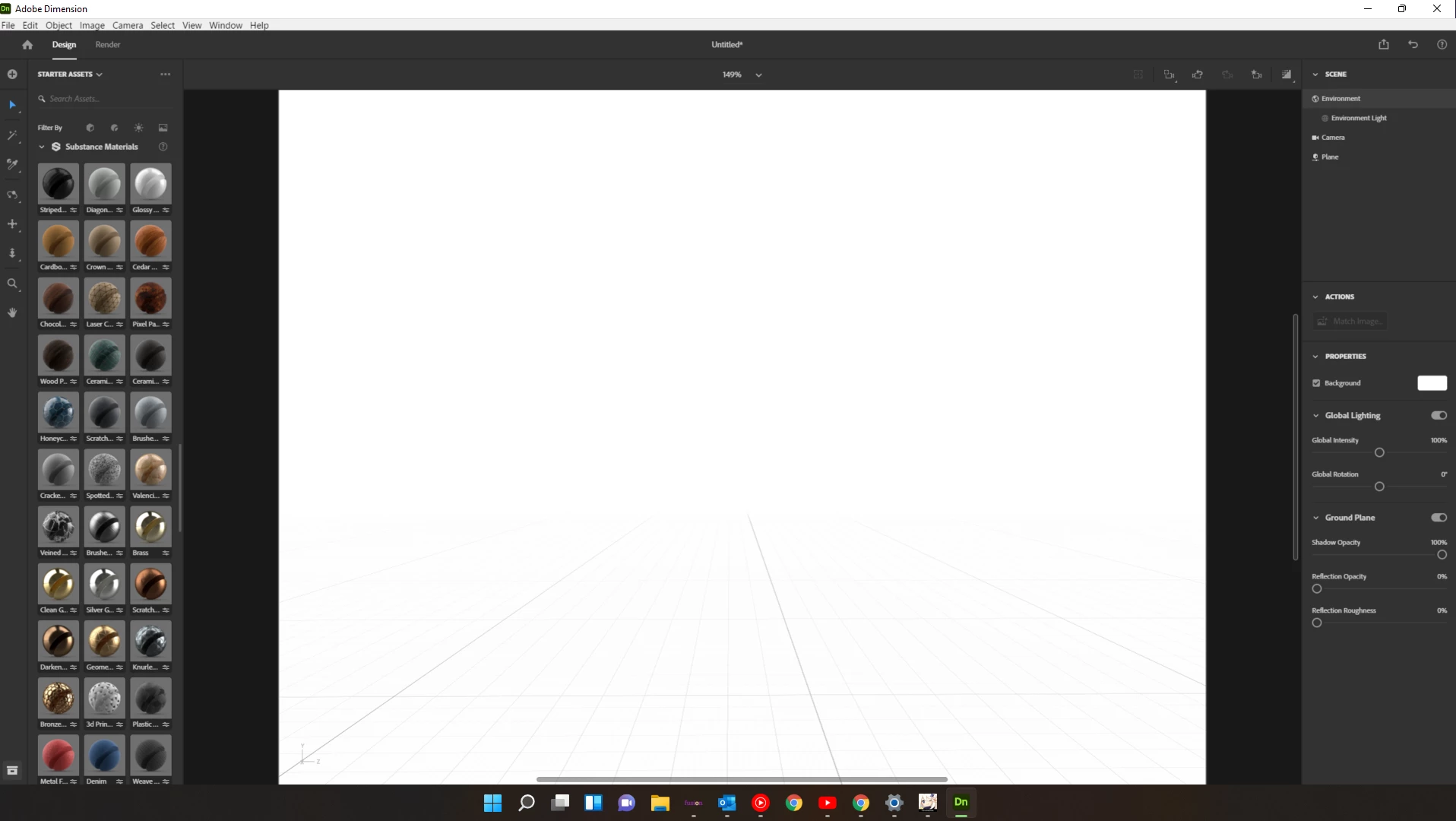
I did some looking around, searched google, and adobe and found nothing on how to increase the UI size. If anyone knows how, please let me know! Otherwise this is definitely something that needs to be added.

This topic has been closed for replies.
Correct answer Ares Hovhannesyan

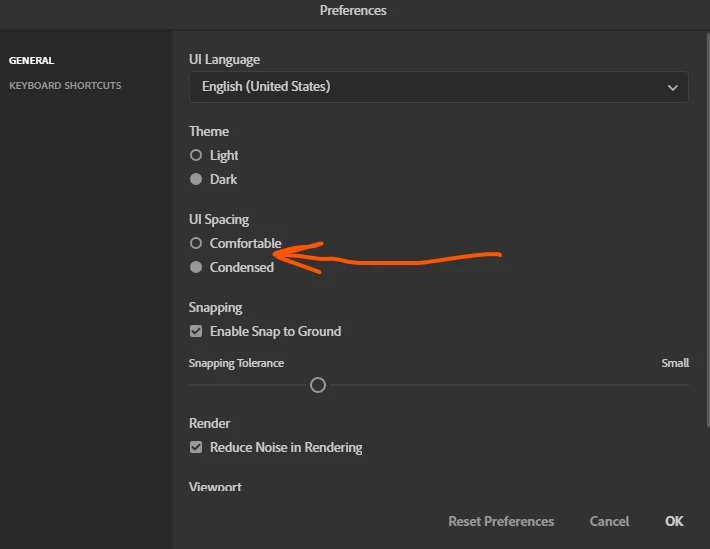
There isn't possibility to change UI size. The only one possibility is to us "Comfortable"  or "Condensed" mode from preferences.

1 reply

Ares Hovhannesyan
Community Expert
Ares HovhannesyanCommunity ExpertCorrect answer
Community Expert
March 6, 2022

There isn't possibility to change UI size. The only one possibility is to us "Comfortable"  or "Condensed" mode from preferences.

Participant
March 7, 2022

I see-- Well, thank you so much anyways!