Participant
June 11, 2020
Answered

Unable to scale non-proportionally

  • June 11, 2020
  • 5 replies
  • 2261 views

Recently I've been running into the problem in which I am unable to scale non-proportionally. I am not holding down shift and neither are any of the models I'm scaling locked to scale proportionally. The only way to fix this problem at the moment is to uninstall Dimension with settings erased and reinstall. Did I accidentally change some settings within my program? Please help!

This topic has been closed for replies.
Correct answer Ussnorway7605025

it was possible but Adobe changed the way their tools work


in V1-2 you have clearly different options for select and scale

in V3 they changed it to a basic select tool and the current V3.2.1 has been changed to default locked on select

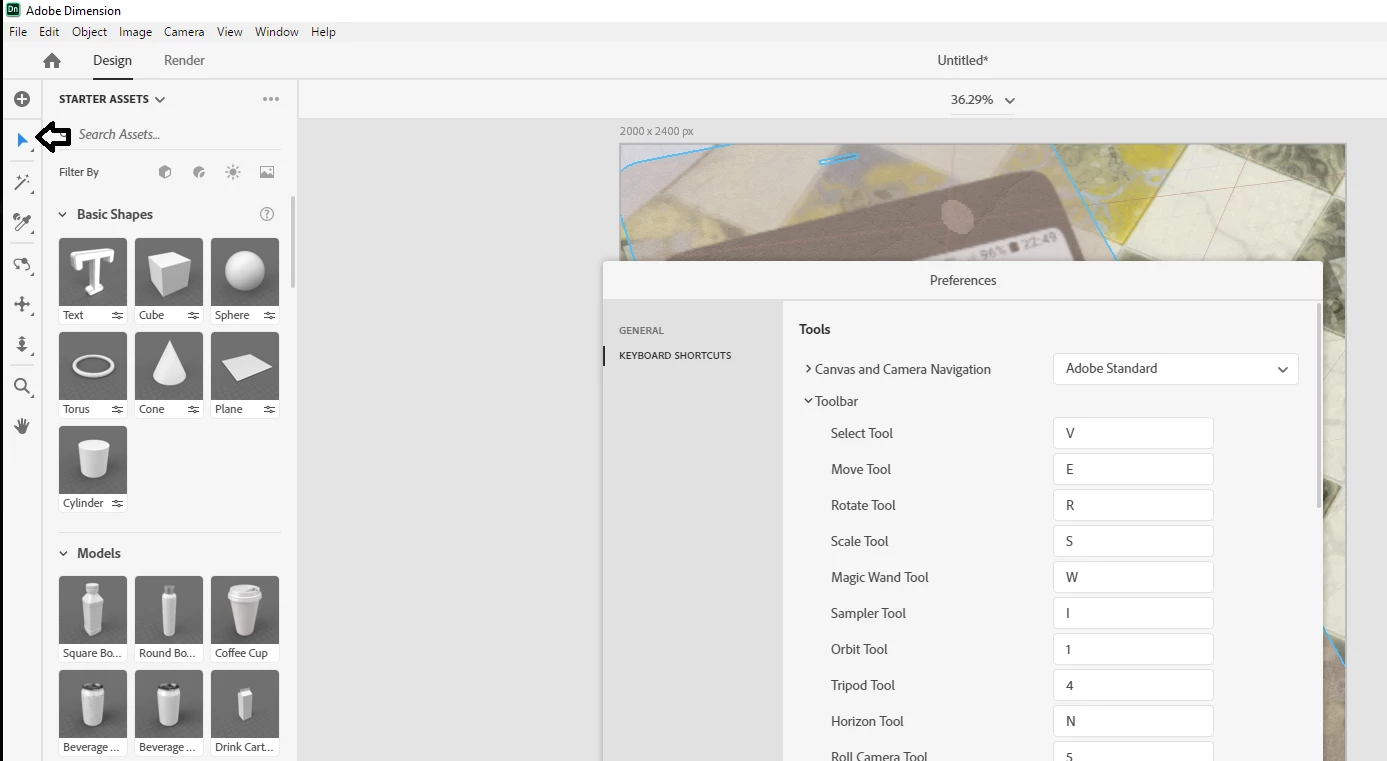
now this is why I wanted to be clear because you said Scale tool and that defaults to S... the Scale tool DOES use shift to lock and unlock


sounds like you are in fact using the Select tool V by default and yes that ignores shift


p.s, don't waist time looking for help files about these changes because Adobe didn't make any

5 replies

Participant
December 11, 2022

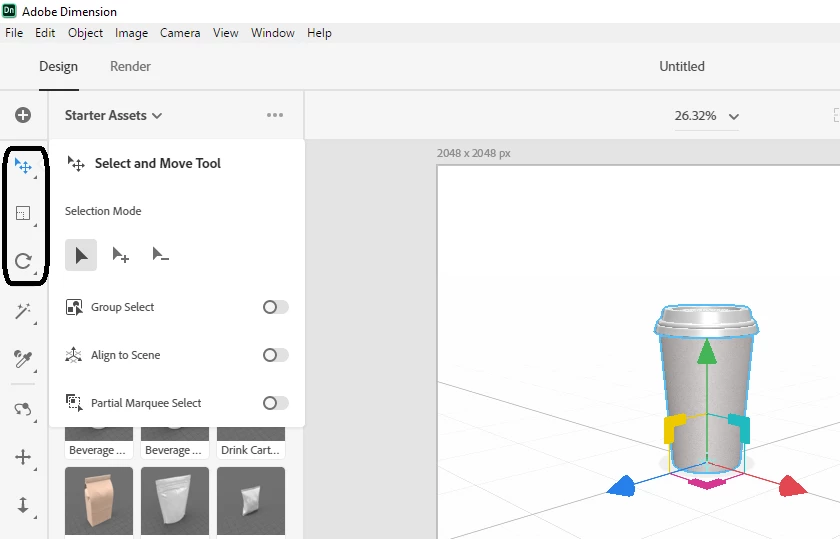
Just right click on the select tool icon and deselect align to scene, that will solve your problem. 😉

Participant
December 23, 2022

Wow, thanks very much. This helped. I was having the same problem!

Participant
December 23, 2022

Most welcome...Brother 🤝

Ussnorway7605025
Ussnorway7605025Correct answer
Legend
June 16, 2020

it was possible but Adobe changed the way their tools work


in V1-2 you have clearly different options for select and scale

in V3 they changed it to a basic select tool and the current V3.2.1 has been changed to default locked on select

now this is why I wanted to be clear because you said Scale tool and that defaults to S... the Scale tool DOES use shift to lock and unlock


sounds like you are in fact using the Select tool V by default and yes that ignores shift


p.s, don't waist time looking for help files about these changes because Adobe didn't make any

Participant
October 11, 2023

Wow,,Thank you so much. I was used to V1. I looked through search, etc...I struggled so much until now.
Really helpful...Thank you!

Chris
Participant
June 15, 2020

Hey, thanks for the tip, but I thought it was possible to scale on V - proportionally with Shift held down, and non-proportionally when not. I'm just not understanding why that works sometimes and why it doesn't other times. 

Ussnorway7605025
Legend
June 13, 2020

 the scale tool?

Ussnorway7605025
Legend
June 12, 2020

i assume you use a laptop with sticky keys

scale works correct for me on both my systems

Participant
June 12, 2020

Actually, I'm using an iMac - it has its own separate keyboard. It also happens randomly even when I have not touched the shift key.