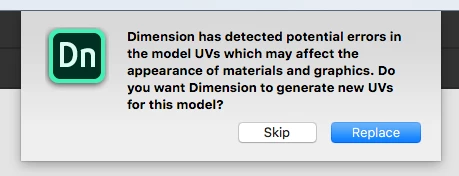
The dialog is more of a warning than an error. It happens when your model has UVs that are overlapping or out of bounds. UVs are a system that translates flat 2D images onto the 3D model. If your UVs are overlapping or out of bounds you may see some visual artifacts, or you may not, depending on how it was made.
The options are:
Replace: Dimension will generate new UVs for your model which will ensure there is no overlapping or out of bounds errors. This will allow you to place materials and decals on the model but if your model already had texturing done, those would no longer work with the new UVs.
Skip: Skip the generation of new UVs and use your existing UVs. If you purposefully made overlapping or out of bound UVs, or have existing textures, this is probably recommended.
We'll be updating these dialogs to make them clearer in the next release.




 AdChoices