


marliton
Community Expert
Community Expert
June 20, 2019
Answered

What does "Reset camera"

  • June 20, 2019
  • 2 replies
  • 1519 views

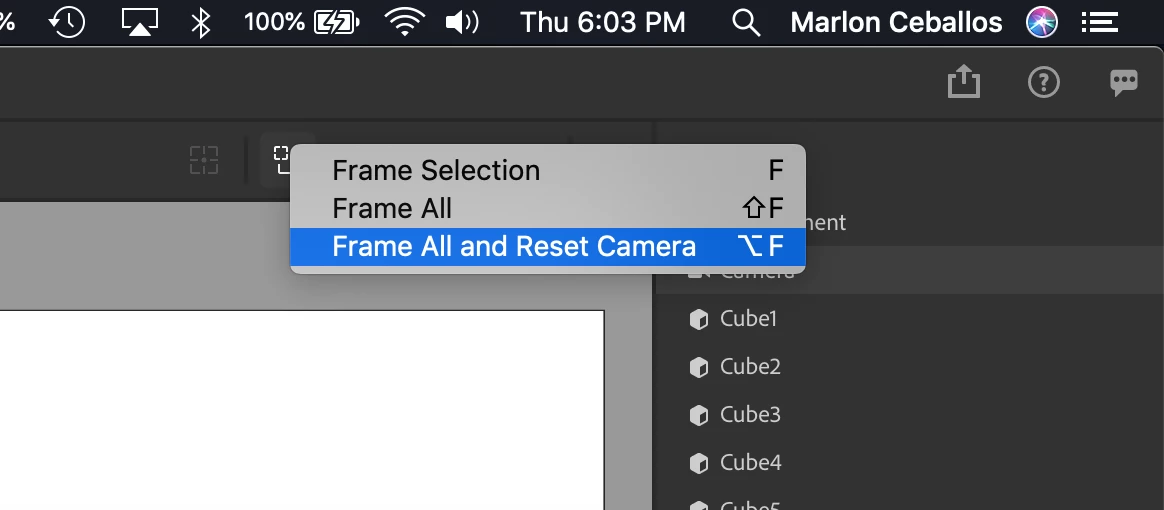
Hi. Does someone know what does the "Reset camera" option? I can't see a difference with the Frame All option.

This topic has been closed for replies.
Correct answer Sahil.Chawla

Hi there,

Frame all and Reset camera just sets the camera to the default state from when you first open the app.

Regards,
Sahil

2 replies

Ussnorway7605025
Legend
June 22, 2019

marliton  wrote

Hi. Does someone know what does the "Reset camera" option? I can't see a difference with the Frame All option.

Frame all = the camera moves to any point that 'sees' all the models and backs up until the canvas is full... you can get lost easy with this option which is why there is a reset

ime a better workflow is to bookmark the views

marliton
Community Expert
marlitonCommunity ExpertAuthor
Community Expert
June 24, 2019

Hi. Thanks for the answer. The "Frame all" is self-explanatory. My doubt was about the "Reset camera". It should be self-explanatory too but the behavior of this command is different if you have or don't have content in the canvas. Sorry for my lack of precision in my question.

Marlon Ceballos
Sahil.Chawla
Adobe Employee
Sahil.ChawlaCorrect answer
Adobe Employee
June 21, 2019

Hi there,

Frame all and Reset camera just sets the camera to the default state from when you first open the app.

Regards,
Sahil

marliton
Community Expert
marlitonCommunity ExpertAuthor
Community Expert
June 24, 2019

Hi.

Finally, I discovered this: if the canvas is empty, the command Frame all and Reset camera resets all the camera values to the defaults vales. But, if the canvas has content, the command just resets the rotation camera values.

Marlon Ceballos
