


Answered
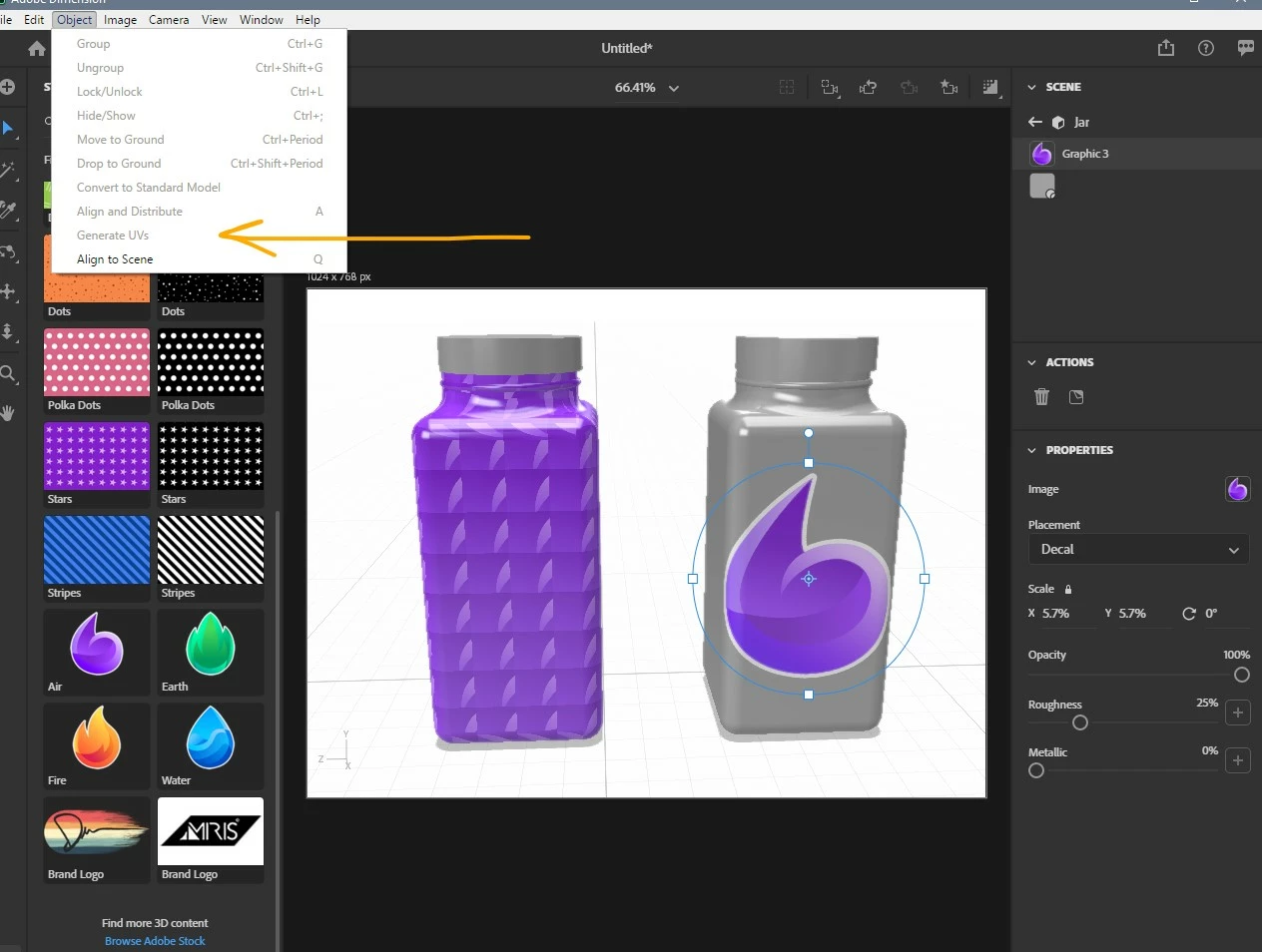
When attaching decal to object on Adobe Dimension the image acts as a repeating fill
I'm trying to add a product label to my object, which is a square jar that is supposed to be a spice jar. I tried various methods, but overall, I selected "place Graphic on Model" under the "jar" scene. I then selected the image and it appears like below. I even dragged and dropped from my library and tried a stock photo as well. All of the images act as fills that are repeating rather than a decal.
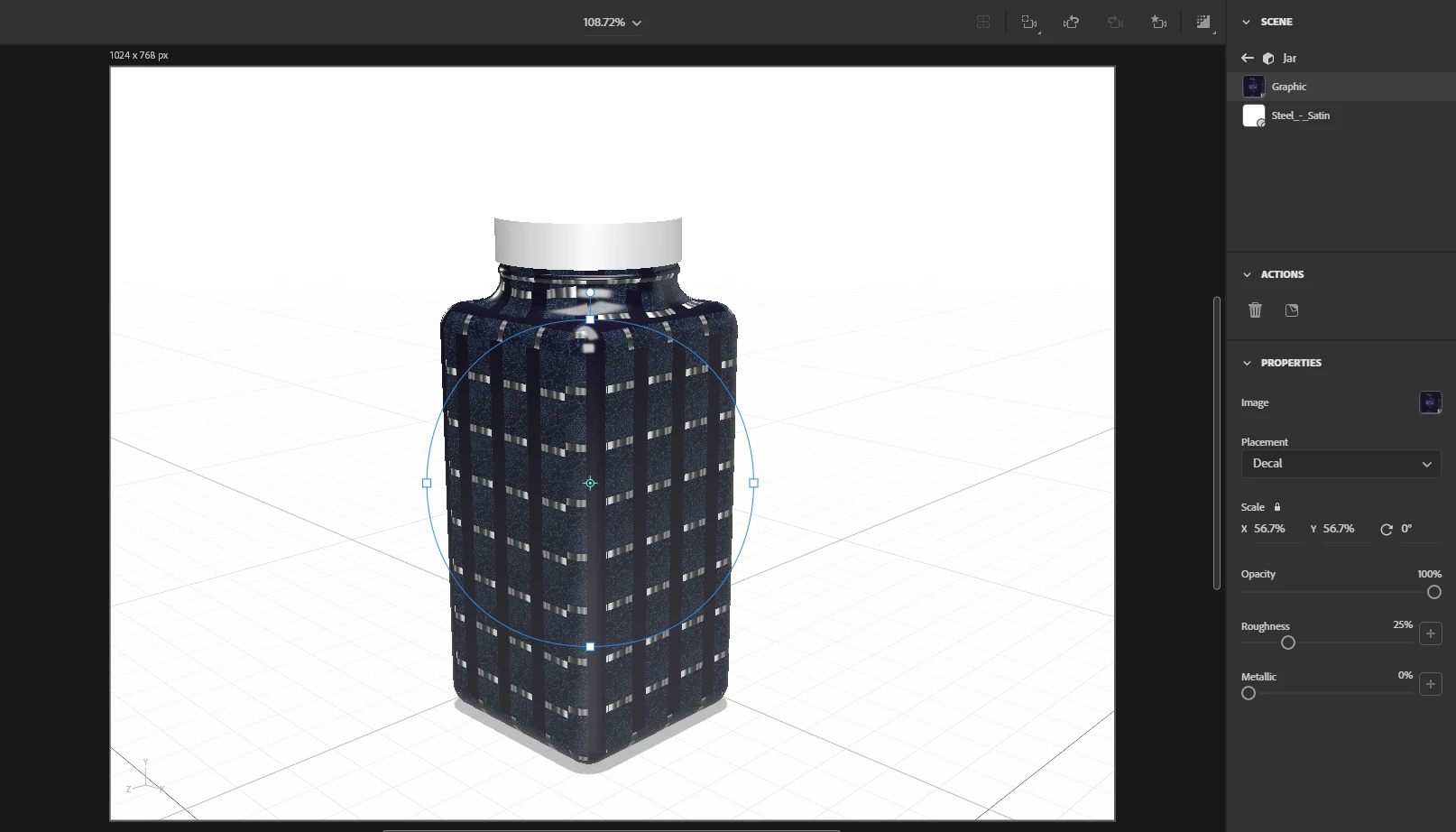
I created the 3D object on Autodesk Fusion 360 and exported it as an object file and a fbx file. Neither worked. I'm not sure what the problem/solution is, any help is greatly appreciated.

 AdChoices