


mackenzies69301580
Participant
February 27, 2020
Answered

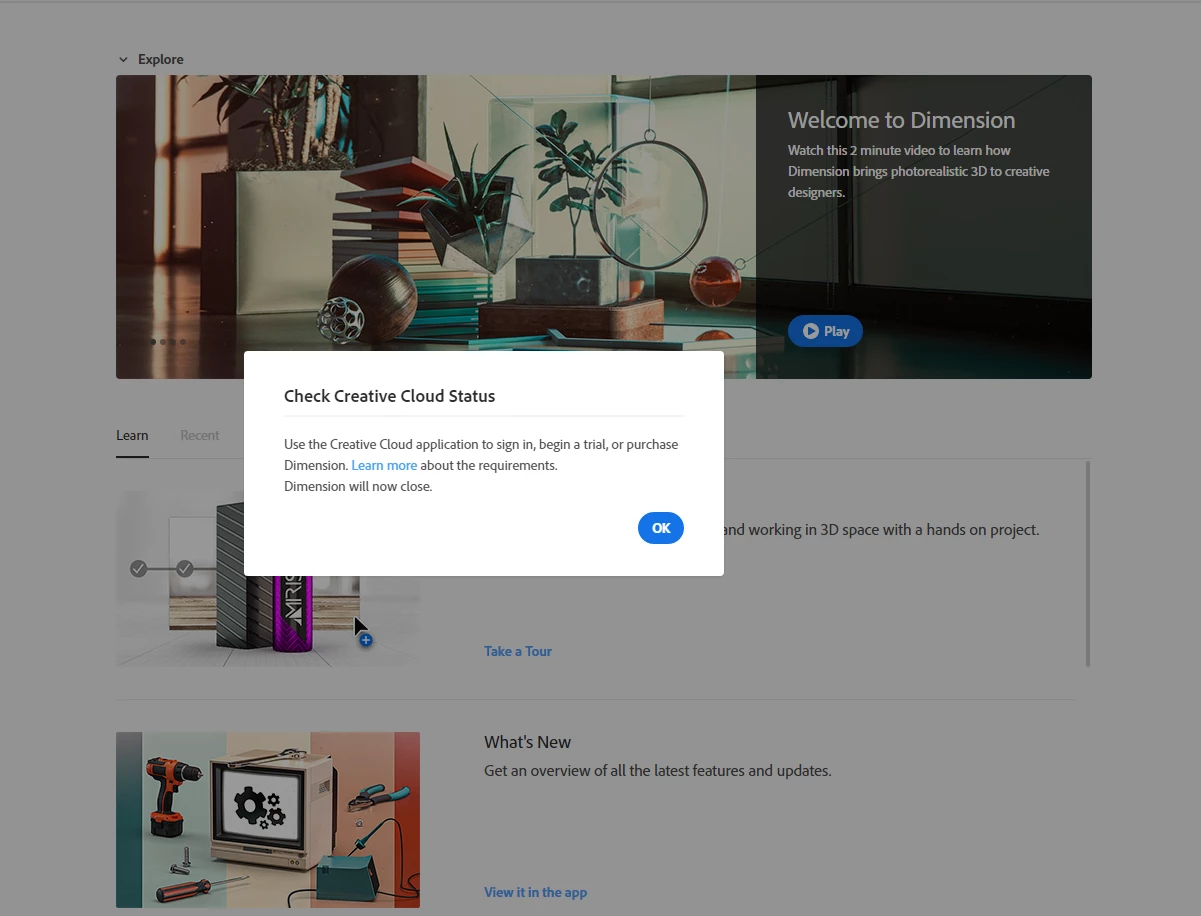
When I launch Dimension it says to sign into Creative Cloud, but I already am?

  • February 27, 2020
  • 4 replies
  • 3439 views

Please see the image below for reference. When I downloaded and launched Dimension, it said I need to sign into Creative Cloud and launch it through there, which I did. I tried restarting my computer, logging in and out of Creative Cloud and I am still getting the same result. I am not sure what else I should do, any ideas?
This topic has been closed for replies.
Correct answer Heaven5CA7

Thank you for the response. I ended all my adobe session and it still wouldn't work. However, when I went into photoshop it told me to log out of my other devices; and now everything is working fine. Thank you again.

4 replies

Participant
June 4, 2021

Hi, I'm a student who is having the same problem. I've tried restarting my computer, uninstalling and reinstalling the app, and even redownloading creative cloud all together. I'm pretty sure I'm not logged onto any other devices; but what do you recommend I do?

Ares Hovhannesyan
Community Expert
Community Expert
June 4, 2021

Please go to your Adobe ID account https://account.adobe.com and under Profile menu look at your "Active sessoins" and "Connected sessions". May be you have another Adobe Id session active?

Heaven5CA7Correct answer
Participant
June 4, 2021

Thank you for the response. I ended all my adobe session and it still wouldn't work. However, when I went into photoshop it told me to log out of my other devices; and now everything is working fine. Thank you again.

Participant
January 30, 2021

@mackenzies69301580 This still holds up in January 2021. I unknowingly left my account active on a work desktop that I used because my computer was down. After downloading the latest NVidia drivers, un/reinstalling Dimensions, and constantly restarting my computer, it sucks to know that all I needed to do to correct  the error was to disconnect my account from the work desktop. Thanks for sharing!

Ussnorway7605025
Legend
February 27, 2020

are you using a school account, proxy server or vpn?

mackenzies69301580
Participant
February 28, 2020

I figured out what happened; I had upgraded to a new computer last year at work, and never signed off Creative Cloud on my old computer. So, I was logged into Creative Cloud on two devices which is the maximum. The only reason I figured this out was because when I tried launching Photoshop it showed me that I was logged onto 2 devices. Whereas Dimension just showed me that error message. So, it’s like, okay Adobe, if you can show that message on Photoshop then you should be able to do that on your other applications. Thank you though!

Ares Hovhannesyan
Community Expert
Community Expert
February 27, 2020

Plese go to your account and cjeck your CC plan. If all is ok, contact to support team .

Here is references FAQ link;


https://helpx.adobe.com/manage-account/using/access-adobe-id-account.html