


How do I restore my favorite interface workspace layout after a reinstall/upgrade?
Here is my ideal Dreamweaver interface workspace:
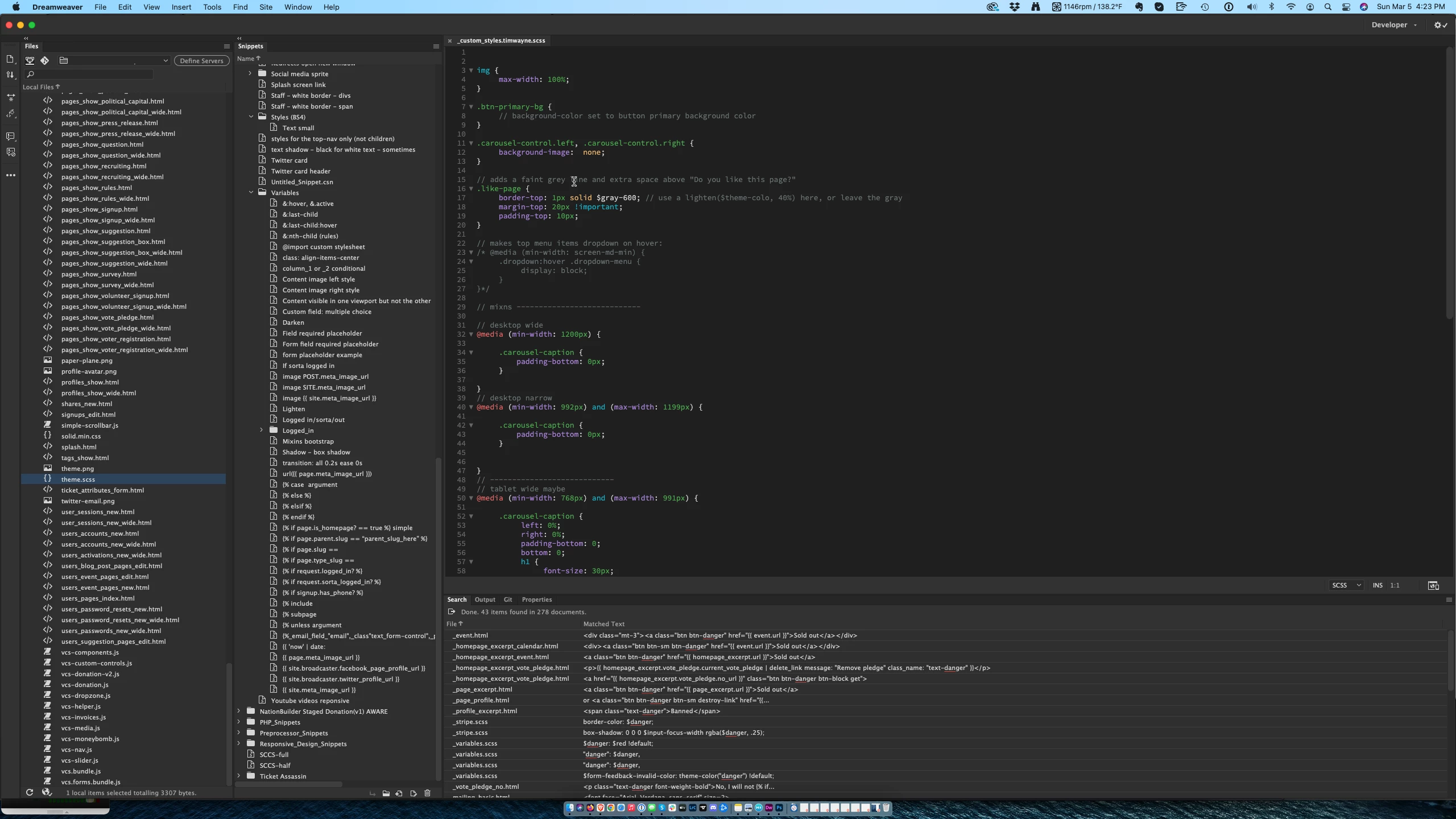
Things of note:
Fiels panel on the left, and the snippets next to that. Both are "sticky" and persistent in their space.
Same with the search/properties panel on the bottom.
When a file opens, it opens in the available space.
This is perfect.
Two days ago, Dreamweaver forced a reinstallation on me. In the process of reinstallation, I lost my worspace saves and my snippets. With some great tech support, I was able to get my snippets restored. Now that I'm in it and working, I see that I am also missing my workspace layout that I love. I have this instead, the default Developer view:
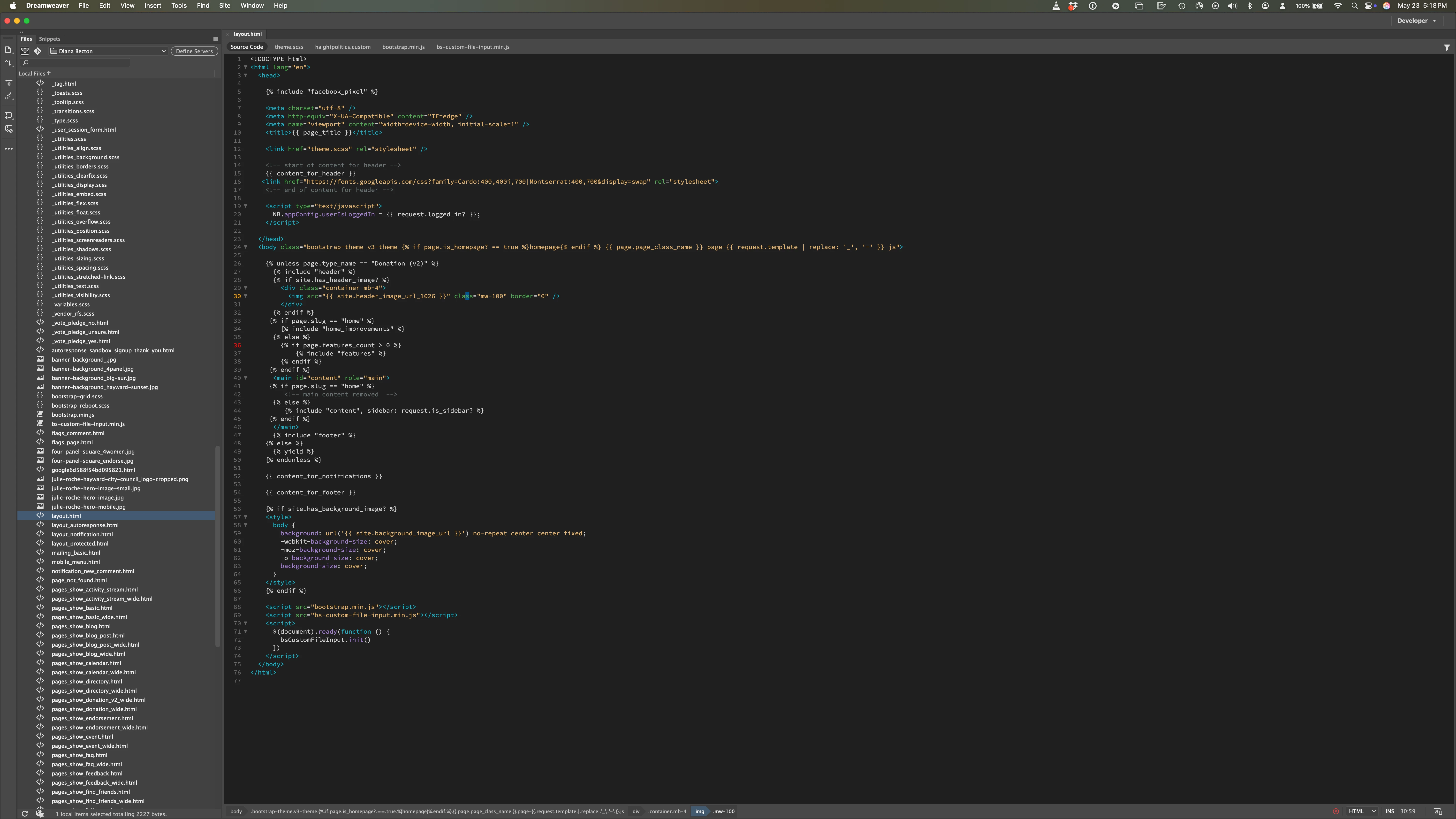
as you can see, Snippets is hiding behind Files. I can bring it forward, but then Files is hidden behind Snippets. I want both panels always visible. Also, Properties is gone. When I bring it out, it's a floating window, which I can't stand.
With some fooling around, I can bring snippets out as a floating panel so that I can see Files and Snippets at the same time. But then the file I'm looking at is BEHIND the snippets panel, and that doesn't work for me AT ALL.
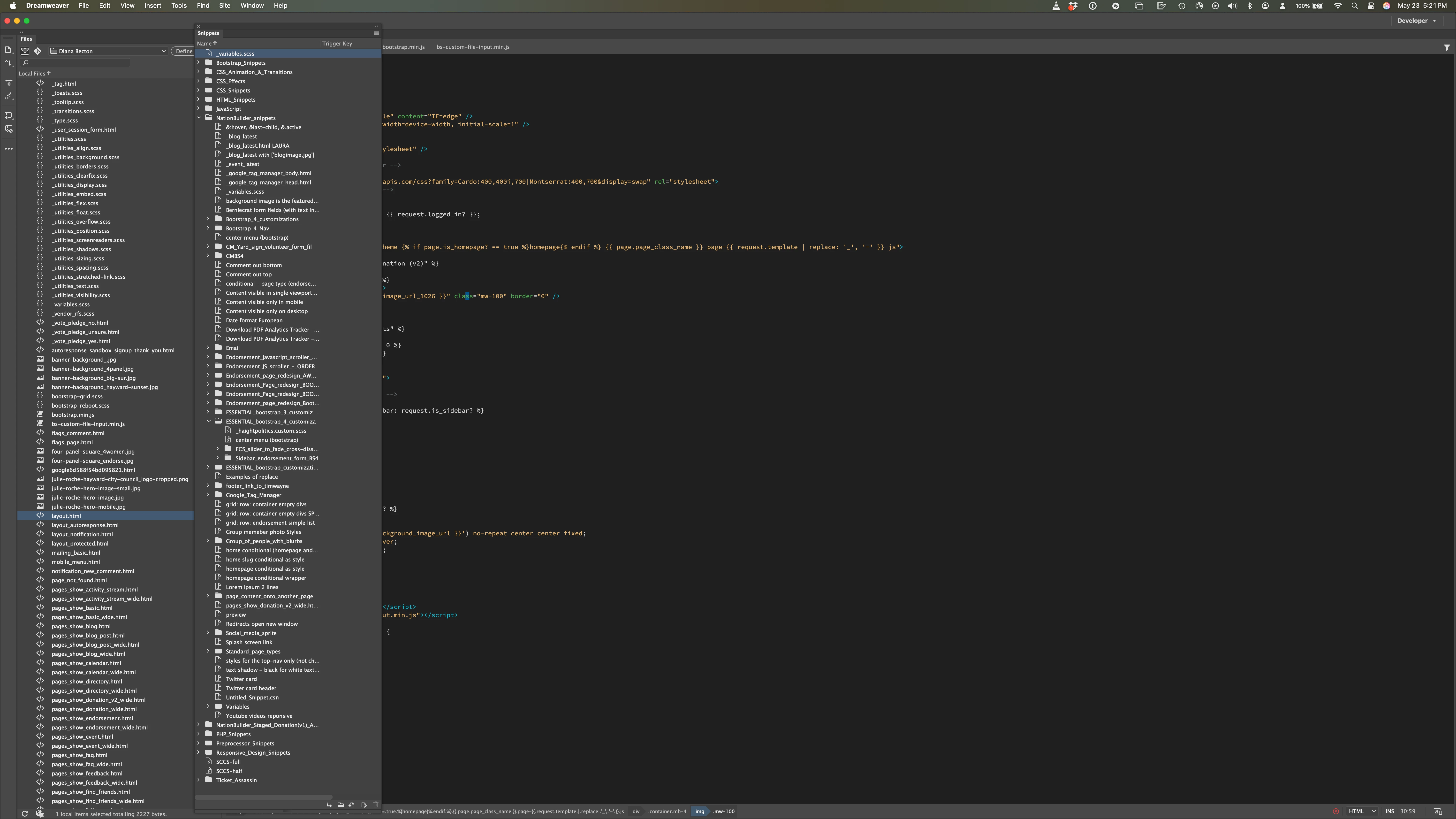
So how do I get to my IDEAL Dreamweaver layout from the first image?
 AdChoices