


Open div within Dreamweaver CS6 table row based on record ID clicked on
Hello All,
Please I need your help. FOr several hours now I have been working to to open div within Dreamweaver table row based on the ID of the record in that row.
I have a table with 4 records in a rows with possibility of growing to 100 ros or more. Each row has a hidden div of which when you click on the  plus icon it should display the hidden div so one can read more details about that very record.


At the moment only record with 4 is working perfectly.
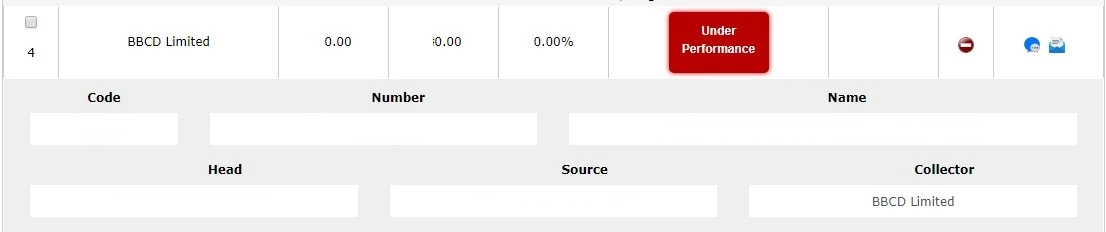
Now when I click on the on record with id 1, the system displays the details belonging to record id 4.
What I am getting is not what I want. I need help on making the div show the correct details based on the row records. That is to say, the div on each of the rows should shows the details of the respective row and not the record of div 4. E.g The div on row with record 2 should show the details of record 2, the div on row with record 3 should show the details of record 3 and so on and so forth.
At the moment here is the javascript that shows and hides the icon buttons
<script language="javascript">
function toggle5(showHideDiv, switchImgTag) {
var ele = document.getElementById(showHideDiv);
var imageEle = document.getElementById(switchImgTag);
if(ele.style.display == "none") {
ele.style.display = "block";
imageEle.innerHTML = '<img src="images/minus.jpg">';
}
else {
ele.style.display = "none";
imageEle.innerHTML = '<img src="images/plus.jpg">';
}
}
</script>
Here is the line of code that displays the green plus icon and red minus icon
"<a id="imageDivLink" href="javascript:toggle5('contentDivImg', 'imageDivLink');"><img src="plus.png"></a>"
And here is the lines of code that displays the div when the icons are clicked on
<div id="contentDivImg" style="display: none;">This demo uses plus and minus images for hiding and showing your div dynamically via JavaScript.</div>
Your help on how to make the divs show the records belonging to each ID is highly appreciated.
Thank you in advance
Mike

 AdChoices