Known Participant
October 4, 2023
Question

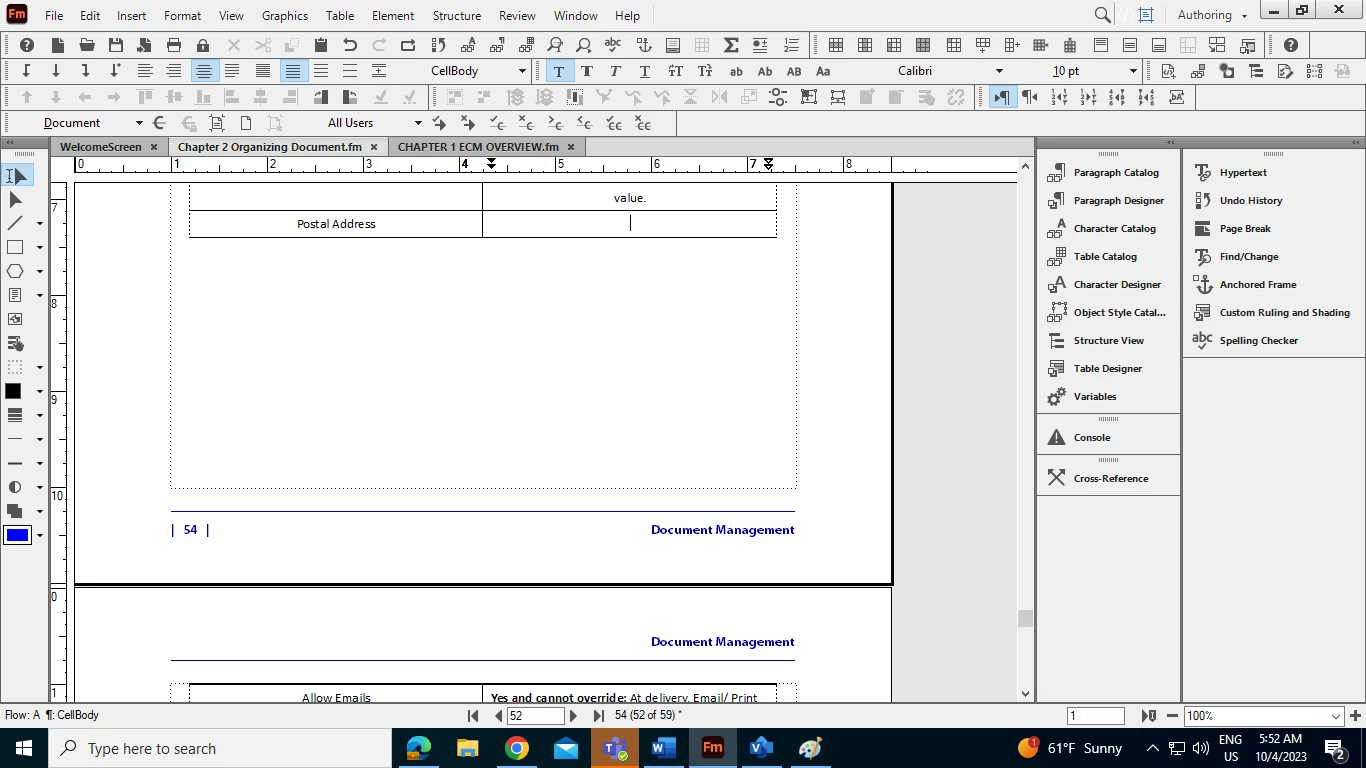
A table is extending to another page while there is enough space at the first page in FM dcoument

  • October 4, 2023
  • 2 replies
  • 845 views

A table is extending to another page while there is enough space in the first page of Adobe Frame maker document. Please suggest solutions.

 

    This topic has been closed for replies.

    2 replies

    Community Expert
    October 4, 2023

    Hi, @Amit Mani30445109n307 ,

    beside the things mentioned by @frameexpert and @Bob_Niland it is also possible that a table-row has the setting to stay together with another row (above or below) or a row has the setting "start on new page" or ...

    So for a helpfull answer it would be best to have a look on that FM-file.

    Regards

    Stephan

    Known Participant
    October 6, 2023

    Thanks for the tips, I'll check.

    frameexpert
    Community Expert
    Community Expert
    October 4, 2023

    Click in your table, open the Table Designer and check the Orphan Rows value. This sets the minimum number of rows that have to stay together when the table breaks across pages or columns.

    Bob_Niland
    Community Expert
    Community Expert
    October 4, 2023

    Might also check the Pagination properties of the anchoring para for the Table, and those of the next para as well.