Inspiring
February 23, 2026
Answered

about tab stops

  • February 23, 2026
  • 2 replies
  • 37 views

Hello,

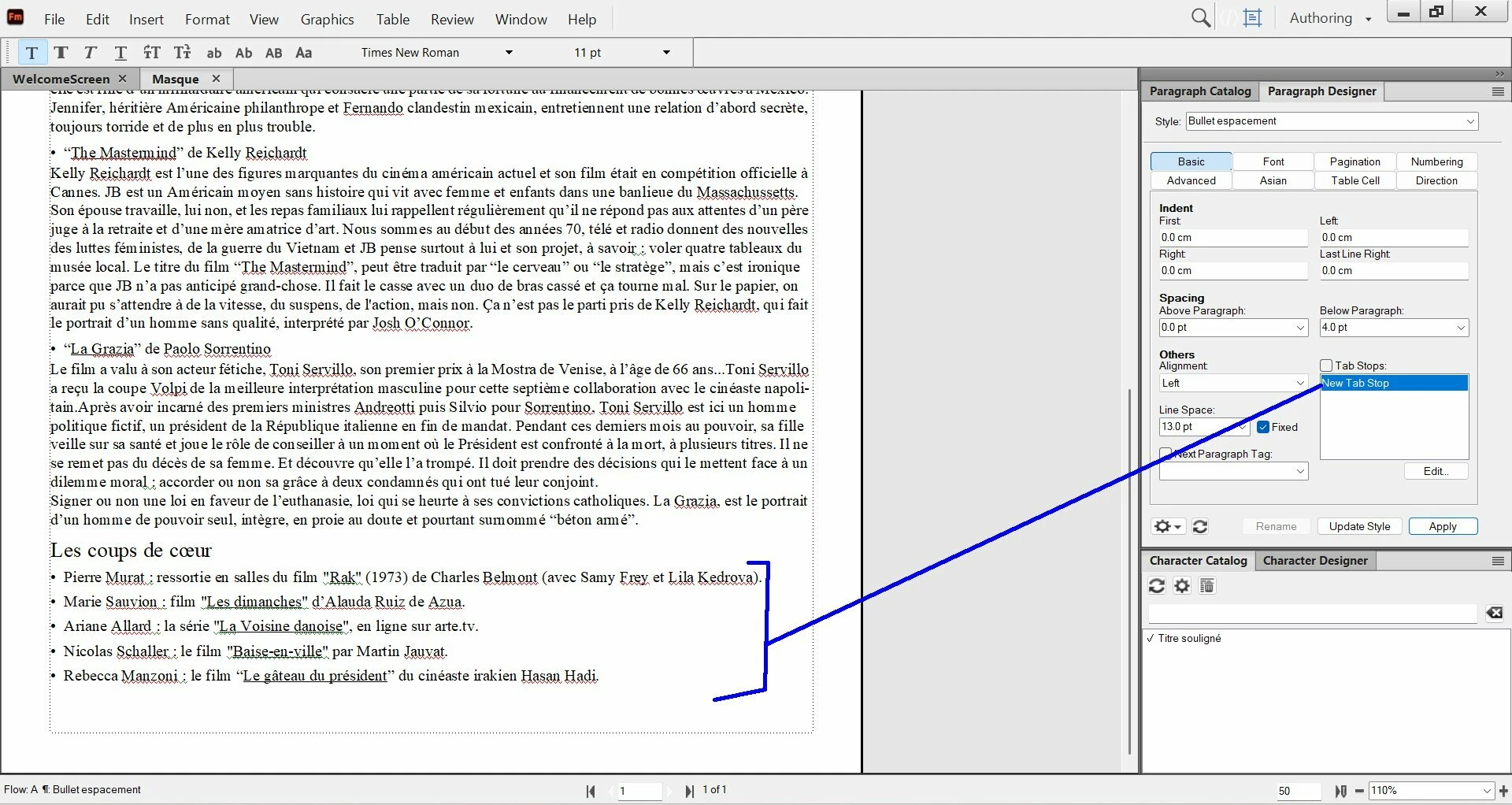
In this example, at the bottom, I have several bullets (see blue line) where I have not used some tab stops.

Do you advise me to use tab stops in that case (for these bullets) ?


    Correct answer Barb Binder

    And here’s a quick visual overview of ​@Winfried Reng’s excellent answer. 😀


    https://www.youtube.com/watch?v=H70S1KRQScU

    2 replies

    Barb Binder
    Community Expert
    Barb BinderCommunity ExpertCorrect answer
    Community Expert
    February 24, 2026

    And here’s a quick visual overview of ​@Winfried Reng’s excellent answer. 😀


    https://www.youtube.com/watch?v=H70S1KRQScU

    ~Barb at Rocky Mountain Training
    Inspiring
    February 24, 2026

    Hi Barb,

    Thank you for this excellent video, very clear !

    Community Expert
    February 23, 2026

    Hi,

    Do you want tab stops after the colon? I would not do this. In another section you might need tabs at other positions. Do you then make paragraph overrides (which will get lost at some point)? Or new paragraph formats?

    You could convert the paragraphs into a table, if you really want a separation.

    Best regards, Winfried

    Inspiring
    February 23, 2026

    Hi Winfried,

    In fact, I was wondering if I need to put a tab stop between the bullet and the begining of the text (see at left here), where the tab stop if for the begining of the text :


    Community Expert
    February 23, 2026

    Yes. This makes sense. But not with manual tabs. Use the paragraph numbering. Enter your bullet and \t for a tab. Then set the indentation and the tab stop position.
