
Participant
February 3, 2024
Answered

Add leader to mini TOC

  • February 3, 2024
  • 2 replies
  • 431 views

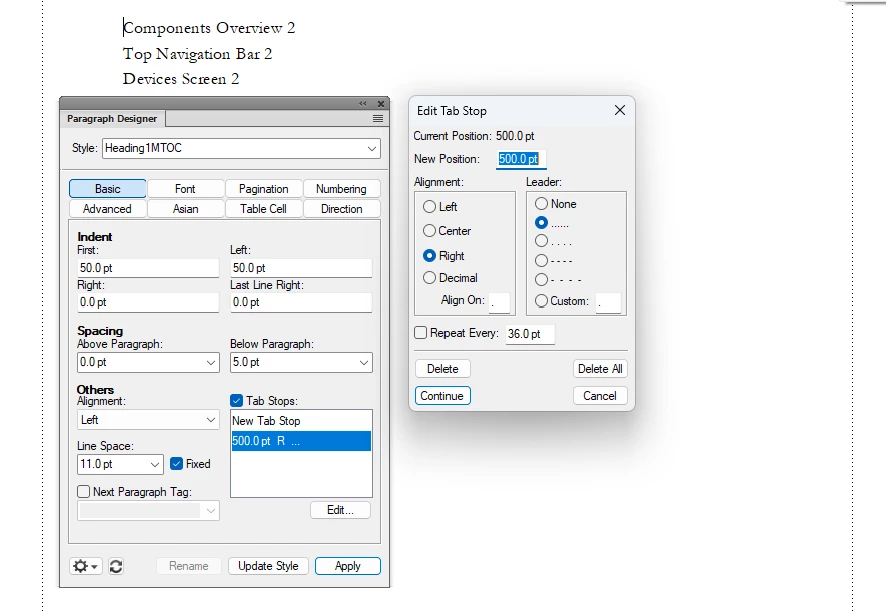
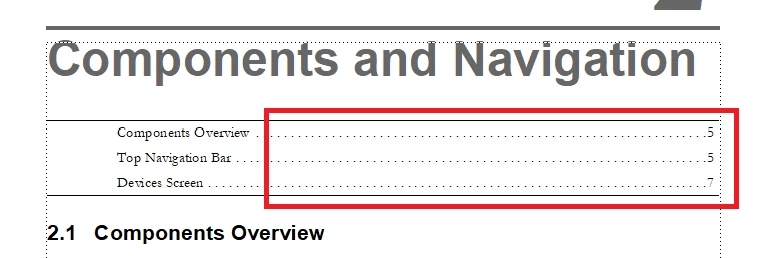
I want to add a leader to my mini TOC so that the page numbers are right-aligned. I've added a tab stop to the relevant Paragraph Style (Heading1MTOC style), but that doens't change the formatting. I've tried deleting and re-creating the mini TOC and changing the tab position, but nothing works. I feel like I'm missing something obvious. Any ideas on how I can add the leader?


I'm using FrameMaker 17. 


What I have:
 

What I want:
This topic has been closed for replies.
Correct answer Bob_Niland

More specifically, in the **TOC.fm file:
View » Reference Pages 🞀🞂 to RP "TOC"
the prototype/template lines (usually ¶named **TOC), which appear like:
<$paratext>〉............<$pagenum>

need to have a tab in them, which, with
View » Text Symbols enabled,
appears as the 〉glyph shown above.

Put another way, tab leaders do nothing if no tab is provided to trigger them.

2 replies

Barb Binder
Community Expert
Community Expert
February 3, 2024

Hi Bianca:


Your formatting screen shots look great... it looks like you just forgot to erase the space and add a tab character to the reference page as per the previous replies. Remember that you need to press the tab key once in each paragraph to add a tab character for each tab stop you define in the Paragraph Designer.


I cover how to create an MTOC in this video: https://youtu.be/pCgKwBGGXLw?feature=shared

The MTOC explanation begins at minute 28, adding the tab character is at minute 29:50 or so.


BTW, 500 pts is 6.9 inches, which is likely too wide for your frame if your page is 8.5 x 11. I would initially set the tab at 300 pts (4ish inches) until you get it working, and then you can push it as far to the right as you like. 


~Barb


~Barb at Rocky Mountain Training
Participant
February 3, 2024

Update: I added the style and leader in the Reference Page, but that didn't help (I also changed the position to 300pt because it wouldn't let me do 500pt on this page). 

frameexpert
Community Expert
Community Expert
February 3, 2024

Go to the reference page, put your cursor in front of the <$pagenum> building block and hit the tab key.

Bob_Niland
Community Expert
Bob_NilandCommunity ExpertCorrect answer
Community Expert
February 3, 2024

More specifically, in the **TOC.fm file:
View » Reference Pages 🞀🞂 to RP "TOC"
the prototype/template lines (usually ¶named **TOC), which appear like:
<$paratext>〉............<$pagenum>

need to have a tab in them, which, with
View » Text Symbols enabled,
appears as the 〉glyph shown above.

Put another way, tab leaders do nothing if no tab is provided to trigger them.
