Susan305351693t3o
Inspiring
February 8, 2024
Answered

Adding text between existing tables, and/or inserting text between tables

  • February 8, 2024
  • 1 reply
  • 1553 views

Hello again,


Thank you all for your help here.


I have another question.


How do you insert text or insert a new table between existing tables that are right on top of each other in a flow?


In Word, you simply hit a carriage return outside of the table. In FrameMaker, it's a mystery.


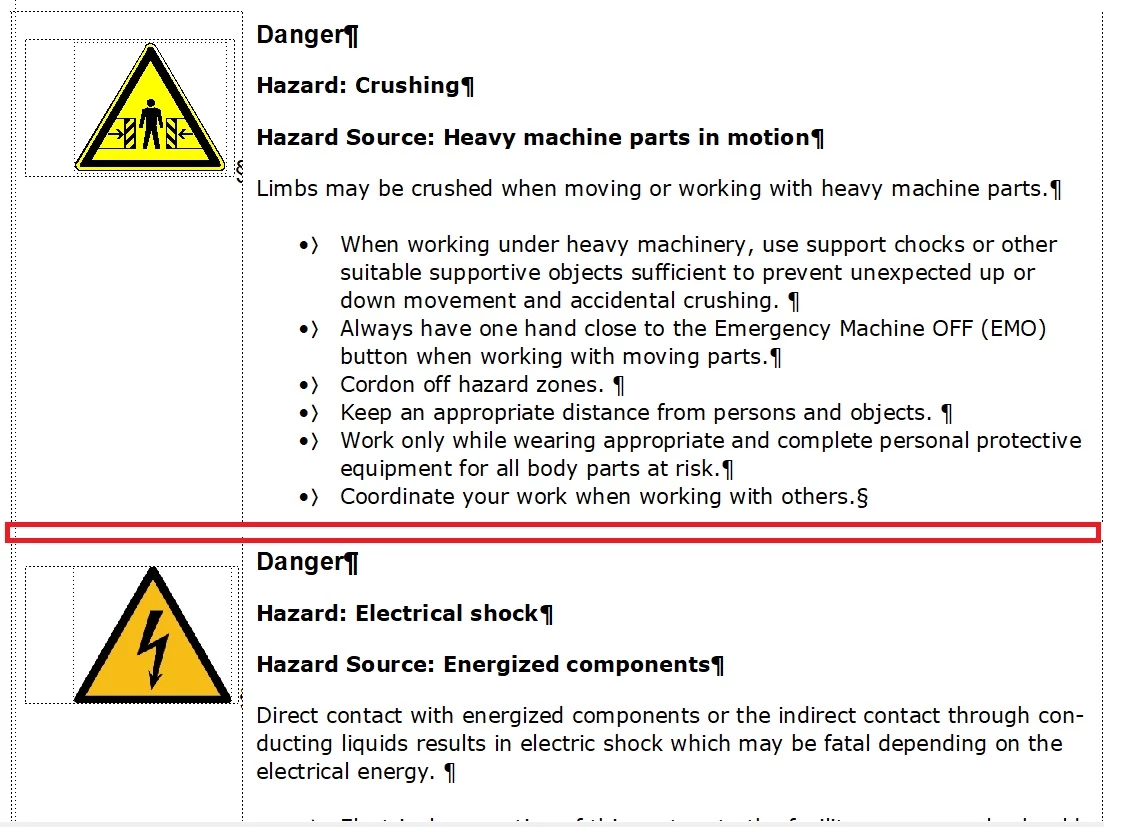
Here's what I've got.

The red rectangle shows the tiny space between the two tables where I want to insert text. But there is no way to do it, it seems. I'd also like to insert another table in that space.


How do I do this?

    This topic has been closed for replies.
    Correct answer Matt-Tech Comm Tools

    Thank you. I did the CNTRL triple click and it looks like it's all different tables instead of one table as was suggested earlier in this thread. 


    So the question, once again is, is there a way to insert text between the individual tables? Is it possible that all four individual tables are "reporting" to that one anchor, or does each table have to have its own anchor?


    They have separate anchors, but as noted above, the can "stack" visually in your doc.

    Place your cursor before the anchor, then use the right cursor key to move one position to the right. Insert a return after the anchor to drop the 2nd anchor to the next line.

    (I think Jeff recommended something similar above)
    Repeat as needed for your series of stacked anchors.

    (Bob recommended inserting an M (the "standard" wide character in between the anchors, which spreads them out. This is great for diagnostics, as he'll certainly add, but won't allow you to type in between tables.)

    Once the anchors are on their own line, you can add content (text, space, whatever) between the tables and you can select each table anchor individually.

    NOTE: The same thing happens with markers, and combinations of markers and anchors...separating them with either spaces or returns will help to identify and select them.

    You can also use the Find/Change to search for and select each marker/anchor individually, even while they are stacked.


    1 reply

    Bob_Niland
    Community Expert
    Community Expert
    February 8, 2024

    It looks like the Table anchors are run-together on the same line of text.

    Turn on Text Symbols.
    Navigate to that hosting text line, or just above it.
    Type some wide character, such as M, then →, and repeat until past the last Table.

    Insert a [Return] in between ┴ symbols.
    Clean up the Ms.

    Now, there is a chance that this could be harder than usual to do, if some prior author used the negative-spacing trick.

    Susan305351693t3o
    Inspiring
    February 8, 2024

    Hi Bob,


    Not sure I understand.


    Text symbols are on in the document already. There is no text between the tables, so there would be no line of hosting text to select. I want to put text between the tables and don't know how to separate them so that I can do that.

    Jeff_Coatsworth
    Community Expert
    Community Expert
    February 8, 2024

    If it's only 1 table and you want to place some paragraph text between the rows of the table, you have to either split the table into two parts OR add a new row above/below the desired insertion point and enter your text within the row. You probably want to break it up into 2 tables.