


Participant
June 25, 2014
Question

adding top and bottom border only to graphics

  • June 25, 2014
  • 1 reply
  • 290 views

This may be an easy one and I'll probably feel stupid when I hear the answer, but here we go-

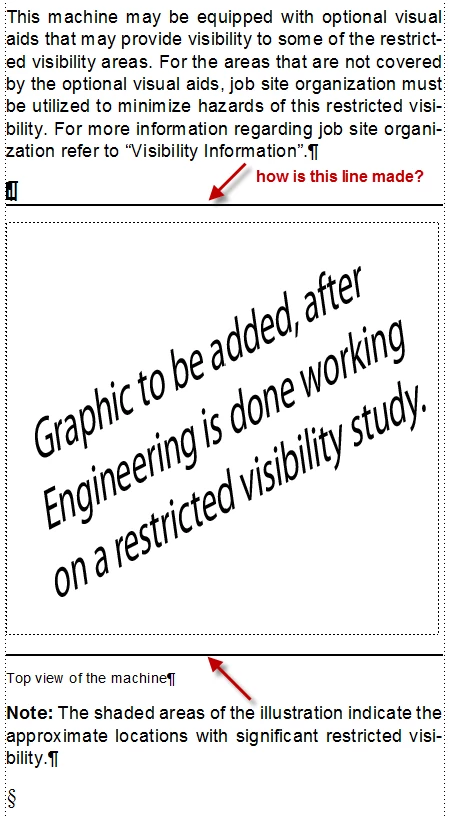
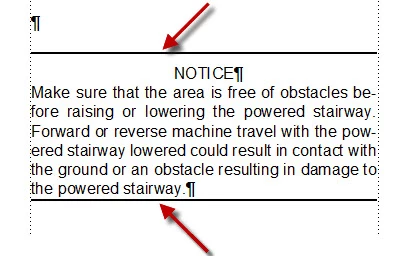
I need to add a solid line at the top and bottom of all the graphics in a book. I also need to add the same lines before and after warning messages. I'm looking for a solution other than drawing each one individually. I have some screen captures to show what I'm talking about.

I was assigned this book after it had been started. The person that started it is gone, and I have no idea of what he did. I see that he has placed a line at the top of this graphic frame, and when you hit enter it makes a duplicate. I don't see any changes to paragraph tags as it is just listed as body, and other body text in the document doesn't act this way. Maybe I'm looking at 2 different scenarios as far as the lines for the text and the lines for the graphics.
    This topic has been closed for replies.

    1 reply

    Arnis Gubins
    Inspiring
    June 25, 2014

    Hi Brian,

    The lines are added automatically using one of the settings in the Paragraph Designer for the specific paratag. In the Advanced tab of the Paragraph Designer, there are Frame Above and Frame Below settings. These settings point to named graphics frames found on the Reference pages of the document. The graphics frame can contain anything; a line, a graphic, a block of text, etc.

    The previous writer probably created an override if you don't see a different tag name used for these paragrphs. One way to check if it is an override is to place the cursor in one of these paragraphs and look at the paratag name in the staus bar. If the name has an asterisk (*) after it, then it has an override applied.

    In that case, it would be best to create new paratags that ave the frame above/below enabled and use these whenever you need to frame your content.

    Participant
    June 25, 2014

    Son of a ... I knew it was something simple! Arnis, you have saved my butt twice in a week now. Thank you very much!