
uakinci
Inspiring
January 18, 2018
Question

AI image imported at different sizes when anchored to different para styles

  • January 18, 2018
  • 1 reply
  • 379 views

This is not a behavior that happens when I create a brand new FM 2017 document but in a legacy UNSTRUCTURED FM document that was created years ago probably with TCS 5. I'm currently using FM 2017 on a Windows 10 PC.

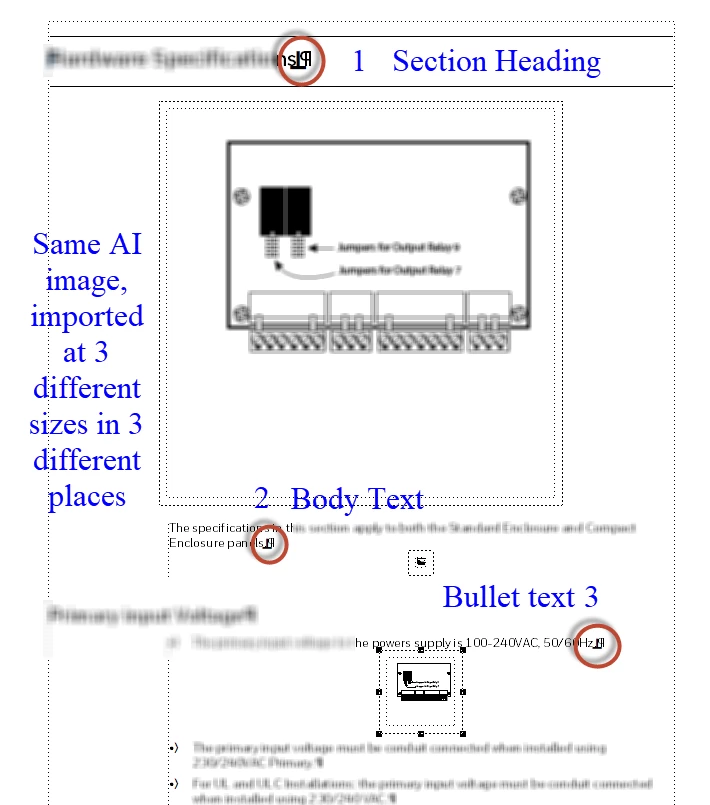
When I import (via File>Import>File) the same Illustrator AI image by inserting my cursor in different parts of the document (i.e., when the image is anchored in different paragraph styles) I get images of different sizes.

I'm pretty sure this behavior is somehow linked to the way different para styles are configured in my document but since there are not image-related variables/settings in Para Designer, I have no idea why this is happening and what I need to do to import AI images at their original (or fitting-in-column) sizes.

Please see the images attached for your convenience. All suggestions are welcomed. Thank you in advance. Ugur

I can generate the same behavior in another location within the same document:
This topic has been closed for replies.

1 reply

Matt-Tech Comm Tools
Community Expert
Community Expert
January 18, 2018

Hi Ugar,

What happens if you import (File > Import > File) your legacy doc into a new Fm 2017 doc? Same behavior?

-Matt Sullivan, FrameMaker Course Creator, Author, Trainer, Consultant
uakinci
uakinciAuthor
Inspiring
January 18, 2018

Matt, hi! Interesting solution. One drawback is, even when I import by retaining the source formatting I lose quite a bit of formatting (headers, footers gone, images need to be relinked, etc.) but the mentioned aberrant behavior disappears. No matter from where I import  an AI file (by selecting File>Import>File), it is imported reliably, always at fill-the-column width. Thanks for this solution. It's not perfect since I lose formatting but I can still use it if I have to. Best regards.

Matt-Tech Comm Tools
Community Expert
Community Expert
January 18, 2018

Importing formats from your previous doc should allow you to restore the formatting, and also remove format overrides...which (to me) is a good thing.

-Matt Sullivan, FrameMaker Course Creator, Author, Trainer, Consultant