
lathac41153227
Participating Frequently
May 4, 2018
Question

Align textframe in framemaker.

  • May 4, 2018
  • 2 replies
  • 638 views

Hi,

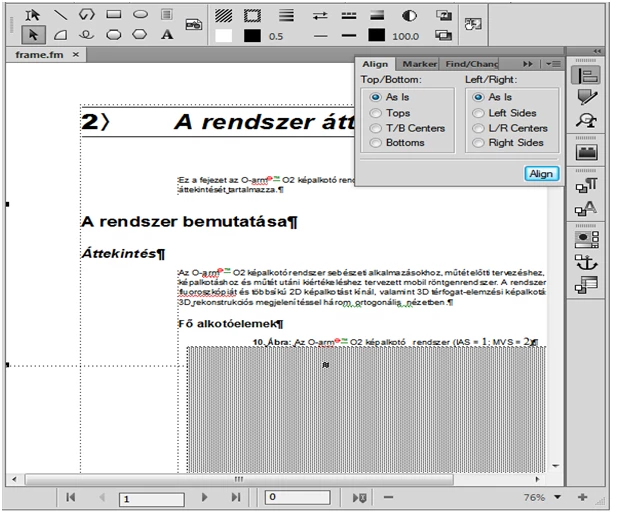
     How to move textframe from top to bottom of framemaker page using textframe "Align" property in extendscript ? And i have attached screenshot for included textframe in top of framemaker ,and i have mentioned "Align" property.I need textframe move into bottom.So please suggests if any ideas.
This topic has been closed for replies.

2 replies

frameexpert
Community Expert
Community Expert
May 4, 2018

To align a text frame to the bottom of the page, change its LocY property. The basic formula would be

textFrame.LocY = page height (doc.PageHeight) - text frame height (textFrame.Height)

where textFrame is the variable for your Text Frame object, and doc is the Document object.

www.frameexpert.com
4everJang
Legend
May 4, 2018

You mention a text frame, but these are positioned via the master page, not via the align properties. An anchored frame can be aligned to the top or bottom of the page, but that is not done via the Align properties - it is done via the Anchored Frame properties. An image can be aligned inside its anchored frame, which is what is done via the Align properties.

It is very unclear what you want to achieve. The screenshot does not really help as it does not show what you have selected. Are you placing a text frame on top of a page ? And why would you do that ? What is the text frame going to hold ? If this is a text frame that should be part of your document text then you should add the text frame to the master page, which is also where you can define the location of that text frame.