

Aligning the graphics in structured framemaker
Hi All,
I am new to structured framemaker and using Adobe Framemaker 7.1 and 10.
DTD:
<!ELEMENT book (graphic)*>
<!ELEMENT graphic EMPTY>
<!ATTLIST graphic
format CDATA #IMPLIED
entity CDATA #IMPLIED
xoffset CDATA #IMPLIED
yoffset CDATA #IMPLIED
position CDATA #IMPLIED
align CDATA #IMPLIED
width CDATA #IMPLIED
height CDATA #IMPLIED
>
RWR:
element "graphic"
{
is fm graphic element "Graphic";
fm property import by reference or copy value is "ref";
attribute "xoffset" is fm property horizontal offset;
attribute "yoffset" is fm property vertical offset;
attribute "position"
{
is fm property position;
value "below" is fm value "below";
}
attribute "align"
{
is fm property alignment;
value "left" is fm property value align left;
value "right" is fm property value align right;
value "middle" is fm property value align center;
is fm attribute;
}
attribute "width" is fm property width;
attribute "height" is fm property height;
}
XML:
<?xml version="1.0" encoding="UTF-8"?>
<!DOCTYPE book SYSTEM "center.dtd" [
<!NOTATION jpg SYSTEM "">
<!ENTITY A1234 SYSTEM "1234.jpg" NDATA jpg>
]>
<book>
<graphic format = "JPG" entity = "A1234" xoffset = "0.197in" yoffset = "0.394in" position = "below" align = "middle" width = "6.870in" height = "8.341in"/>
</book>
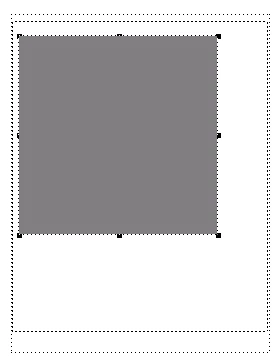
Output I got:
Output I desired:
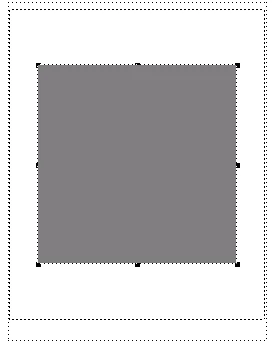
I want the graphic to be aligned in "T/B Centers" and "L/R Centers". Are there any attributes I am missing or do I need to correct my XML?.
Thanks in advance


 AdChoices