

frameexpert
Community Expert
Community Expert
July 20, 2023
Answered

Apply an element definition to a book's highest level element

  • July 20, 2023
  • 2 replies
  • 156 views

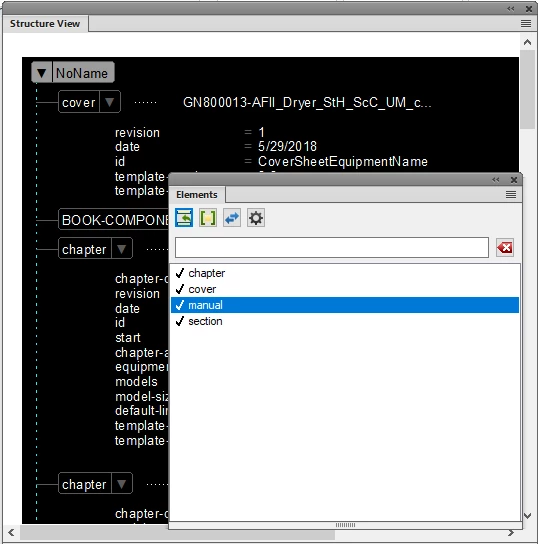
I am working on a structured book with ExendScript and I want to change the top-level NoName element to an element definition that is in my element catalog. I can't figure out how to do it with ExtendScript. I also want to wrap the BOOK-COMPONENT element in another element that is in my element catalog. Any pointers would be appreciated.


This topic has been closed for replies.
Correct answer frameexpert

Ok, I figured out the first task:

book = app.ActiveBook;
if (book.ObjectValid () === 1) {
    element = book.HighestLevelElement;
    elementDef = book.FirstElementDefInDoc;
    while (elementDef.ObjectValid () === 1) {
        if (elementDef.Name === "manual") {
            element.ElementDef = elementDef;
            break;
        }            
        elementDef = elementDef.NextElementDefInDoc;
    }
}

2 replies

frameexpert
Community Expert
Community Expert
July 20, 2023

Here is the second task, which replies on a couple of functions that aren't shown. I can provide them if you need them.


// Select the TOC component and wrap it in a toc element.
element = tocComp.ComponentElement;  
elementDef = getBookElementDef (book, "toc");
if (elementDef) {
    elementRange = getElementRange (element, SELECT_ELEMENT);
    book.ElementSelection = elementRange;        
    elementDef.WrapElement ();
}


frameexpert
Community Expert
frameexpertCommunity ExpertAuthorCorrect answer
Community Expert
July 20, 2023

Ok, I figured out the first task:

book = app.ActiveBook;
if (book.ObjectValid () === 1) {
    element = book.HighestLevelElement;
    elementDef = book.FirstElementDefInDoc;
    while (elementDef.ObjectValid () === 1) {
        if (elementDef.Name === "manual") {
            element.ElementDef = elementDef;
            break;
        }            
        elementDef = elementDef.NextElementDefInDoc;
    }
}