Participating Frequently
February 21, 2019
Answered

Arrow without background colour?

  • February 21, 2019
  • 2 replies
  • 1253 views

Good Afternoon.

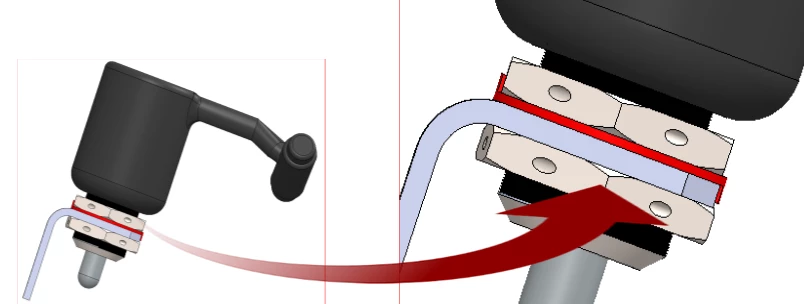
I am running FM 2015 and wish to insert an arrow on an image similar to those
below but no matter what format I use I cannot get rid of the white background.

This is something I can do in MS Word (sorry) but most of my work is now in FM.  Please can you advise me if it is possible? I removed the background colour from the
arrow using Photoshop.

Your assistance would be appreciated.

Kind regards

Ian Reeve


Word 2013 version

No Arrow background colour

Done with TiFF or PNG


FM 2015 version

Arroe Background showing

TIFF, PNG, JPG, PSD images tried.


This topic has been closed for replies.
Correct answer Jeff_Coatsworth

Frankly I would do all that in my image-editing software, not FM. But I know that FM has "difficulties" dealing with transparency.

2 replies

Bob_Niland
Community Expert
Community Expert
February 21, 2019

It can be done, although getting it to preview properly during edit might still be out of reach. Here's what might be the most recent discussion, with a link to a useful PDF by Arnis.

I usually just composite the whole thing in an image editor, and for this style of art, in a vector format like EPS or SVG.

Legend
February 22, 2019

I agree with Bob … I wouldn't use FM for this sort of 'annotated image'. (not that I have the choice: still soldiering on with FM 2012, thanks to corporate apathy) There's a certain elegance in working with two separate images plus an arrow, of course, but I'd probably salve my conscience by [taking the easy way out and] using layers in an Illustrator file.

Bob_Niland
Community Expert
Community Expert
February 22, 2019

On older FMs, for a limited number of arrow variations, you can create copy'n'paste vector art stowed on a Reference Page of your template.

In a previous assignment, I had an assortment created using FM lines with arrow ends, and even knock-out masks around them for stand-out. They could be placed at arbitrary angles, and did not have rectangular backgrounds. The ones with masks, however, could not be stretched or scaled, as the native arrows do not scale isomorphically, whereas the masks did.

Jeff_Coatsworth
Community Expert
Jeff_CoatsworthCommunity ExpertCorrect answer
Community Expert
February 21, 2019

Frankly I would do all that in my image-editing software, not FM. But I know that FM has "difficulties" dealing with transparency.

Community Manager
February 21, 2019

What you are asking for is support for transparency in imported images in FrameMaker. FrameMaker 2015 does not support transparent images. This was introduced in FrameMaker 2019.

You can download the 30-days free trial version of FrameMaker 2019 here and then check if it works. You might need to import the arrow image again.

Let us know if it solves this :-)