Inspiring
November 1, 2021
Question

Arrowhead Bullet Points

  • November 1, 2021
  • 2 replies
  • 1965 views

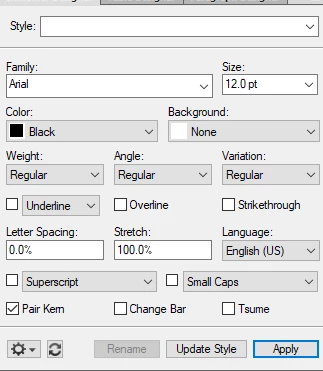
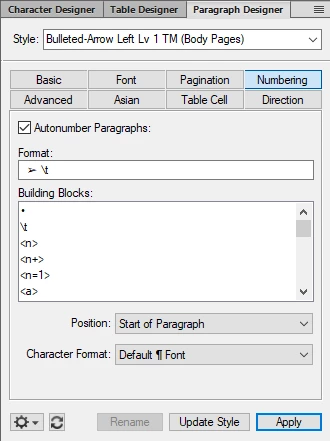
Trying to figure out how to duplicate an arrowhead bullet point pulled from a Word Doc that I am converting. I can't seem how to get just the arrowhead in Segoe UI and to get the text in Arial. I have tried several different things in the character designer and the numbering tab of the paragraph designer. 



This topic has been closed for replies.

2 replies

Bob_Niland
Community Expert
Community Expert
November 1, 2021

re: …pulled from a Word Doc…


Any idea what Unicode code point you're seeking? It looks like:
U+27A2 THREE-D TOP-LIGHTED RIGHTWARDS ARROWHEAD [➢]
but Unicode has dozens of right-pointing arrows. Segoe IU does at least populate U+27A2

That introduces a number of uncertainties. It might be a legacy codepage dingbat in need of a Character Format. It might have some Word styling applied that invokes some other font, coming in as an override, that doesn't populate U+27A2.


I presume that the Body font and/or list element font is Segoe IU. If so an AN Format of

\u27A2 \t
would be expected to do the trick.
If the paragraph font is not Segoe IU, then you'll need to define a Character Format to invoke it.

Dave Creamer of IDEAS
Community Expert
Community Expert
November 1, 2021

Create a character style set to Wingdings. 
Apply the style at the bottom of the Numbering tab. 
Change the bullet character to a, (comma). 

David Creamer: Community Expert (ACI and ACE 1995-2023)
Inspiring
November 1, 2021

THis wasnt the exact answer that solved th problem but it was close enought to get me over the hump thank you. 


Dave Creamer of IDEAS
Community Expert
Community Expert
November 1, 2021

Sorry, I gave you the wrong character (so much for doing it from memory).

It should be either "Ø". Was that your solution?


David Creamer: Community Expert (ACI and ACE 1995-2023)