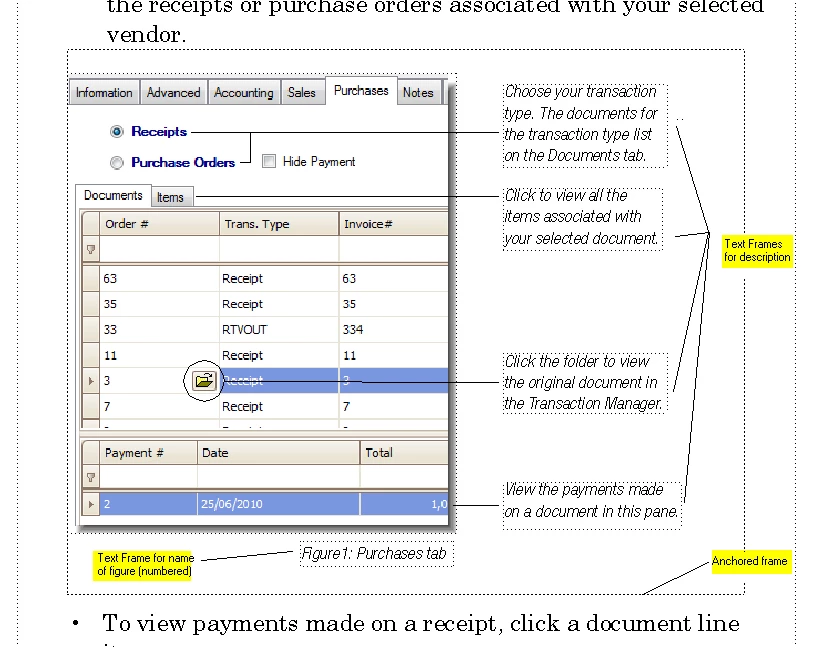
Thank you both Yves and Michael for your replies. The process for incorporating images into my documents is to do the following:
- Create an anchored frame.
- Import my image.
- Create an text frame to label my image.
- Apply a paragraph format to the text frame.
It numbers fine. But, when I go through the process again with a new image and label the image, the number does not increment.
Thanks for your help, Marc
Marc,
Your screenshot shows no necessity to put the figure title INSIDE the anchored frame, the layout allows a position BELOW the anchored frame. I do not like to use tables for non-table purposes unless there is no other option. Mike Wickham’s suggestion seems to be a method used quite often, but IMO you can achieve the same with two paragraph formats:
- one format to be used as an »Anchor Paragraph« which holds the anchored frame; I suggest using »At Insertion Point« as the anchoring position, you can get that setting very quickly using the key sequence »Esc m p«
- another format for the figure title with auto-numbering; this format should have the »Keep with previous« setting activated.
As Sheila suggested, it is highly desirable (= necessary) to keep paragraphs in a common text flow that somehow are connected. The figure title is supposed to be connected to other title because you want them numbered, therefore they must exist in the same text flow.
Now it is up to you to decide which layout to use, but you have to change your current approach. Or drop figure numbering.
- Michael

 AdChoices