

Almtuna
Inspiring
October 6, 2025
Answered

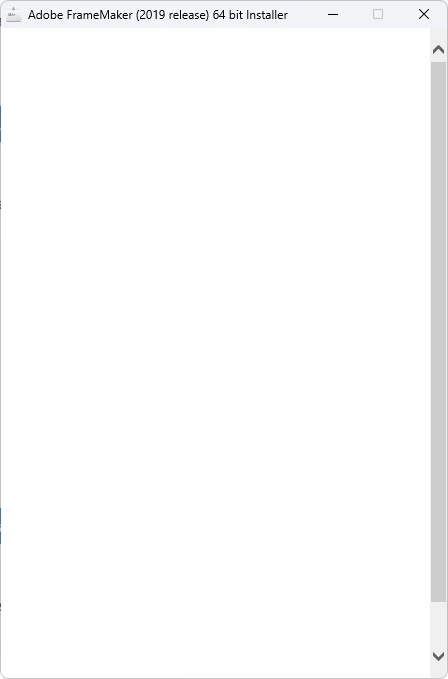
Blank installer window (FM2019, Win 11)

  • October 6, 2025
  • 2 replies
  • 294 views

Trying to recover from a hard disk crash, I need to run FM2019 on new Windows 11 pc.

I have a FM2019 installer, but when I run set-up.exe I get a blank window, and nothing happens.
 

I found a similar problem, Blank screen appears while installing RoboHelp and FrameMaker 2019

but the setup files aren't downloadable. (Error 404: Asset not found).

My error is a bit different too, I get the blank window at once, never get to the sign-in.
    Correct answer Almtuna

    Ah, it might be that old activation server issue - see  https://helpx.adobe.com/tech-comm-suite/kb/deprecated-internet-explorer-10-with-ims.html 


    Thank you!  Yes, I have now installed FM 2019 on my Windows 11 pc.

    Some tweaking was needed. To successfully install, I had to replace the existing P7 folder with the one from the FM2019 installer (after replacing its AASIapp.exe).
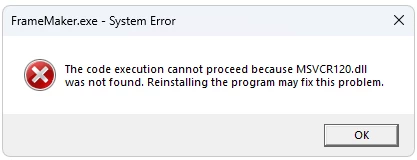
    After installing,  I tried to start FM 2019 and got:


    This was solved by downloading run-time components for Visual Studio 2013 from Microsoft,

    https://www.microsoft.com/en-us/download/details.aspx?id=40784

    Now I can start and run FrameMaker 2019.

    I suppose some of my problems was because my PC already had FM 2022 installed when trying to install FM 2019. (Maybe the Adobe developers should have renamed P7 to P8 when changing its contents...)

    2 replies

    Community Expert
    October 7, 2025

    Hi,

    Here is a post how to install FM 2019 on Windows 11.

    I do not know, if some of the info applies to your situation.

    Best regards, Winfried

    Jeff_Coatsworth
    Community Expert
    Community Expert
    October 7, 2025

    @Winfried Reng I think your post lost its link - there's nothing to click on in it. 😁

    Jeff_Coatsworth
    Community Expert
    Community Expert
    October 6, 2025

    Are you running it as an Admin? Does the machine have access to the internet?

    Almtuna
    AlmtunaAuthor
    Inspiring
    October 6, 2025

    Yes, I have tried both as regular user and as administrator. And the computer has internet access (using it when writing this).


    Jeff_Coatsworth
    Community Expert
    Community Expert
    October 7, 2025

    You may need to contact the FM folks for this one - see https://helpx.adobe.com/contact/enterprise-support.other.html#framemaker for your Adobe Support options. I'd recommend using the tcssup@adobe.com e-mail address as it reaches a team dedicated to Technical Communication Suite products including FrameMaker.