


Rudi__
Participant
August 6, 2014
Answered

Body paragraph taking up space, misaligning table cells

  • August 6, 2014
  • 1 reply
  • 338 views

I can't find any way to make the Body paragraph not take up space!

The first cell of my column-wide table gets shifted down by 2pt (the smallest font size I can set for Body).

I've tried setting space above and below pgf to negative values and column padding/feathering.

Is there any way I can get rid of the Body paragraph or some other workaround to make the cells line up properly?
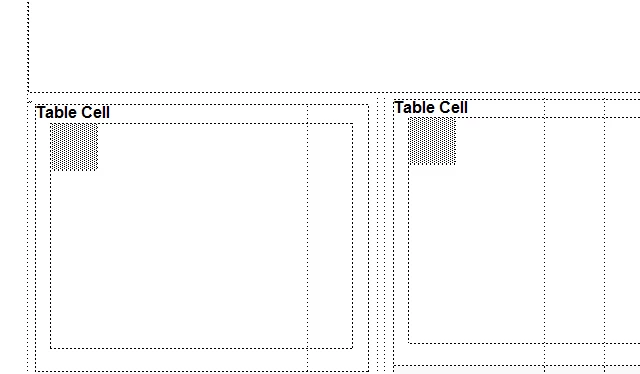
The small dots just above the left cell is the Body paragraph. Note how the left and right cells don't line up...

    This topic has been closed for replies.
    Correct answer Arnis Gubins

    Create a special purpose paratag (e.g. "anchor") to hold the table insertion point. Set that to have a negative Space Below equal to the Body line spacing.

    In the Table Designer, set the Table format to have the same negative Space Above as in the "anchor" paratag.

    This should get rid of any superfluous space in front of the table.

    1 reply

    Arnis Gubins
    Arnis GubinsCorrect answer
    Inspiring
    August 6, 2014

    Create a special purpose paratag (e.g. "anchor") to hold the table insertion point. Set that to have a negative Space Below equal to the Body line spacing.

    In the Table Designer, set the Table format to have the same negative Space Above as in the "anchor" paratag.

    This should get rid of any superfluous space in front of the table.

    Rudi__
    Rudi__Author
    Participant
    August 7, 2014

    Thank you. That worked..