

Barb Binder
Community Expert
Community Expert
April 20, 2021
Question

Book Error: Couldn't update this book, because it contains no openable non-generated files.

  • April 20, 2021
  • 6 replies
  • 554 views

Hi FrameMaker friends:


Can anyone offer some clarity on this Book error message? 
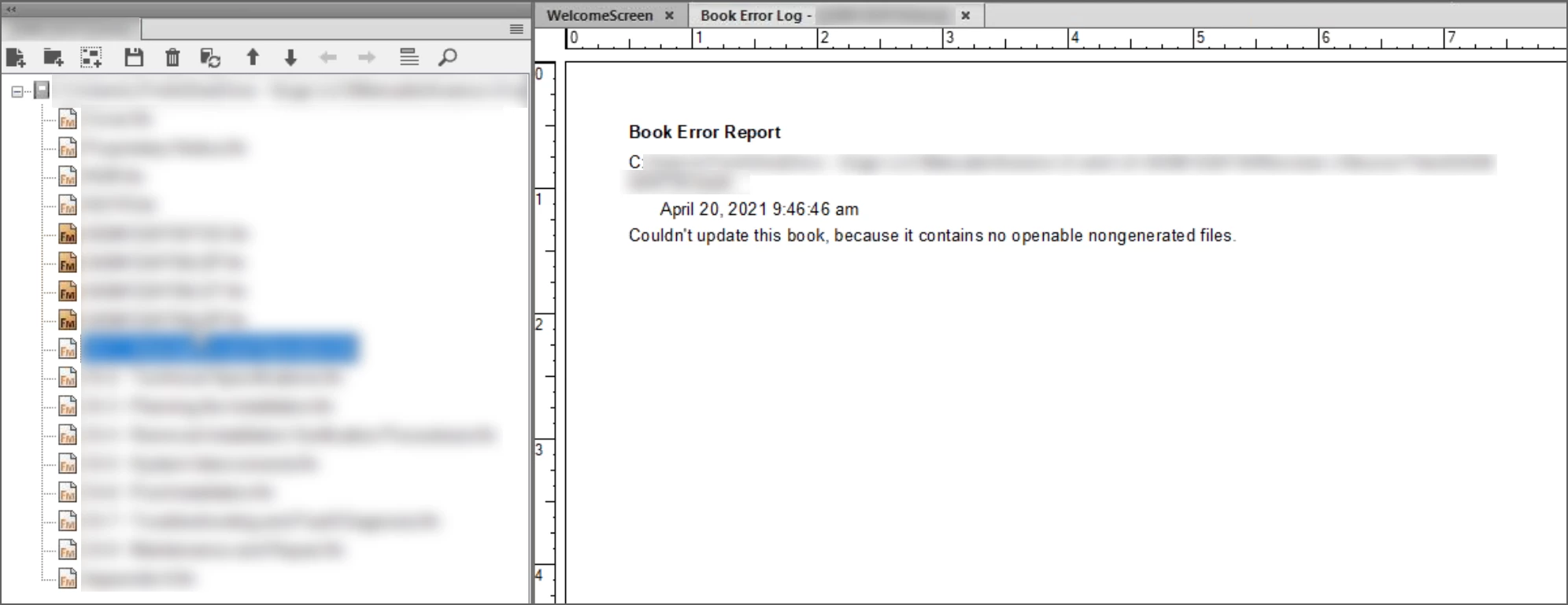
The book and the generated files update as expected as long as all the files are open. I can't find any issues with the four generated files (TOC, LOF, LOT and LOP) and the nongenerated files seem fine, too. The book was created years ago and has been updated in the various versions over the years. 


As I continue think about it, I did see missing fonts appear in the book window error report once. Is this an obscure way of telling us to uncheck ‘Remember Missing Fonts’ in Preferences?


Thanks in advance,

~Barb 

    This topic has been closed for replies.

    6 replies

    Barb Binder
    Community Expert
    Community Expert
    April 21, 2021

    It's definitely not a very helpful error message. 😂


    I standardized the files so that all were saved as 2019 and there are no text insets, so I am suspecting it's referring to missing fonts. (Thanks, @Winfried Reng). But the files don't complain about missing fonts when they're being opened. (Of course, the alert could be disabled.)


    This is for one of my students so I don't have access to the files right now, but I will follow up with him and then follow up here once I hear back.


    Thanks for all your help, everybody! 


    ~Barb

    ~Barb at Rocky Mountain Training
    Matt-Tech Comm Tools
    Community Expert
    Community Expert
    April 27, 2021

    I've found that I get that message when each of the files in the book are prevented from opening via a missing resource dialog. Have your student open all files in book, then update.


    * It wouldn't be a bad idea to go to the Preferences and reset the Alert messages so that they see the missing resources that are causing the book error log.


    -Matt

    -Matt Sullivan, FrameMaker Course Creator, Author, Trainer, Consultant
    Klaus Göbel
    Legend
    April 21, 2021

    In my opinion, this is a misleading error message.

    I suspect that FrameMaker cannot automatically open some documents or text insets in the background because they are from a different version.

    Or there are other reasons why FrameMaker can't open these documents automatically, since opening requires user confirmation.
    Such as missing fonts, as Winfried described, or missing graphics, etc.

    In Winfried's example, the people who replaced the font then of course also saved the document again, resulting in the current version.

    Community Expert
    April 21, 2021

    Hi Barb,


    I do not know the real cause of this issue, but when you search the forum for this message, there are these two threads:

    https://community.adobe.com/t5/framemaker/couldn-t-update-this-book-because-it-contains-no-openable-nongenerated-files/m-p/6262743

    https://community.adobe.com/t5/framemaker/contains-no-openable-non-generated-files/m-p/4119202


    Both say that they corrected all missing fonts, and then they did not get this message.


    When I had a book, and one of the files had missing fonts, then I got a message about this font, but not about nongenerated files. Therefore your message is strange, but, I would definitely try to fix your fonts.


    Best regards


    Winfried

    Jeff_Coatsworth
    Community Expert
    Community Expert
    April 20, 2021

    Just a shot in the dark! 😂

    Barb Binder
    Community Expert
    Community Expert
    April 20, 2021

    No, Jeff, they aren't.


    ~Barb 

    ~Barb at Rocky Mountain Training
    Jeff_Coatsworth
    Community Expert
    Community Expert
    April 20, 2021

    They aren't locked, are they Barb?