
Participant
February 22, 2024
Answered

Book Error Report- Print Setting for color is Inconsistent

  • February 22, 2024
  • 2 replies
  • 350 views

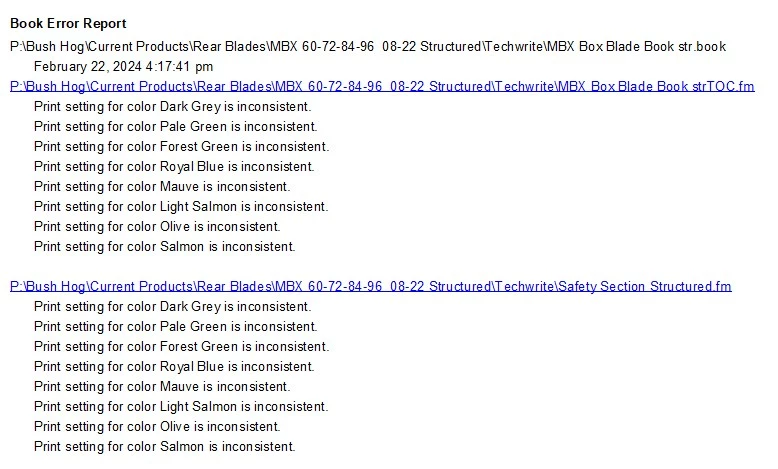
When I update the book I always get the following Book Error Report (see attached screenshot below):

It gives the same info for each section of the book (I am only showing the TOC and the first section). I usually ignore this, close the error message and move on, but I would like to know how to resolve this if possible. 

Thank you.
This topic has been closed for replies.
Correct answer Matt-Tech Comm Tools

Import the colors from the first file in the book into the two files giving you the error.

2 replies

Bob_Niland
Community Expert
Community Expert
February 23, 2024

Matt's provided the quick fix. The more general solution is to import formats from the project template, or an enterprise template, and it's all too common for organizations to have neither.

Matt-Tech Comm Tools
Community Expert
Community Expert
February 23, 2024

Agreed...creating a template-based workflow that addresses this and other issues is the best solution.

I've got books and courses for that 😉

-Matt Sullivan, FrameMaker Course Creator, Author, Trainer, Consultant
Matt-Tech Comm Tools
Community Expert
Matt-Tech Comm ToolsCommunity ExpertCorrect answer
Community Expert
February 22, 2024

Import the colors from the first file in the book into the two files giving you the error.

-Matt Sullivan, FrameMaker Course Creator, Author, Trainer, Consultant
Participant
March 4, 2024

Thank you. Importing the color definitions from the first file in the book into all subsequent files, then saving all files in the book , then updating the book has worked perfectly. There are no more book error messages.
