


michelem1069
Participant
April 21, 2016
Question

Broken bookmarks

  • April 21, 2016
  • 2 replies
  • 424 views

I saved a Frame 10 book file as a pdf and the bookmarks did not generate properly.

The secondary bookmarks are not nested under the primary bookmarks. For example, the bookmarks for heading 1 and heading 2 Frame file content do not display "indented" under the Chapter Title bookmarks.
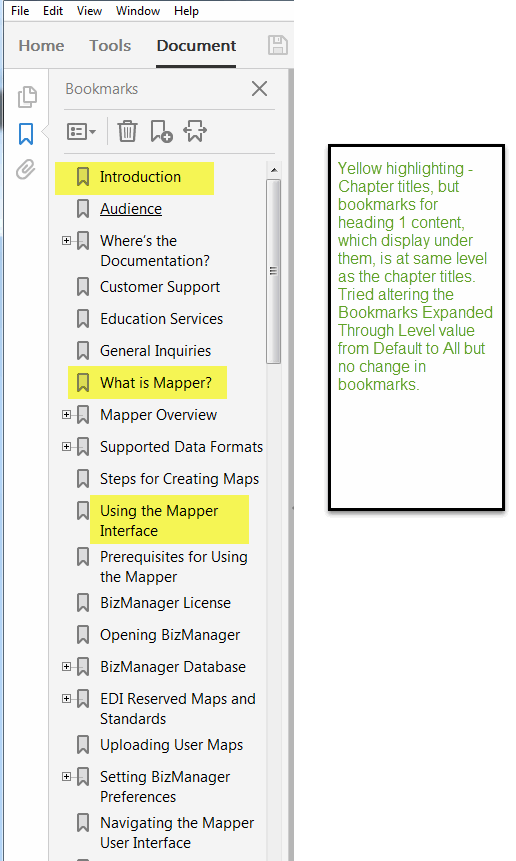
Michele

This topic has been closed for replies.

2 replies

Participating Frequently
April 25, 2016
  1. Choose Format > Document > PDF Setup.
  2. In the Include Paragraphs list, select your heading1 paragraph tag.
  3. Use the Bookmark Level >> button to indent this bookmark.
  4. Repeat for other formats (e.g. ​heading2​) as needed.
Arnis Gubins
Inspiring
April 21, 2016

Are the Chapter Title paragraphs in a different text flow?

Are the indentation levels correctly specified in the PDF Setup for the book file?