


starzx1120
Participant
May 20, 2015
Question

Cannot Create a DITA file by FrameMaker 12, and the error code is 12044...

  • May 20, 2015
  • 1 reply
  • 633 views

Hi,

I tried a lot of solutions before I ask this question.

I can successfully use the unstructured FM12, but if I use structured FM12 to create/open a DITA file, the FrameMaker 12 crashes... I used the default FM DITA tool, and used the DITA-FMx tool. The same error occurs. In addition, I have reinstalled the FrameMaker 12, and unistall the FrameMaker 11 from my computer...In addition, I should use the correct structapp file, as my other coworkers all use the same file.
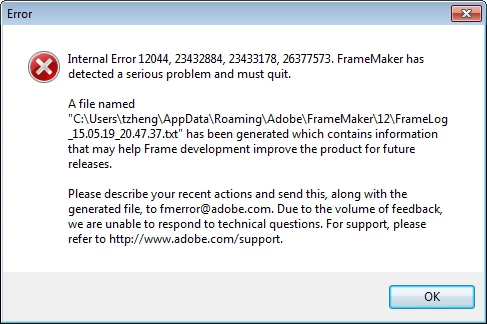
I really do not know what can I do. It is a work software for me...

Thanks a lot!

Tina

[Thread moved by moderator from General discussions]

This topic has been closed for replies.

1 reply

Jeff_Coatsworth
Community Expert
Community Expert
May 20, 2015

Are you completely patched up in FM12? Have you reported the error to Adobe? Can you make it break at will? Are you in an environment where it’s working for others, but not for you? Have you looked in the Structured FM forum?

starzx1120
Participant
May 20, 2015

Hi,

For your questions,

1. I am using 12.0.4.445 version, and it should be the latest version.

2. I sent an email to Adobe several days ago with the error log, but did not get any response.

3. What do you mean by "make it break at will"? I have tried reboot the computer...But it does not work, either.

4. Yes, I am using my own computer with the Administrator permission.

5. I did not know there is a special forum for Structured FM. I will check that...

btw, If I use the default DITA tool to create a DITA file, there is such an error message:

Any more ideas?

Thanks!

Tina

__AG__
Participating Frequently
May 20, 2015

Hi Tina,

FM is looking for a plugin specified in the maker.ini file:

ditafm_app=Standard, Translation client for DITA, fminit\ditafm_app.dll, structured

Check your \fminit folder to see if this .dll file is present. If not, try re-installing FM12. There are a number of .dll filkes in that folder that are needed for DITA processing, so this may be the  reason for crashing in structured mode.

FWIW, you didn't have to uninstall FM11 to install FM12 - FM versions coexist quite amicably.