


June 12, 2012
Question

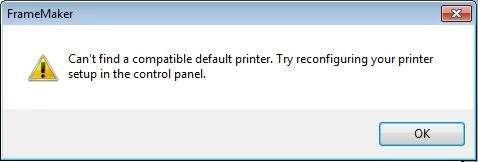
Cannot find default printer - FM10 Win7

  • June 12, 2012
  • 3 replies
  • 1816 views

Hi, Does anyone know how to fix this? I get a message on startup that FM cannot find a default printer and that I should set one in the control panel. So I go to the control panel, where the check mark indicates Adobe PDF is the default printer, and I change it to a real printer in the office and go back to FM and try to print, but I get the same message, cannot find default printer and I am unable to print.

Is there any history of this problem?

Thanks

Lygia
    This topic has been closed for replies.

    3 replies

    Christy Morris
    Participant
    October 29, 2014

    I am using FM10 in Windows 8 (I occasionally get this error whenever adobe products are updated on my machine)

    If you work in a more controlled environment (Federal Subcontractor with administrative controls everywhere), I contact my IT department , or if you have the administrator rights, perform the following steps:

    1. Launch command prompt as administrator.
    2. Type “appwiz.cpl” press enter
    3. Right mouse click on Adobe Acrobat Pro and select change
    4. Select repair and click next.
    5. If necessary enter administrative credentials when requested.
    6. Reboot workstation
    Inspiring
    June 12, 2012

    I've seen that same error a couple of times when loading FrameMaker. As

    I recall, a reboot fixed the glitch.

    Jeff_Coatsworth
    Community Expert
    Community Expert
    June 12, 2012

    The Adobe PDF virtual printer instance should be your default printer within FM (use the free SetPrint plug-in to make this happen). That way you can keep your "real" printers as the default outside of FM. Is your instance of Acrobat Distiller working correctly? I would suspect that it's not - that may be why FM is complaining.

    June 12, 2012

    Hi Jeff, thanks for your response, although I don't have the technical expertise to understand it completely. But I did find an old message that suggested I change some settings in the printer properties. When I tried to do that, I got a dialog box that said "The "Adobe PDF Converter' printer driver is not installed on this computer...Do you want to install the driver now?"

    So I installed the driver and restarted Frame... voila! (so far!) It seems to work. Keeping my fingers crossed.

    Lygia