


Participant
Jan 17, 2019 8:44 PM UTC
Answered

Cannot get updates to complete, dialog window image doesn't allow me to enter a response.

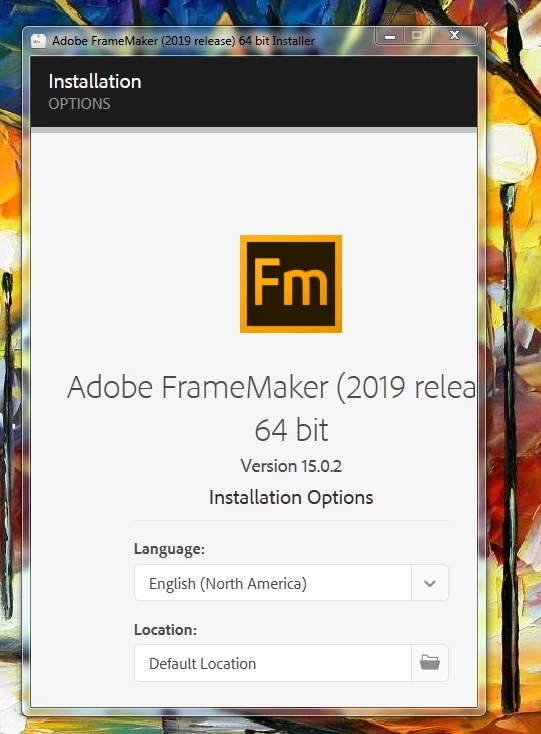
Trying to get updates for FrameMaker 15.0.2, when I launch the Set-up.exe file the dialog window image doesn't allow me to enter a response. It appears as follows and I cannot resize the window to gain access to the contents of the window in order to click on whatever response is buried there.
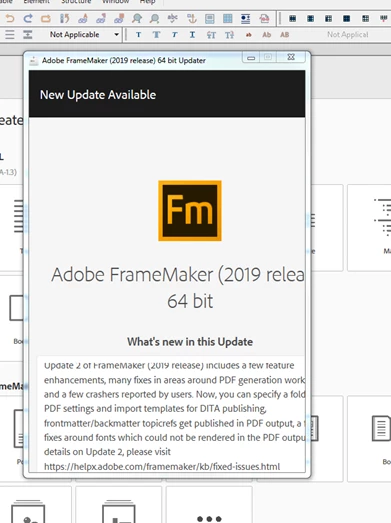
The same issue when using the Help/updates...
    This topic is closed to new replies. Start a new post to keep the conversation going.
    amyr50091343Correct answer
    Participant
    Jan 17, 2019 9:24 PM UTC

    Turns out I had to close anything Microsoft Office related. Then dialog window for installing the updates displayed as expected.

    4 replies

    amyr50091343AuthorCorrect answer
    Participant
    Jan 17, 2019 9:24 PM UTC

    Turns out I had to close anything Microsoft Office related. Then dialog window for installing the updates displayed as expected.

    Translate
    Jeff_Coatsworth
    Community Expert
    Community Expert
    Jan 17, 2019 9:00 PM UTC

    Probably a function of your screen resolution I suspect - what are you set at?

    Translate
    Participant
    Jan 17, 2019 9:02 PM UTC

    1680 x 1050 (recommended)

    Translate
    Jeff_Coatsworth
    Community Expert
    Community Expert
    Jan 17, 2019 9:14 PM UTC

    Try playing around with it to see if there's any effect on the window size of the installer. If nothing seems to work, give the FM guys a buzz at tcssup@adobe.com

    Translate