

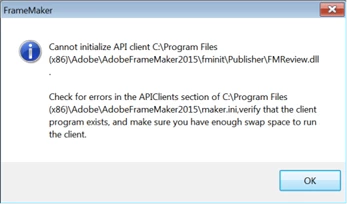
Cannot initialize API client C:\Program Files (x86)\Adobe\AdobeFrameMaker2015\fminit\Publisher\FMReview.dll
In my company we use Adobe FrameMaker as part of Adobe Technical Communication Suite 2015. Few days ago some people installed the Adobe® FrameMaker® 2015 update 5 (2015.0.5). After this some of these people get an message box when starting FrameMaker
"Cannot initialize API client C:\Program Files (x86)\Adobe\AdobeFrameMaker2015\fminit\Publisher\FMReview.dll .
Check for errors in the APIClients section of C:\Program Files (x86)\Adobe\AdobeFrameMaker2015\maker.ini, verify that the client program exists, and make sure you have enough swap space to run the client."
The entries in Maker.ini
FMReview=Standard, Review FrameMaker Documents, fminit\Publisher\FMReview.dll, all, null, fminit\Publisher
;------Scripting client should added to last, so that its available for FrameMaker plugin------
The file FMReview.dll is available and was last changed September 2016.


 AdChoices