
Inspiring
August 27, 2021
Answered

Cannot Sign in FM 2019

  • August 27, 2021
  • 2 replies
  • 450 views

Today, I found out that I cannot sign in to FM 2019. 

I get a Sign-In Now dialog box and click Sign in.

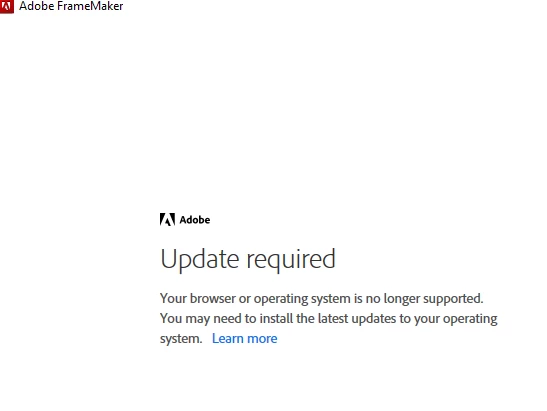
Then, I see an error, "Update Required 

Your browser or operating system is no longer supported. You may need to install the latest updates to your operating system."


I am using Windows 10 all patched up and have tried the latest versions of Chrome and Firefox without success.


Help?
 

Cheers,


Sean

    This topic has been closed for replies.
    Correct answer Jeff_Coatsworth

    Give the FM folks a buzz - see https://helpx.adobe.com/contact/enterprise-support.other.html#framemaker for your Adobe Support options. I'd recommend using the tcssup@adobe.com e-mail address as it reaches a team dedicated to Technical Communication Suite products including FrameMaker.

    2 replies

    Jeff_Coatsworth
    Community Expert
    Jeff_CoatsworthCommunity ExpertCorrect answer
    Community Expert
    August 30, 2021

    Give the FM folks a buzz - see https://helpx.adobe.com/contact/enterprise-support.other.html#framemaker for your Adobe Support options. I'd recommend using the tcssup@adobe.com e-mail address as it reaches a team dedicated to Technical Communication Suite products including FrameMaker.

    Inspiring
    August 30, 2021

    Weird. It seems I screwed up copying-and-pasting the AASSIapp.exe file, which is what solved the problem. Adobe got back to me before my employer's support staff did. Fantastic. All set. The solution is to get AASSIapp.exe and copy it over the existing file.

    Sean

    Inspiring
    August 27, 2021

    Hi,

    AASSIapp.exe was already in the P7 folder.

    I used the link and placed the copy of AASSIapp.exe in P& overwriting the original anyway.

    IE had not been set up on my PC, but I gave it a go, it was IE 11. I installed Edge anyway. I cannot uninstall IE.

    Chrome is my default browser.

    I kept checking along the way and nothing worked.

    I want to try uninstalling and reinstalling FM, which is a subscription, but my PC is managed and I cannot uninstall FM 2019 without being an Admin, which I am apparently not.


    Any more thoughts?

    FWIW, InDesign 2019 also a subscription opens fine on this same computer.


    Sean